
How Acrobat Reader: PDF Converter works
Adobe Inc. · Productivity
Android
What it does
Acrobat Reader is a PDF viewer and editor that opens, reads, fills, signs and comments on PDFs, with Premium unlocking text editing, conversion and cloud storage. It also bundles AI study tools (Student Spaces) and Adobe Express templates.
Who it is for: People who want to view, fill, sign, edit and convert PDF files, with optional AI study tools and design templates.
Key features
AI study tools
Generate quizzes, flashcards, study guides, podcasts, mind maps and video summaries; some are Premium.
File browser
Open PDFs from device storage, Photos, Adobe cloud and third-party cloud services.
Student Space
AI workspace for studying: create spaces, add sources and generate study materials.
AI chat assistant
Conversational AI that asks clarifying questions and produces study content.
Search
Search across device files, shared files and cloud storage.
Templates via Adobe Express
Create flyers, posters, social posts and cards from Express templates.
The main user flow
- Open a file from device or cloud, then read, annotate or sign it
- Fill and sign a form via Tools
- Create a Student Space and generate quizzes or study materials via AI chat
- Browse Express templates to create flyers and posts
- Navigation
- Bottom tab bar with Home, Create, Student Spaces, Files and Tools, plus search and settings in the top bar.
- Onboarding
- Privacy notice, then notification opt-in with a system permission prompt, then optional sign-in; a study-use question sheet appears after tapping Close on the paywall.
- How it makes money
- Visible paywall comparing Free and Premium, yearly $29.99 ($2.49/mo, save 37%) or monthly $3.99, with a 7-day free trial; Premium features are marked and a Subscribe button sits in the top bar; Express promo badges also appear.
Screenshots
10 of 30 screens, captured on a real phone with sample data.
Home - recent files Tools catalogue Quiz ready - overview Create Practice Quiz chat File picker search - empty Privacy intro - Your privacy matters Create hub with templates Add to space sheet Student Space notes - empty Template sign-in gate - +20 more screensFree with an account
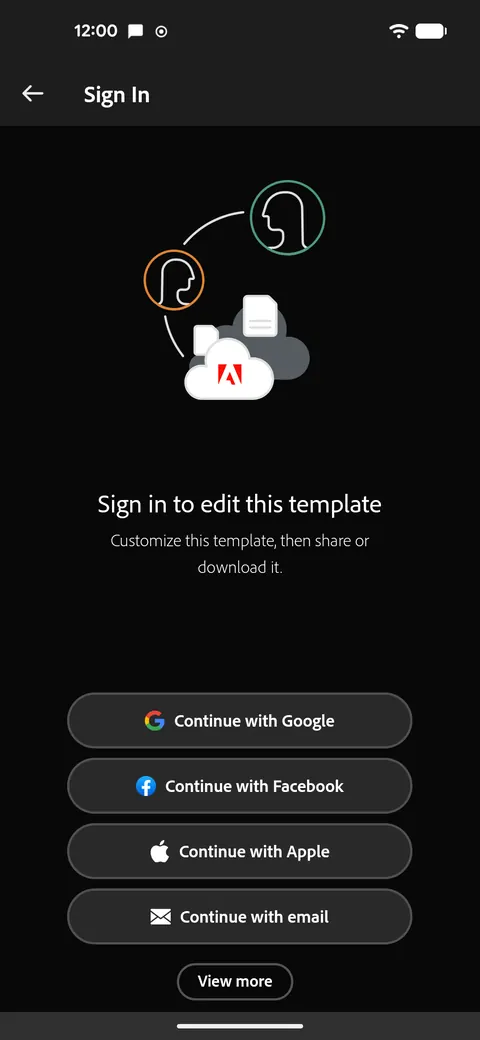
Screenshots: © Adobe Inc., shown for commentary.
See all 30 screens — create a free accountSee every screen
The full map has all 30 screens, every feature and where each one lives. It is free with an account.
Want an app like this, but better?
Tell us the idea. We research it, and build it for you.
Submit your idea