
How 1Weather Forecasts & Radar works
Pinsight Media+, Inc. · Weather
Android
What it does
1Weather shows local and national weather forecasts, current conditions, and saved locations. It also offers an AI weather assistant and home screen widgets.
Who it is for: For people who want local and national weather forecasts, current conditions, saved locations, and home screen widgets.
Key features
In-app advertising
Banner, video and full-screen third-party ads across screens.
Current conditions details
Tabbed detail view for precipitation, feels like, wind, visibility, humidity, dew point and pressure.
Current forecast
Shows current temperature, feels-like and conditions for a location.
Day picker
Selects a day to view its conditions.
AI weather assistant
Chat-style assistant (Skyla) that answers weather questions.
Current location
Uses the device's live location for forecasts.
The main user flow
- Grant location, then view the home forecast
- Search for a city or zip code and open its forecast
- Open current conditions and switch tabs and days
- Manage saved locations
- Add a home screen widget
- Navigation
- Home forecast is the main screen. Taps on the temperature open the location sheet or current conditions. A hamburger menu and back buttons move between screens.
- Onboarding
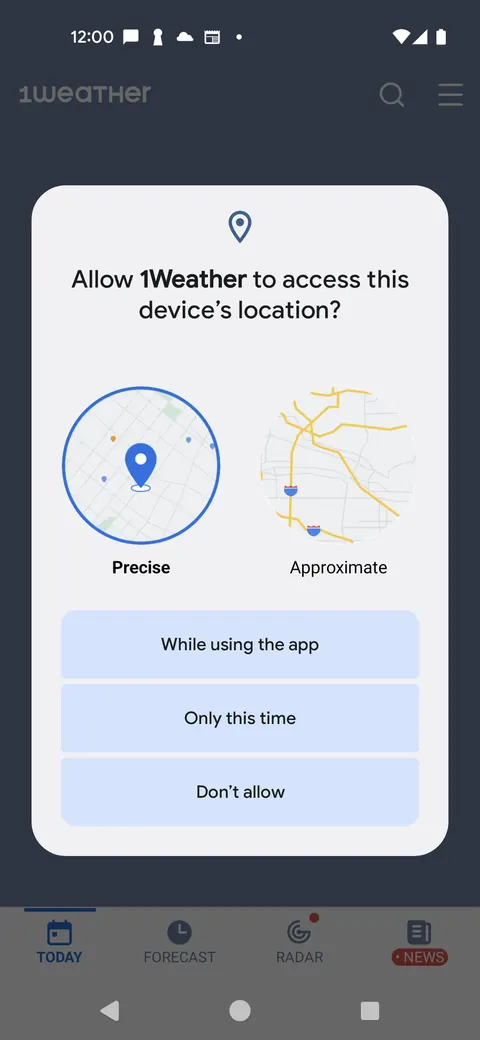
- A consent screen asks for location and accepting Terms and Privacy, then a system permission sheet asks for precise or approximate location.
- How it makes money
- Ads on most home and conditions screens (video, banner, full-screen install ads), a Go ad-free 50% off banner, and an AI assistant promotion.
Screenshots
10 of 25 screens, captured on a real phone with sample data.
Home - current forecast for Rungis Manage locations Current conditions - Feels like tab Location search results for 'run' Location consent onboarding Favourite location sheet About Home with video ad overlay Location privacy dialog Location permission sheet - +15 more screensFree with an account
Screenshots: © Pinsight Media+, Inc., shown for commentary.
See all 25 screens — create a free accountSee every screen
The full map has all 25 screens, every feature and where each one lives. It is free with an account.
Want an app like this, but better?
Tell us the idea. We research it, and build it for you.
Submit your idea