
How Zedge™ Wallpapers & Ringtones works
Zedge, Inc. · Personalization
Android
What it does
Zedge is a personalization app for browsing and downloading wallpapers, live and video wallpapers, ringtones and notification sounds, with an AI tool for generating wallpapers and ringtones. Users can also set an alarm feature and follow or share creations in a community.
Who it is for: People who want to personalize their phone with wallpapers, ringtones, notification sounds, and an alarm feature.
Key features
Search
Search wallpapers, ringtones, sounds and collections with type-filtered results.
Wallpaper browsing
Browse and sort wallpapers and collections by popular, newest, categories and featured.
Zedge Plus upsell
Promotion of the premium subscription across the app.
Collections
Curated themed collections of wallpapers and ringtones.
Account login
Log in with Google, Facebook or email to keep downloads and access features.
In-feed ads
Sponsored native ads shown inside search results.
The main user flow
- Browse wallpapers, ringtones and collections from the home feed
- Search content by keyword and filter results by type
- Create wallpapers or ringtones with the AI Generator
- Save favorites and view downloads in My Zedge
- Log in via Google, Facebook or email
- Subscribe to Zedge Plus for premium perks
- Navigation
- Bottom-level tabs for Wallpapers, Ringtones, AlarmZz, AI Generator and My Zedge; a search bar sits at the top of the home feed; profile and settings are reached from My Zedge.
- Onboarding
- No dedicated onboarding was captured; the app asks for login via a 'Log in for the Full Experience' prompt when opening the profile, and shows a rating prompt on the home screen.
- How it makes money
- Zedge Plus subscription: weekly at $0.99 or lifetime at $14.39, promoted with an upsell banner on most screens. Native sponsored ads appear inside search results (caller ID, games, pixel puzzle, AI support app). Credits balance shown (10) for AI and premium features.
Screenshots
10 of 28 screens, captured on a real phone with sample data.
Home - wallpapers feed Search results - runescape AlarmZz - alarm promo AI Generator - create options Search - typing 'run' with history Zedge Plus paywall My Zedge - guest profile Favorites - empty state Log in for full experience Email form - invalid email error - +18 more screensFree with an account
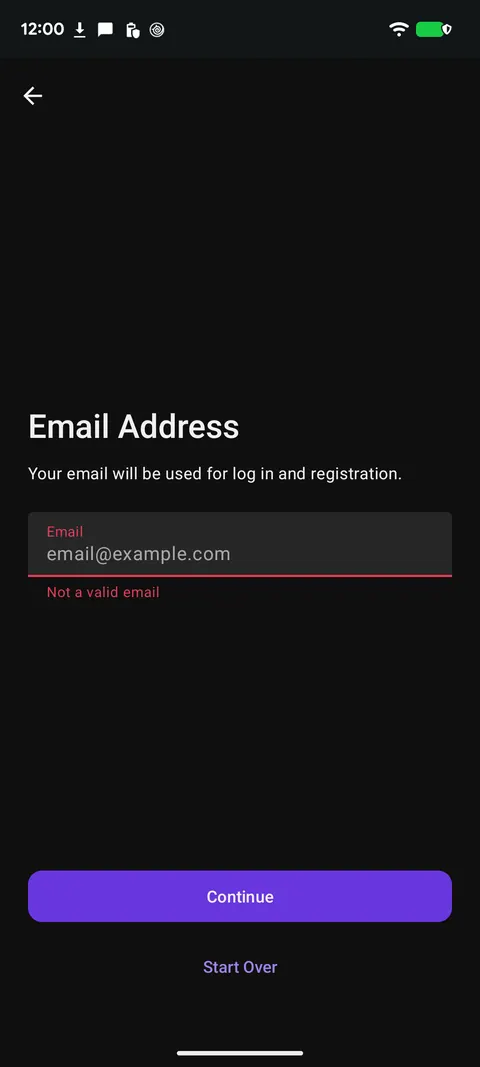
Screenshots: © Zedge, Inc., shown for commentary.
See all 28 screens — create a free accountSee every screen
The full map has all 28 screens, every feature and where each one lives. It is free with an account.
What could be better
Our read of the map, the store listing and recent reviews.
Keep ads out of preview and download tapssmall fix
Ads appear right as users tap to preview a sound or view a wallpaper, and taps land on ads. Hold ads until a browse break, and never place an ad where a preview or download control sits.
Add a clear close control and cap ads that cannot be dismissedmedium
Users report unskippable ads and a fake close button that opens the ad anyway, forcing them to relaunch the app. Use a real close control, a per-session ad cap and a way back to the screen they were on.
Offer one ad-free tier with clear credit and billing termsmedium
Buyers of the lifetime or paid plan still see ads and must buy credits, and some users say the paid plan is the only way to avoid ads. Make the ad-free entitlement and what credits cover explicit on the paywall.
Keep sponsored app ads out of content search resultssmall fix
Search results are filled with sponsored app ads for unrelated games and apps instead of matching wallpapers or ringtones. Show ads only below relevant content and label them clearly.
Let users download without watching an ad, or offer an ad-to-unlock choicemedium
Users say viewing ads to download every item feels excessive, and some would rather watch one ad per download than see ads on every view. Offer a choice between a single ad per download and an ad-free path.
Add a filter to hide AI-generated wallpapers in browse and searchmedium
Users say most wallpapers feel AI-generated and cannot opt out. Add a toggle in the feed and search settings that hides AI-generated items and labels them where they appear.
Make subscription cancellation and refund requests visible in-appsmall fix
A user who tried a weekly plan says they could not find how to cancel, and another asks for a refund after a lifetime purchase. Show a cancel path in account settings and a refund request link next to each purchase.
Want an app like this, but better?
Tell us the idea. We research it, and build it for you.
Submit your idea