
How Perfect Piano works
北京联动科技有限公司 · Music & Audio
Android
What it does
Perfect Piano is a virtual 88-key piano for Android with several built-in instrument timbres. It can be played by touch or with a USB MIDI keyboard, and it includes a learn-to-play mode that teaches songs with visual guides.
Who it is for: People who want to play a virtual 88-key piano on Android, with a USB MIDI keyboard option and guided song lessons.
Key features
Learn to Play mode
Guided song playback with difficulty levels, falling-note or sheet guides and practice modes.
Explore songs community feed
Browse user-uploaded songs by Featured, Weekly/Monthly Hot and Hot categories.
In-feed app install ads
Third-party app install and video ads interleaved in the song feed and search results.
Sound plugin store
Downloadable extra instrument sounds (pianos, marimba, violin, harp, etc.), some unlocked by watching ads.
Watch ads to unlock
Video ads unlock sounds and learn-mode chances.
Song search
Search community songs with suggested trending terms.
The main user flow
- Play the piano keyboard with touch and choose instrument sounds
- Browse the Explore community feed and open a song to learn it
- Search for songs and start the learn-to-play mode
- Download extra sound plugins or unlock them by watching ads
- Connect a USB MIDI keyboard via OTG adapter
- Navigation
- Hamburger-style drawer from the home screen reaches Login, Sound Plugin, MIDI Keyboard, Explore Songs, Remove ADs, Settings, About and Walk Band. The overflow More menu offers rate, like, share and Discord. Sub-screens use a back-arrow Navigate up button.
- Onboarding
- No explicit onboarding is visible in the captured screens. Users are shown a MIDI guide and learn-to-play options, and login is optional.
- How it makes money
- Rewarded video ads unlock sound plugins and learn-mode chances (5 per video). Interleaved third-party app install and video ads appear in the explore feed and search results. A Remove ADs option is in the drawer, so a paid ad-free tier is present.
Screenshots
9 of 30 screens, captured on a real phone with sample data.
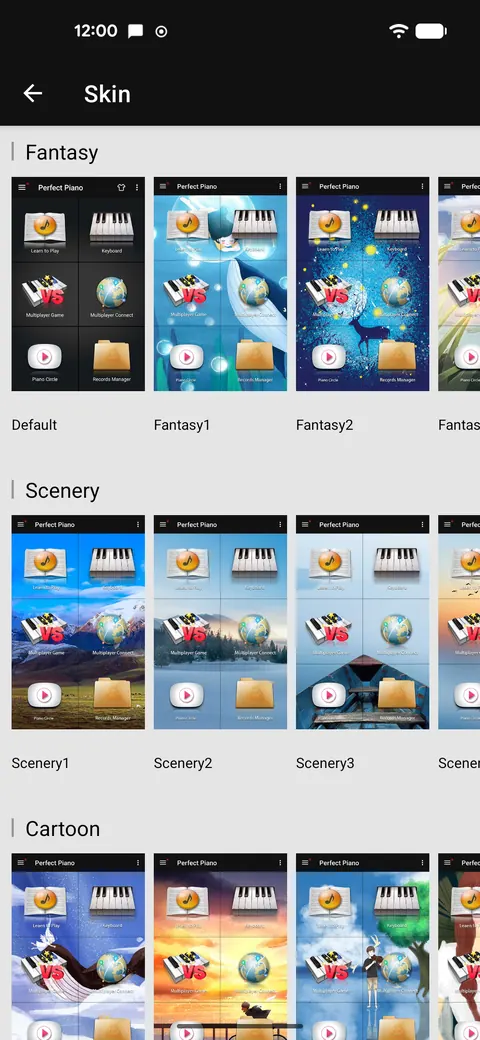
MIDI keyboard user guide More options menu Navigation drawer menu Home - piano main screen Learn to Play screen Learn mode settings dialog Login screen Sound plugin more list Skin selection list - +21 more screensFree with an account
Screenshots: © 北京联动科技有限公司, shown for commentary.
See all 30 screens — create a free accountSee every screen
The full map has all 30 screens, every feature and where each one lives. It is free with an account.
What could be better
Our read of the map, the store listing and recent reviews.
Keep ads out of the play screen and never block closing the pianomedium
Ads interrupt play and can block exit. Show ads only on browse screens such as the feed and search, never during keypresses or between notes, and let users leave the piano without an ad.
Offer a one-time ad-free purchase shown before any ad wallsmall fix
Ads gate sounds and learning, and the only ad-free route is a Remove ADs drawer entry. Offer one clear one-time price with a visible range, and show it before the first ad gate rather than after.
Make rewarded-ad unlocks load reliably and fail over to a retrymedium
Unlock dialogs can stall on Requesting ad with nothing shown, leaving users unable to add sounds. Add a timeout, a retry, and a non-ad path such as a purchase when no ad loads.
Give a free learn-mode allowance before the ad gate and cap ad lengthsmall fix
Learn mode is locked behind a per-video ad, and users report the wall arrives fast and the videos run long. Grant a free starter allowance and cap the length of gate videos.
Cut key-to-sound latency and keep notes on time at screen edgesmedium
Users report long delays between touch and sound, worse at screen edges, and notes lagging during fast passages. Measure touch-to-audio latency on common devices and fix the audio path before adding features.
Restore paid entitlements from a receipt and explain any account removalmedium
Users who paid lost VIP or lifetime status with no explanation or restore path. Check the store receipt on launch, restore purchases, and show the reason and an appeal route for any account action.
Protect user recordings and downloaded content from silent lossmedium
Users report recorded MIDI files and tutorials disappearing. Keep local recordings in a backup the user can export, and warn before any content is removed from the app.
Add a step-by-step MIDI setup guide with a pre-connect checksmall fix
Users say the MIDI setup explanation is unclear and need the OTG adapter before they start. Add a numbered setup flow that checks for a connected USB MIDI device and names the adapter needed.
Want an app like this, but better?
Tell us the idea. We research it, and build it for you.
Submit your idea