
How ACR Phone works
NEO LINK LABS LTD · Communication
Android
What it does
ACR Phone is a full dialer that records calls, with caller ID/blocking, cloud upload and optional transcription through Gemini/Whisper/Android speech recognition using the user's own keys.
Who it is for: People who want a phone dialer app that records calls, shows caller ID, uploads recordings to the cloud, and optionally transcribes them.
Key features
Default phone app
Must be set as default dialer, call screener optional.
Caller ID and blocking
Enhanced Caller ID, community spam DB (uploads contacts/blacklist - skipped).
Call recording
Full dialer replacement that records calls; on the Play build, recording via the Accessibility Service is unavailable and recordings are silent unless the other-store build is used.
Cloud and backup
Many upload services and local backup.
Transcription via cloud services
On-device speech recognizer, Gemini or OpenAI Whisper with the user's own API key.
Call announcement
Speaks the caller name.
The main user flow
- Set as default phone app
- Calls tab and recordings tab
- Cloud services incl. transcription
- Premium
- Navigation
- Bottom bar: Favorites, Calls, Contacts, Recordings; overflow to Settings.
- Onboarding
- Forces default-dialer role, then offers caller ID and community spam DB, then call-screener role, all skippable except dialer.
- How it makes money
- Lifetime $3.00 one-time or free with adverts/rewarded adverts; ads-free basic tier with fewer features. Premium icon always in the search bar.
Screenshots
10 of 25 screens, captured on a real phone with sample data.
Favorites tab (empty) Cloud Services Premium upgrade Transcription (Device) Enhanced Caller ID Main overflow menu Add cloud service Recordings tab (silent warning) Dialer Set as call blocker - +15 more screensFree with an account
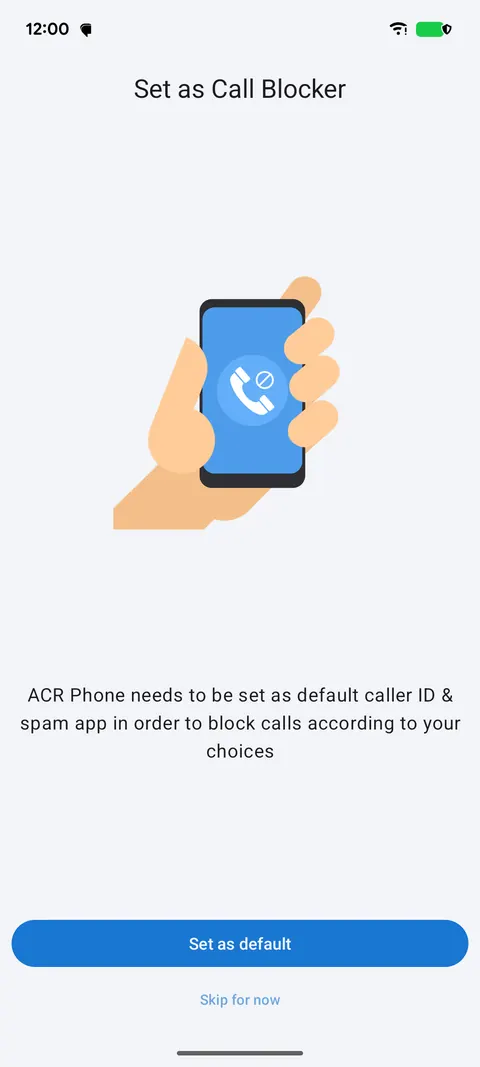
Screenshots: © NEO LINK LABS LTD, shown for commentary.
See all 25 screens — create a free accountSee every screen
The full map has all 25 screens, every feature and where each one lives. It is free with an account.
What could be better
Our read of the map, the store listing and recent reviews.
Fix call recordings that play back silent or with one speaker onlylarge
Many reviews say recordings have no sound or capture only one side of the call, yet the app shows no capture check. Verify both channels after each call and warn the user before they rely on a bad file.
Explain Accessibility-dependent recording before install, not aftermedium
The Play build cannot record without the Accessibility Service, and users find this only after paying. Show the requirement and the recording limit on the first screen, and offer a clear working path for each store build.
Warn before any feature is switched off by an updatesmall fix
Users lose features or call history after updates with no notice. Show a changelog and a dismissible banner before a change takes effect, and state which features each tier keeps.
Show one paywall after the first win, not on every launchsmall fix
Users report repeated upgrade prompts and recording features behind payment after purchase. Show the paywall once after a successful action, and keep the sold tier's features fixed.
Notify the user before auto-delete removes recordingssmall fix
Recordings are deleted by age or length rules without notice, so users lose calls. Add a confirmation step, a trash folder, and a notice listing the files that will be removed.
Make missed-call alerts and block rules persist across restartsmedium
Users report notification settings reverting, block rules failing, and rejected calls missing from the log. Store these settings reliably and show a log of blocked and rejected calls.
Let users import contacts from CSV and third-party sourcesmedium
Users cannot bring in contacts from a file or another source, which blocks setup on a new device. Add CSV import and a contacts sync option that the user starts and can undo.
Want an app like this, but better?
Tell us the idea. We research it, and build it for you.
Submit your idea