How Babbel - Learn Languages works
Babbel GmbH · Education
Android
What it does
Language-learning app with short lessons, vocabulary practice and AI conversations.
Who it is for: People who want to learn languages through short lessons, vocabulary practice, and AI conversations.
Key features
Personalised onboarding funnel
Ten questions then name and sign-up before value.
Lessons
Webview lesson player with picture quizzes.
Profile and settings
Profile, downloads, appearance, help.
Paywall and trial
Plan paywall, lifetime plan, 7-day free trial; no purchase.
Practice and Speak
Vocabulary, grammar, listening, AI conversations (locked).
The main user flow
- Onboarding quiz
- Sign in with Google
- Complete a lesson
- Browse practice
- Navigation
- Bottom tabs: Learn, Practice, Speak, Progress; profile icon top right.
- Onboarding
- Ten survey questions, mini lesson, name, then Google/email sign-up and a paywall.
- How it makes money
- Subscription: 12 months $84 (50% off), 6 months $66, lifetime $299.99; 7-day trial; paywall right after sign-up.
Screenshots
10 of 31 screens, captured on a real phone with sample data.
Learn home Choose language Practice tab Paywall: choose plan Settings Signup options Complete the sentence Leave lesson Welcome Learn home scrolled - +21 more screensFree with an account
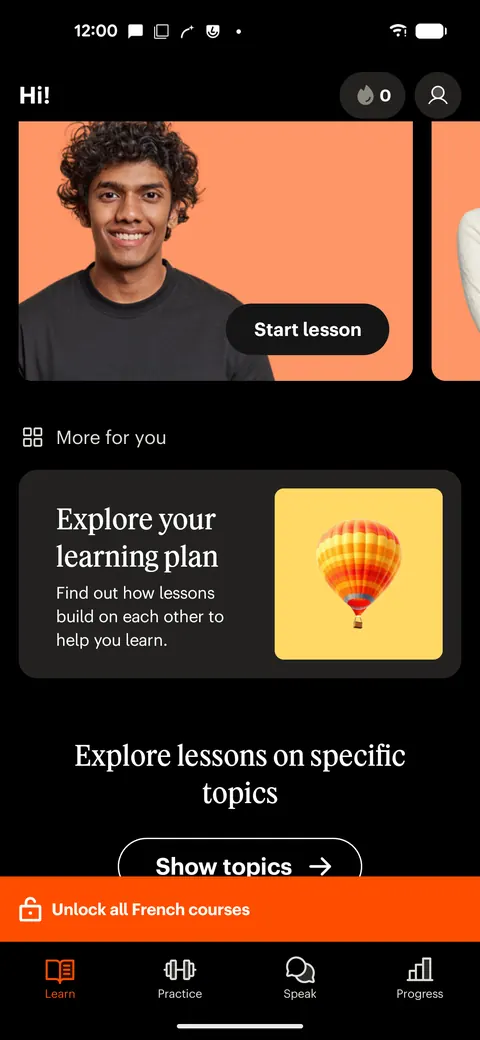
Screenshots: © Babbel GmbH, shown for commentary.
See all 31 screens — create a free accountSee every screen
The full map has all 31 screens, every feature and where each one lives. It is free with an account.
What could be better
Our read of the map, the store listing and recent reviews.
Let the first lessons run free and show the paywall after a clear winmedium
The paywall comes right after sign-up, before any lesson, and reviewers are locked out after one lesson. Show the paywall after a finished lesson or a placement result, and keep lesson 2 reachable for a few days.
Add in-app cancel and account deletion that work in one flowmedium
Users report many screens to cancel, no way to delete the account, and support not acting on cancellation requests. Put cancel and delete on one settings screen, confirm in-app, and send a receipt.
Make speech recognition and listening prompts reliable with a typed fallbackmedium
Reviewers say the microphone rarely works, correct answers are marked wrong, and listening prompts are blank. Test prompts on each build, and offer a typed or tap answer whenever speech fails.
Explain each lesson's grammar before the quiz and add a step between sectionsmedium
Reviewers describe lessons that jump in difficulty and go from section 1 to 2 too fast, with little explanation. Add a short explanation card before each new grammar point and smaller steps between sections.
Offer single-course, monthly, and per-lesson purchase optionsmedium
Reviewers want monthly billing or single courses, and find no one-month option. Show the monthly and per-course prices next to the annual plan on the paywall.
Cut the ten-question survey and move sign-up after the first lessonsmall fix
Ten survey screens and a name, email and sign-up step come before any value. Keep only the questions that set the starting level and move sign-up after the first finished lesson.
Add practice screens for vocabulary and grammar repetitionmedium
Reviewers say there is too little word-level review and not enough repetition, and that the lessons move on before the words stick. Add a vocabulary review screen with spaced repetition over learned words.
Add the languages learners ask for, starting with Japanese, Korean and Mandarinlarge
Reviewers say only about a dozen languages are offered and that Japanese, Korean and Mandarin are missing. Publish a language roadmap in the store listing and add the most-requested languages first.
Want an app like this, but better?
Tell us the idea. We research it, and build it for you.
Submit your idea