
How Duolingo: Learn Languages works
Duolingo, Inc · Education
iOS
What it does
Gamified language learning: short lessons with picture, translation and matching exercises, daily goals, streaks and reminders; Super removes ads.
Who it is for: People who want to learn languages through short, gamified lessons with daily goals, streaks and reminders.
Key features
Lesson exercises
Select image, matching pairs, translation, feedback sheets
Course picker
Choose language pair per speaker group
Onboarding survey
Attribution, level and motivation questions
Daily goal
Minutes-per-day commitment
Placement
Start from scratch or find my level
Reminders
Pre-prompt then iOS notification permission
The main user flow
- Get started -> pick course -> survey -> daily goal -> reminders -> first lesson
- Lesson exercise -> check -> feedback sheet -> continue
- Find my level placement
- Navigation
- Linear onboarding without sign-up, then lesson flow with X to quit. Home tabs not reached.
- Onboarding
- About 13 screens: course, 3 survey questions, daily goal, reminder and widget prompts, Super offer, start point, then straight into a lesson without account creation.
- How it makes money
- Super free-month offer shown inside onboarding next to a free tier with ads; no price read, nothing bought.
Screenshots
10 of 30 screens, captured on a real phone with sample data.
Lesson: select the correct image Super or basic What would you like to learn? Quit lesson sheet Notifications permission Lesson: incorrect feedback Welcome Lesson: correct feedback Lesson: tap the matching pairs Lesson: pairs complete - +20 more screensFree with an account
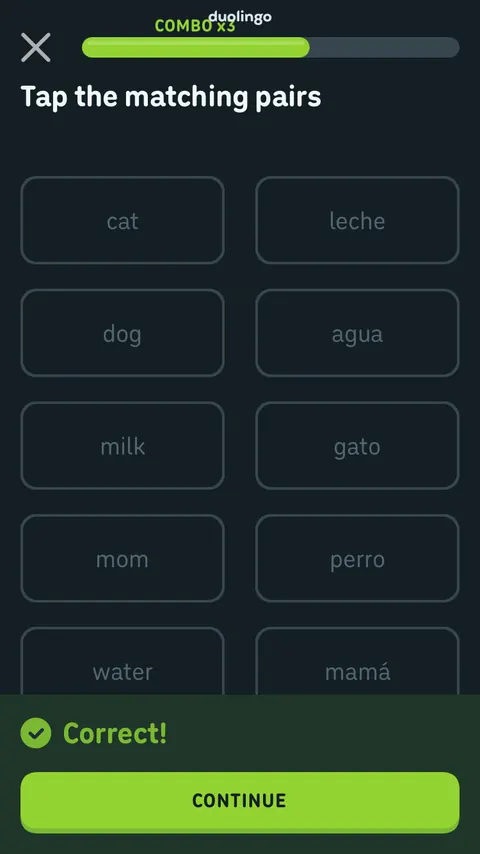
Screenshots: © Duolingo, Inc, shown for commentary.
See all 30 screens — create a free accountSee every screen
The full map has all 30 screens, every feature and where each one lives. It is free with an account.
What could be better
Our read of the map, the store listing and recent reviews.
Replace the interface-language warning sheet with a separate in-app language settingsmall fix
Picking a course from another speaker group opens a sheet saying the app interface will change. Let users set the interface language apart from the course pair, with no blocking sheet.
Cut transitional screens between the survey and the first lessonsmall fix
About 13 onboarding screens run before the first lesson, including Duo-only interstitials. Merge survey, goal and start-point choices onto fewer screens so the first lesson starts sooner.
Ask for notification permission after the first completed lessonsmall fix
The reminder pre-prompt and iOS notification alert appear before any lesson. Defer both until the user has finished a lesson and chosen a daily goal, so the request follows a visible benefit.
Drop the app tracking prompt from first runsmall fix
The iOS tracking alert appears during onboarding before the user has seen a lesson. Remove it from first run, or ask only where a feature needs it and explain the choice first.
Show full price, billing period and renewal on any Super offersmall fix
The Super offer shows a free first month but no price read or renewal date, and the listed subscriptions have no billing period. Show price, period and renewal date on the offer screen.
Move the Super offer to after a completed lesson, not inside onboardingsmall fix
The paywall sits in onboarding next to a free ad-supported tier, before the user has finished a lesson. Show the offer after a first completed lesson, with the free tier described plainly.
Make account creation optional and offer it once progress existsmedium
Onboarding goes straight into a lesson with no account, and the sign-up wall was never reached. Offer optional sign-up after progress exists, with a clear explanation of what syncs.
Want an app like this, but better?
Tell us the idea. We research it, and build it for you.
Submit your idea