
How Flexi AI Tutor & Homework Help works
CK12 FOUNDATION · Education
Android
What it does
Flexi is a chat-based AI tutor for math, science and related subjects, answering questions with step-by-step explanations sourced from CK-12 material. It also offers Test Prep and Flashcards sections.
Who it is for: Students who want step-by-step help with math, science and related subjects, plus test prep and flashcards.
Key features
AI tutor chat
Text chat with an AI tutor that answers subject questions with sourced explanations.
Language switch
Toggle the interface between English and Spanish.
My Tasks and notifications
Shows reminders and tasks once signed in; empty when signed out.
Sign in and sign up
Account sign-in and registration required to see tasks and reminders.
Side navigation menu
Drawer with access to sections, account, language, theme and help.
Suggested prompts
Example questions the user can tap to start a conversation.
The main user flow
- Open app, get started, ask a question in chat and read a sourced answer
- Use suggested prompts or voice input to ask homework questions
- Switch language between English and Spanish
- Sign in to see tasks and reminders
- Navigation
- A side menu opens from the top-left and switches between Ask Flexi chat, My Tasks, Test Prep and Flashcards. Terms and Privacy open externally in the browser.
- Onboarding
- A short welcome screen with Get Started, followed by a notification permission prompt.
- How it makes money
- None seen; a Donate option appears in the menu. No ads or paywall are visible in these screens, though the store listing says 'No Ads'.
Screenshots
10 of 19 screens, captured on a real phone with sample data.
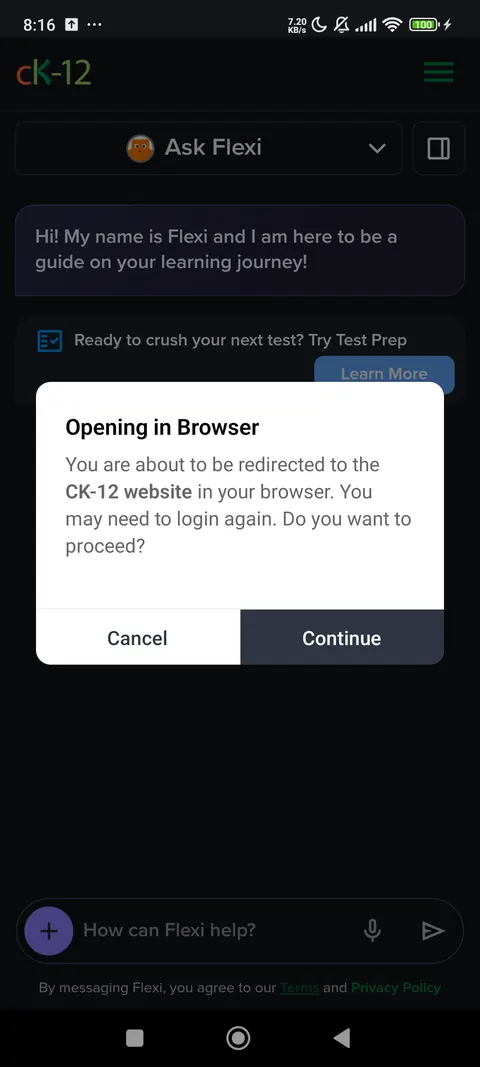
Ask Flexi chat home with side menu Answer to 'Outline the steps of translation' Tasks tab with section options Menu with sign-in, help, donate and theme Welcome - AI tutor intro Ask Flexi section menu Side menu open over chat My Tasks empty state, signed out Notification permission prompt Leaving app to open Terms in browser - +9 more screensFree with an account
Screenshots: © CK12 FOUNDATION, shown for commentary.
See all 19 screens — create a free accountSee every screen
The full map has all 19 screens, every feature and where each one lives. It is free with an account.
What could be better
Our read of the map, the store listing and recent reviews.
Accept photos of equations with clear capture and retake guidancemedium
Users cannot send photos of equations or diagrams. Reviews report blur rejections, failed uploads and no multi-photo support. Mapped input is text and voice only. Add photo upload with on-screen framing, a clear reason for any rejection, and multiple images per question.
Show full worked steps and a checkable final answer in every replymedium
The app promises step-by-step explanations, but reviewers say it skips explanations and withholds answers. Each reply should show every step with the final answer stated, and tie each step to its source. Keep it a tutor, not a bare answer.
Keep earlier messages in context across follow-up questionsmedium
Users must repeat instructions, such as a translation request, after a few chats, and report the app forgets the last message. Store the conversation thread and reuse prior instructions and entities in later replies, so follow-ups work without repetition.
Return answers faster and make slow responses visibly progressmedium
Reviewers call the chat slow and say answers take too long. Measure answer latency, show a streaming or step-by-step progress indicator while the answer builds, and set a timeout with a retry option rather than leaving the user waiting.
Explain what sign-in unlocks and preview tasks before asking to registersmall fix
Tasks and reminders are empty and locked behind sign-in, and the value of an account is never explained. Show a sample task list and a one-line benefit on the empty state, and let users try chat before any sign-up prompt.
Keep ads out of the experience or state the ad policy in the store listingsmall fix
Reviewers mention ads loading and unclear ad claims, while the store listing says No Ads and the mapped pricing says no ads. Pick one ad policy, make the store listing match it, and never show ads in the chat flow.
Show real Test Prep and Flashcards content in the mapped screensmedium
Test Prep and Flashcards are promoted and listed in the menu, but no content appeared in captured screens. Show a sample deck or practice set on first open, with subject coverage stated, so users can see what the section contains.
Open Terms and Privacy in an in-app view, not the external browsersmall fix
The Terms link leaves the app and warns that the user may need to sign in again, which is confusing. Show the legal text in an in-app web view that keeps the session, and keep the Terms and Privacy links in the same place.
Want an app like this, but better?
Tell us the idea. We research it, and build it for you.
Submit your idea