How Khan Academy works
Khan Academy, Inc. · Education
Android
What it does
Khan Academy is a free education app offering a large library of video lessons, courses and practice across maths, science, English, test prep and other subjects. Learners can explore by subject, bookmark content, and download videos for offline use. Signing in saves progress.
Who it is for: Learners of any age who want free video lessons, courses and practice in maths, science, English and test prep.
Key features
Language and region
Choose interface language and curriculum region.
Sign in
Account sign-in via browser or a device code.
Offline downloads
Download videos for offline viewing, with Wi-Fi-only and HD options.
Bookmarks
Save videos and lessons for later.
Content search
Search the learning library.
Device code login
Sign in on the app by entering a short code on a web page.
The main user flow
- Browse subjects in Explore and open a course
- Sign in via browser or device code to save progress
- Bookmark videos and download them for offline viewing
- Set a weekly learning streak with reminders
- Change the interface language and region
- Navigation
- Bottom tab bar with Home, Explore and Bookmarks, plus a Settings entry in the top bar.
- Onboarding
- No multi-step onboarding is shown; the app opens to a sign-in prompt and a language-change tip, and sign-in is optional.
- How it makes money
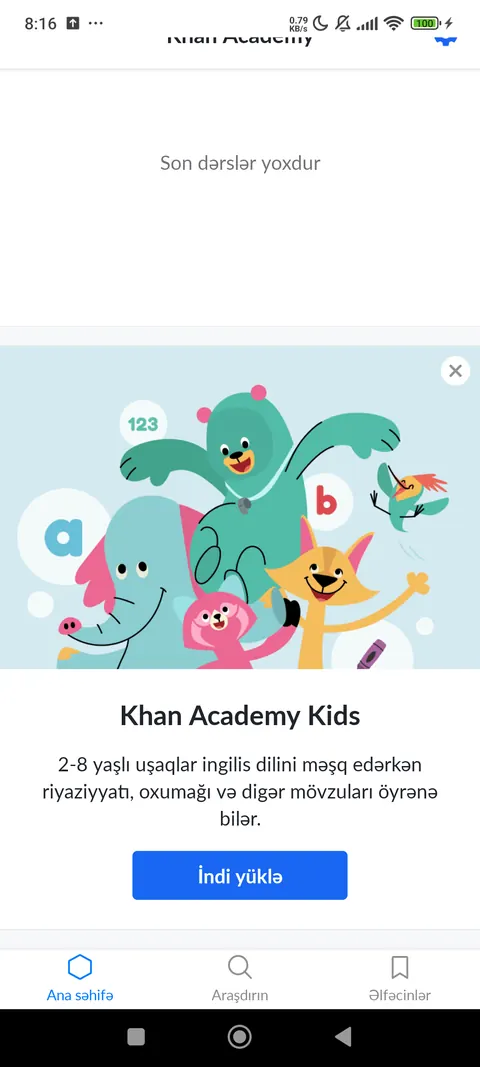
- No ads or paywall visible in these screens; the only promotion is for the separate Khan Academy Kids app, and it is a free app.
Screenshots
10 of 18 screens, captured on a real phone with sample data.
Home - sign-in prompt Explore - browse subjects Download settings Bookmarks - empty state Login method chooser Dialog - change language later Home - guest, no recent lessons Home - Azerbaijani locale Home - language promo card Home - Khan Academy Kids promo - +8 more screensFree with an account
Screenshots: © Khan Academy, Inc., shown for commentary.
See all 18 screens — create a free accountSee every screen
The full map has all 18 screens, every feature and where each one lives. It is free with an account.
What could be better
Our read of the map, the store listing and recent reviews.
Fix sign-in so a logged-in user stays logged in across browser and appmedium
Many low reviews describe login loops, wrong-password errors on correct credentials, and progress lost after sign-in. Build one tested sign-in handoff that confirms the session in the app and keeps it on restart.
Fix video playback controls and screen layout on common phonesmedium
Reviews report video controls that lag or never appear, playback that locks other input, and the top of the screen hidden under the status bar. Test playback and layout on popular phone sizes before release.
Make offline downloads reliable and show their state on each lessonmedium
Users say downloads refuse to start after a lesson is bookmarked, and background downloads fail. Show queue status, retry failed downloads and explain Wi-Fi-only and quality limits on the lesson itself.
Show progress and scoring rules in plain terms on every unit test resultmedium
Users say scores drop without a clear reason and progress counts change without notice. Show the scoring rule next to each result and keep mastery counts stable when the display changes.
Keep the full web feature set inside the app instead of sending users to a browserlarge
Reviews say some features moved to the browser and that the app lacks site functions such as email settings. Bring those functions into the app or make the browser step explicit and optional.
Offer curriculum choices that match each country's school systemmedium
Reviews say the library is organised around US grades and some state board structures, which does not fit other countries. Let users pick a country school system and map grade levels to it.
Keep the core app free with no ads or paywall and state that on the store pagesmall fix
Reviews point to subscription prompts appearing on the web route, which can confuse users about what is free. Keep the core library free and label any paid tier clearly before sign-in.
Want an app like this, but better?
Tell us the idea. We research it, and build it for you.
Submit your idea