
How Call Note: CRM - AI - Reminder works
SOFTBIZ OLESIUK TOMASZ · Productivity
Android
What it does
CallNote is a note/task companion for phone calls: it detects calls (phone-state permission) and shows a banner for quick notes; it does not record audio. An AI assistant turns a typed call description into a note, task and date.
Who it is for: People who want to keep notes, tasks and reminders organized around their phone calls, with an AI helper for turning call descriptions into notes.
Key features
AI assistant from text
Free-text call description turned into note, task and date.
Notes with labels
Per-contact notes, labels, main note, archive.
Permissions
Phone state, call log, contacts, notifications, overlay, notification access.
Anonymous or synced account
Local-only default; optional sync.
Tasks and calendar
Tasks with priorities, calendar plan.
Call banner and notification after calls
Overlay/banner with quick note actions on incoming/outgoing/WhatsApp calls; not a recorder.
The main user flow
- Onboard with permissions
- Call ends -> banner -> note
- AI from text
- Notes/tasks/calendar
- Navigation
- Bottom tabs: Home, Contacts, Notes, Tasks, Calendar; AI wand FAB; settings from home.
- Onboarding
- 4 intro slides, sign-in or anonymous, permission setup.
- How it makes money
- Free with ads (listing); no paywall seen in walk.
Screenshots
10 of 34 screens, captured on a real phone with sample data.
Home Notes New note Banner profiles Welcome AI assistant Tasks (empty) Call handling permissions Sign in Anonymous account - +24 more screensFree with an account
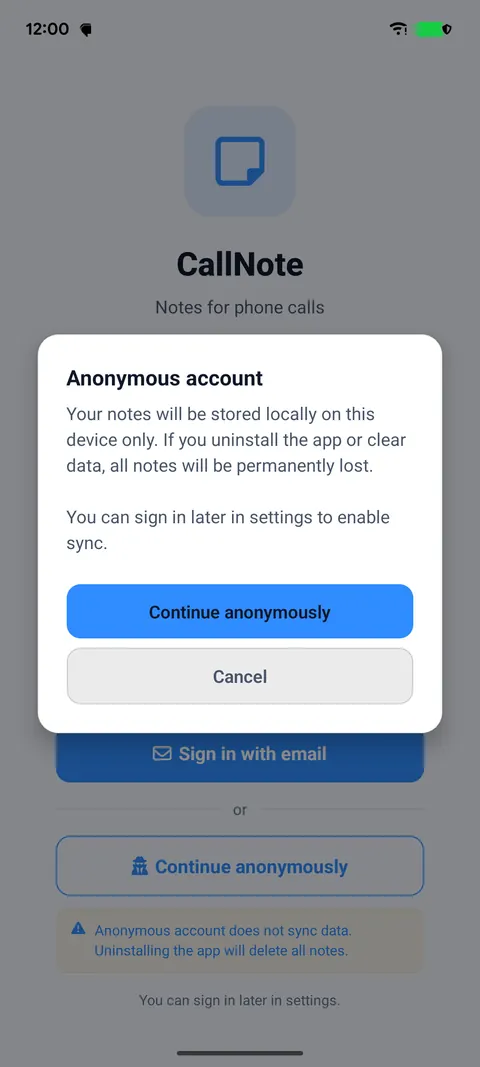
Screenshots: © SOFTBIZ OLESIUK TOMASZ, shown for commentary.
See all 34 screens — create a free accountSee every screen
The full map has all 34 screens, every feature and where each one lives. It is free with an account.
What could be better
Our read of the map, the store listing and recent reviews.
Let the AI reply in the user's language instead of the device localesmall fix
The AI answered in Polish on a US-listed build, so suggestions arrive in a language the user may not read. Detect the language of the typed call description and reply in it, with a manual override.
Request permissions per feature instead of all at onboardingmedium
Onboarding lists many permissions, and the call-handling screen shows seven rows, including notification access. Ask for each permission when the user enables the feature that needs it, and explain what is lost without it.
Let Apply save an AI task without calendar accesssmall fix
Apply asked for calendar access and the permission was denied, so the AI result depended on it. Save the task and date locally when calendar access is refused and offer calendar sync later as an option.
Show sync status and local-only storage on every notes screensmall fix
Notes stay local until sign-in, but the note list does not show this. Add a visible badge that says whether each note is local or synced, with a one-tap sign-in path from the notes list.
Reduce the banner profiles to a few named presets with a clear defaultsmall fix
Six banner profiles, including Custom and a separate outgoing-calls toggle, make the banner behaviour hard to predict. Offer three presets with a plain summary of what each shows, and keep Custom behind an advanced link.
Add a first-run guide with a sample note and task on empty screenssmall fix
Notes, tasks and calendar open empty with only a short message, so new users get no sense of what to add. Show one sample entry per screen that the user can delete, plus a tip that points to the banner after a call.
Offer a clearly labelled ad-free option alongside the free ad-supported tiermedium
The app is free with ads and has no in-app purchases or paywall in the walk. Add a single ad-free upgrade with a one-line price and a clear note on what it removes, shown from settings rather than during a call.
Want an app like this, but better?
Tell us the idea. We research it, and build it for you.
Submit your idea