
How AI Call Recorder - CallRecap works
Cortex Edge FZ LLC · Productivity
Android
What it does
CallRecap records calls (via a companion Connect helper) and turns them into AI transcripts, summaries and tasks, with credits and PRO/MAX plans.
Who it is for: For people who want their phone calls recorded and turned into AI transcripts, summaries, and tasks.
Key features
AI transcript and recap
Automatic transcription and AI analysis per call with credits (120 free); Ask Recap and tasks in Max.
Call recording
Detects calls by permissions; real recording needs the separate CallRecap Connect helper (accessibility); four capture modes; manual mic recording works without.
Permissions asked
Mic, phone, contacts, notifications, battery, caller ID role.
Subscriptions
PRO and MAX weekly/monthly/annual with 3-day trial; gated settings.
Notes and export
Notes, reminders, export PDF/Word/Excel, share.
Legal consent and recording notice
Accept terms + comply with recording laws; per-country recording notice reminder.
The main user flow
- Sign in with email code
- Setup wizard: permissions, Connect, activation, check
- Record or auto-record, then AI recap
- Ask Recap across all calls (Max)
- Navigation
- Single home list with toolbar icons and a gear to collapsible settings; tour overlays introduce Ask Recap and Tasks.
- Onboarding
- Sign in, 5-step survey, 4-step phone setup with the Connect helper wall, legal consent, feature tour.
- How it makes money
- Freemium: 120 free credits; PRO weekly $4.15 and MAX weekly $8.31 (3-day trial); paywall on gated settings and Max tour.
Screenshots
10 of 39 screens, captured on a real phone with sample data.
Home (empty) Home with a recap Manual recording Enable call recording consent MAX paywall Recording settings Setup: permissions Recap overflow Add note Microphone permission - +29 more screensFree with an account
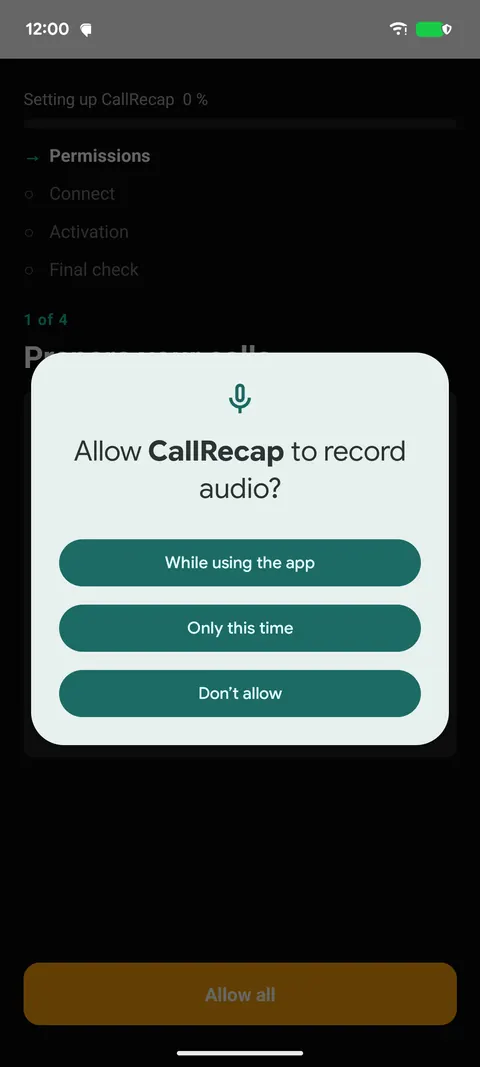
Screenshots: © Cortex Edge FZ LLC, shown for commentary.
See all 39 screens — create a free accountSee every screen
The full map has all 39 screens, every feature and where each one lives. It is free with an account.
What could be better
Our read of the map, the store listing and recent reviews.
Explain what the Connect helper accesses before asking the user to install itsmall fix
Connect needs accessibility access, and one 1-star review links the app to breach and spyware fears. Show plainly what data the helper reads and sends, and what it does not, before the install step.
Detect silent captures and guide the user to a working capture modemedium
Recordings of only the user's voice or silent rooms end as 'No conversation recorded' with no fix path. Detect empty or one-sided audio and offer a mode switch in place of a dead-end recap.
Let users try the app before requiring sign-insmall fix
Sign-in by email code is required before any screen, including manual recording that needs no account. Allow manual recording first and ask for sign-in when a recap is saved or synced.
Show the paywall after a first completed recap, not on a gated settings itemsmall fix
The first paywall appears when a user taps Reminders, a PRO setting, before any recap value is shown. Offer the PRO and MAX choice after the first successful transcript instead.
Combine the permission steps into one checklist with a status for each itemmedium
Permission prompts are spread over several screens, and denied or cancelled items such as the caller ID role are not clearly marked as needed for recording. Show one list with each item's state and the effect of skipping it.
Want an app like this, but better?
Tell us the idea. We research it, and build it for you.
Submit your idea