
How Total Commander works
Christian Ghisler · Productivity
Android
What it does
Total Commander for Android is a dual-panel file manager for browsing, copying, moving, deleting, packing and creating folders on device storage. It also offers bookmarks, sorting and built-in help.
Who it is for: Android users who want a dual-panel file manager for browsing, copying, moving, and organizing files on their device storage.
Key features
File operations
Copy, move, delete, pack and create folders on files and directories.
Bookmarks
Save, search and manage bookmarked folders for quick access.
Directory navigation
Type a path or pick a folder to change the current directory.
Dual-panel file browser
Browse folders and files in two panels with parent and home navigation.
Help
In-app help with topics, language selection and find.
Installed apps access
View installed apps, which requires an explicit permission grant.
The main user flow
- Browse storage from home, pick a folder, select files and copy or delete them
- Create a new folder by opening the folder picker and entering a name
- Add, search and remove bookmarks for quick folder access
- Consult help contents and search help text
- Navigation
- Home panel with storage shortcuts and a bottom button bar; folder browsing via parent and home buttons; bookmarks list; help screens reached from a menu.
- Onboarding
- No onboarding seen; a storage access warning and an installed apps permission prompt appear when needed.
- How it makes money
- No ads seen, but a 'Add plugins (download)' link on the home screen points to other apps in the Play Store.
Screenshots
10 of 28 screens, captured on a real phone with sample data.
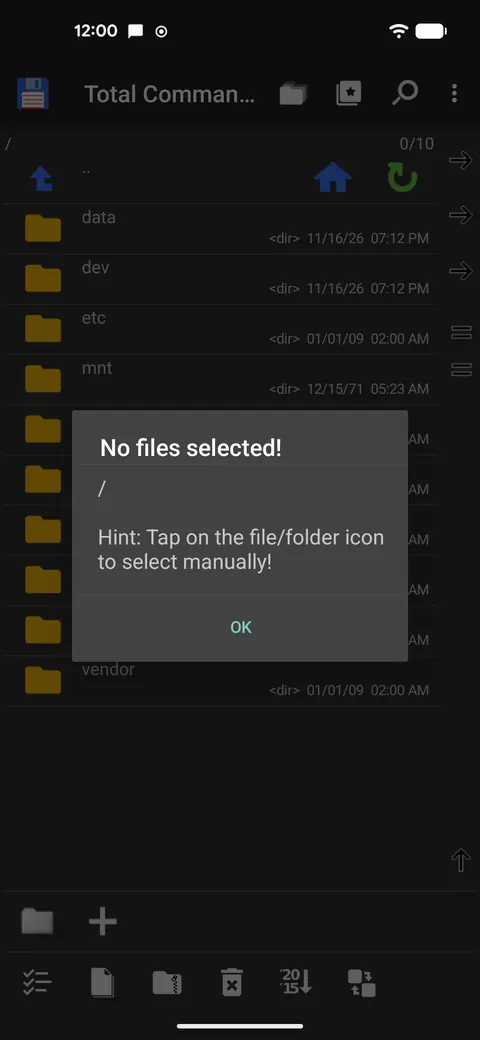
Home - dual-panel file browser Choose app - installed apps list File system root browser Add new bookmark form Choose app - search active Button action type menu Sort active panel Help contents and language selection Installed apps access request Copy - select files hint - +18 more screensFree with an account
Screenshots: © Christian Ghisler, shown for commentary.
See all 28 screens — create a free accountSee every screen
The full map has all 28 screens, every feature and where each one lives. It is free with an account.
What could be better
Our read of the map, the store listing and recent reviews.
Send deleted files to a restorable trash folder before permanent removalmedium
Delete is permanent with no recovery path, and reviewers ask for a trash bin. Move deleted items to a trash folder that can be restored, and let users hide the direct delete button.
Ask before replacing or merging on move and paste conflictsmedium
Moving a folder onto an existing folder of the same name erases the source, and paste is limited to replacing. Show a conflict prompt with replace, skip and keep-both choices before any write.
Make copy, cut and paste a visible two-step flow with a paste action in the targetmedium
Users cannot find paste, and long-press menus in empty folders do not offer it. Show a clipboard indicator and a paste button in the destination folder after copy or cut.
Show list, grid and thumbnail size options in the view settingsmedium
Users with large image folders cannot switch to grid view or enlarge thumbnails. Add a view menu with list and grid modes, row count and thumbnail size next to the existing sort sheet.
Keep file list position and selection intact after a multi-renamemedium
After renaming, the list scrolls to top and selections clear, and renamed copies can appear as unreadable duplicates. Preserve scroll and selection after rename and write the new names in place.
Explain storage access errors and offer the fix in the same dialogsmall fix
Access errors appear with no next step. Show which path failed, why, and a direct button to grant the needed storage permission or open the right settings screen.
Support NTFS and SMB network shares for external and remote storagelarge
Users cannot write to NTFS external drives or reach SMB v2/v3 shares, which limits transfers to external media. Add NTFS read/write and modern SMB protocol support, and show which storage types are supported.
State which add-ons cost money in the store listing before installsmall fix
Reviewers feel misled when core functions sit behind paid plugins. Name each paid add-on and its function in the listing and keep core copy, move and delete free.
Want an app like this, but better?
Tell us the idea. We research it, and build it for you.
Submit your idea