
How Evernote - Note Organizer works
BENDING SPOONS OPERATIONS SPA · Productivity
Android
What it does
Note-taking app with notebooks, tasks, calendar and AI assistant.
Who it is for: Evernote is for people who want to take notes, manage tasks and calendars, and organize work, school, and personal life.
Key features
Survey onboarding
Seven-question survey plus offer before the home screen.
Notes and notebooks
Rich note editor, notebooks, list views.
Settings
Theme, notes, AI, passcode.
Tasks and calendar
Tasks with due dates; calendar day view.
Subscription paywall
Paywall at launch and discounted offer; no purchase made.
AI Assistant
AI assistant, transcription, summaries.
The main user flow
- Sign in with Google
- Create a note
- Create a notebook
- Add a task
- Navigation
- Bottom tabs Create, Notes, Notebooks, More; avatar menu for settings.
- Onboarding
- Paywall first, then Google sign-in, a 7-question survey and personalised offer.
- How it makes money
- Subscription: weekly $6.99, yearly $249.99; paywall at launch and a 50% welcome offer. Limited free plan.
Screenshots
10 of 52 screens, captured on a real phone with sample data.
Home Notes list Note editor Usage: team or solo Welcome offer AI features Personalize start Note actions View options Empty notebook - +42 more screensFree with an account
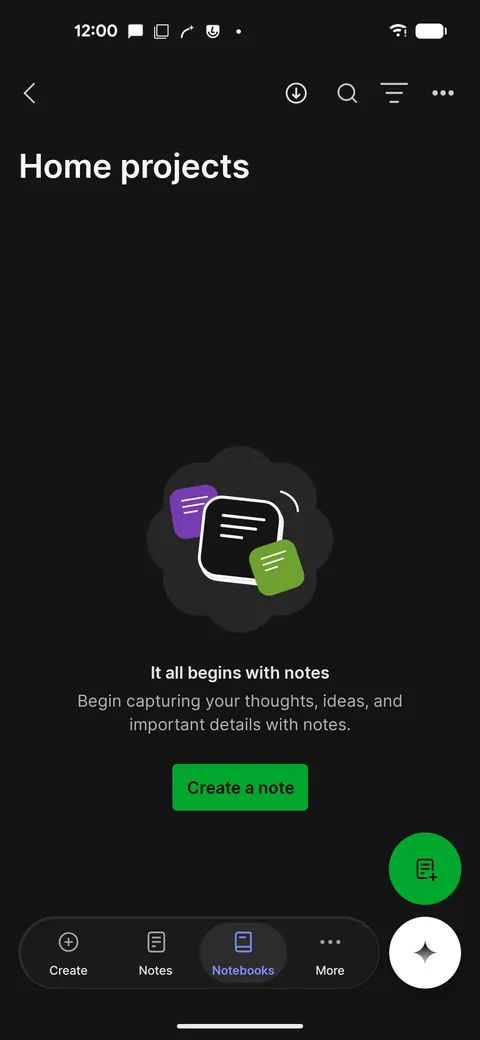
Screenshots: © BENDING SPOONS OPERATIONS SPA, shown for commentary.
See all 52 screens — create a free accountSee every screen
The full map has all 52 screens, every feature and where each one lives. It is free with an account.
What could be better
Our read of the map, the store listing and recent reviews.
Ship crash-free updates with a pre-release crash gate and staged rolloutmedium
Reviewers report crashes and freezes after updates, and the store rating is 3.48. Test each release on current Android versions and roll out in stages before wide release.
Keep existing notes readable and editable on the free planmedium
Reviewers say hitting the free limit blocks access to notes they already have. Keep all notes readable and exportable, and gate only new-note creation or sync.
Cap ad and upgrade prompts to one per session, with a visible close controlmedium
Reviewers describe unskippable video ads and upgrade prompts on nearly every tap, with close buttons hidden. Limit prompts to one per session and always show a close control.
Show plan tiers with a total-cost preview before purchase and renewalmedium
Reviewers report large renewal increases and confusing tiers. Show the annual total, the renewal date and any price change before purchase and in settings.
Make AI features opt-in and keep them out of the core note flowsmall fix
Reviewers say AI was added without request and that it slows or breaks the core app. Ship AI off by default with a clear on/off switch, and keep basic note-taking free of AI prompts.
Let users write a note before sign-in and move the survey after first usemedium
The paywall appears before sign-in and a seven-question survey comes before any value. Let users create a note first, ask for sign-in afterwards, and move survey questions to after first use.
Show per-device sync status and resolve sync conflicts without a device caplarge
Reviewers report notes not syncing and device-limit blocks. Show per-device sync state and offer a clear conflict-resolution flow, rather than relying on hard device caps.
Add a visible rich-text toolbar with bold and lists, tested on phonesmedium
Reviewers cannot find bold or lists after updates and say tables break on phones. Keep formatting controls on the editor toolbar and test table editing on small screens.
Want an app like this, but better?
Tell us the idea. We research it, and build it for you.
Submit your idea