
How ChatGPT works
OpenAI Opco, LLC · Productivity
Android
What it does
ChatGPT is OpenAI's assistant app: chat with an AI, attach files and photos, voice dictation, history for signed-in users.
Who it is for: People who want to chat with an AI assistant, attach files and photos, or dictate by voice; signed-in users also get chat history.
Key features
Guest chat
Chat without an account
Settings and about
Data controls, language, licences
Sign in
Email, Google and phone sign-in with email code
Navigation drawer
Menu with new chat and legal links
The main user flow
- Skip login, ask a question, read streamed answer
- Log in with email code, Google or phone
- Navigation
- Single chat screen with a drawer (history when signed in).
- Onboarding
- One welcome screen; Skip allowed.
- How it makes money
- Free tier with paid plans and ads (not reached).
Screenshots
9 of 10 screens, captured on a real phone with sample data.
Chat home (guest) Chat answer Settings Welcome to ChatGPT Attachment menu Navigation drawer Log in or sign up Progress won't be saved Open source licenses - +1 more screenFree with an account
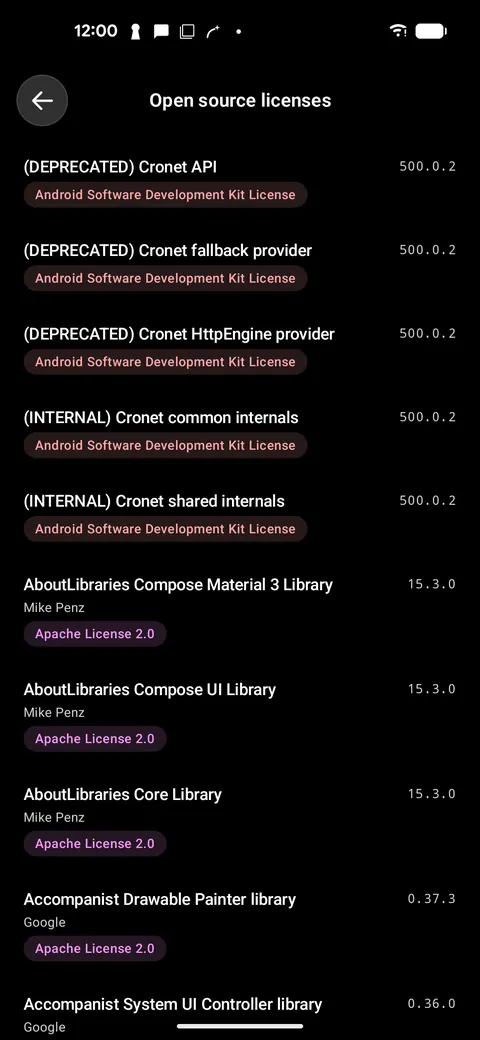
Screenshots: © OpenAI Opco, LLC, shown for commentary.
See all 10 screens — create a free accountSee every screen
The full map has all 10 screens, every feature and where each one lives. It is free with an account.
What could be better
Our read of the map, the store listing and recent reviews.
Show the usage allowance before the cap and offer a clear next stepmedium
Users hit silent caps mid-thread and must open new chats to continue. Show remaining allowance in the composer, warn before the limit, and let users continue the same thread or switch to a clearly labelled option.
Keep streamed replies and failed sends recoverable without losing the threadmedium
Replies stall during streaming, sends fail on network errors, and the app crashes, forcing users to reopen threads. Save partial replies, auto-retry failed sends, and resume the stream when the app returns to the foreground.
Keep history and preferences intact across sign-in and updatesmedium
Users report lost history after updates and forgotten preferences, and guest mode shows almost no history. Sync conversations and saved preferences to the account, keep them through app updates, and show what is stored and how to delete it.
Keep ads out of the answer thread and off paid-question surfacessmall fix
Users see ad pop-ups inside the chat and say ads appear after a change in the free tier. Place any ads outside the conversation view and state clearly which tier shows them.
Publish a tier table with what each plan includes and its allowancesmall fix
Users say paid tiers are unclear and that a limit appears despite light use. Show each tier's allowance and price on one screen, and show which tier the user is on before any upgrade prompt.
Route support requests to a human after the first replylarge
Users say the first support exchange is an AI reply and that cases stall for weeks. Offer a visible option to reach a person from the first message and show the status of each case.
Make AI task status honest: show completed steps separately from claimsmedium
Users report the assistant claims tasks are done when they are not. Show each step's real status, such as done, failed or unverified, and do not present an unverified result as finished.
Show email code delivery status and an alternate sign-in pathsmall fix
Verification mail failed for a plus-alias address and the sign-in screen gives no delivery feedback. Show whether the code was sent, the address it went to, and a resend or alternate-method option after a short wait.
Want an app like this, but better?
Tell us the idea. We research it, and build it for you.
Submit your idea