
How Cambly - English Teacher works
Cambly Inc. · Education
Android
What it does
Marketplace for live 1:1 English lessons with native-speaker tutors, plus group lessons, courses and an AI speaking tutor.
Who it is for: Adults and learners who want to practice spoken English through live 1:1 and group lessons, courses, or an AI speaking tutor.
Key features
Learn hub
Private lessons, group lessons, courses, CamblyAI and quizzes.
Onboarding quiz
Name, level, goals and industry questions after signup.
Tutor marketplace
Browse and filter live tutors, profiles, schedule or call now.
Progress tracking
Stats and lesson history.
Referrals and free minutes
Share link and code entry.
Subscription
Plans per lesson count and length.
The main user flow
- Sign up and complete level quiz
- Browse tutors and schedule or call now
- Take CamblyAI mini lesson
- Review progress and history
- Navigation
- Five bottom tabs Home, Tutors, Learn, Progress, Profile.
- Onboarding
- Email/Google/Facebook signup then name, proficiency, goals and industry questions.
- How it makes money
- Subscription by lessons per week (Small groups, Private+, Pro) with per-lesson prices; referral free minutes.
Screenshots
10 of 29 screens, captured on a real phone with sample data.
Home Progress What's your name? Profile Subscribe Lesson History CamblyAI mini lesson with mic permission Welcome Choose how to sign up Home (scrolled) - +19 more screensFree with an account
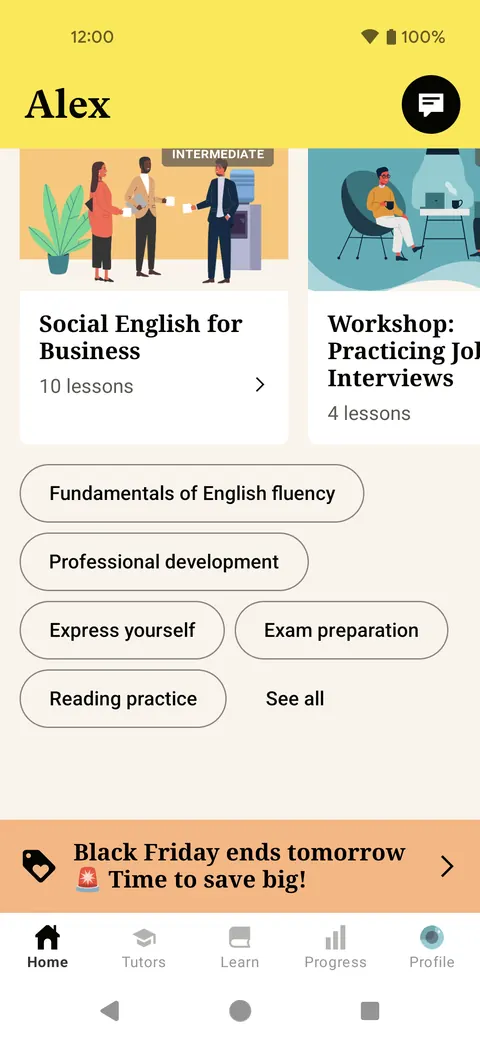
Screenshots: © Cambly Inc., shown for commentary.
See all 29 screens — create a free accountSee every screen
The full map has all 29 screens, every feature and where each one lives. It is free with an account.
What could be better
Our read of the map, the store listing and recent reviews.
Make lesson joins reliable and show clear wait, retry and failure stateslarge
Reviews report lessons that never connect: the room keeps loading, tutors show as unavailable, and calls drop. Show live join status, auto-retry, and an automatic credit refund when a lesson fails to start.
Show a live minutes balance and clear rollover rules in the appmedium
Users say minutes vanish, disappear from the balance, or expire without notice. Show remaining minutes on the home screen, the weekly cap, and what carries over, and record each deduction in a visible ledger.
Let users cancel and request refunds inside the appsmall fix
Reviews say cancellation needs an email, renewals happen without notice, and refunds get no reply. Add a self-serve cancel option in account settings, renewal reminders, and a refund request form that returns a status.
Add a real in-app support channel with contact optionsmedium
Help opens account settings instead of a help centre, and reviews say there is no contact route for problems. Offer a help centre with searchable articles, plus in-app chat or ticket submission with a reply timeline.
Show per-lesson prices on the first paywall screensmall fix
The paywall hides price until late, and reviews call the lessons too expensive, often comparing them to cheaper apps. Show the per-lesson price and total for each plan on the first subscribe screen.
Offer a working password reset and sign-in fallback for all providersmedium
Users cannot log in after returning to the app, and Google sign-in errors. Add a password reset that works without the original provider, clear sign-in error messages, and email verification on the account screen.
Enforce tutor attendance and show no-show status and creditsmedium
Reviews say tutors often do not appear or cancel with no penalty, and lessons are then deducted. Show tutor no-show status on the booking, automatically refund the lesson, and track tutor cancellations.
Simplify the tutor list with lighter cards and clearer navigationmedium
Reviews call the UI cluttered and hard to learn, and the tutor list is long and video-heavy. Use compact cards with static photos, play intro video on tap, and paged results with a clear filter bar.
Want an app like this, but better?
Tell us the idea. We research it, and build it for you.
Submit your idea