
How Coursera: Learn Career Skills works
Coursera, Inc. · Education
Android
What it does
Coursera app: browse and take online courses, specializations and degrees from universities and companies.
Who it is for: People who want to browse and take online courses, specializations, and degrees from universities and companies.
Key features
Search and filters
Search and filter courses
Sign in and settings
Google sign-in, settings
Course detail
Specialization pages and enrollment
The main user flow
- Browse Explore without account
- Search for courses
- Open a specialization and see enrollment options
- Sign in with Google
- Track learning
- Navigation
- Bottom tabs Explore, Career, Learn, Search, Profile; settings via gear.
- Onboarding
- No gate: opens directly on Explore; sign-in is in Settings via Log in / Sign up with Google one-tap.
- How it makes money
- Free to browse; enrollment requires Coursera Plus subscription or purchase; paywall shown, not entered.
Screenshots
10 of 18 screens, captured on a real phone with sample data.
Explore Search results Course detail Search guest Profile signed in Filter Enrollment options Settings Profile guest Google sign-in sheet - +8 more screensFree with an account
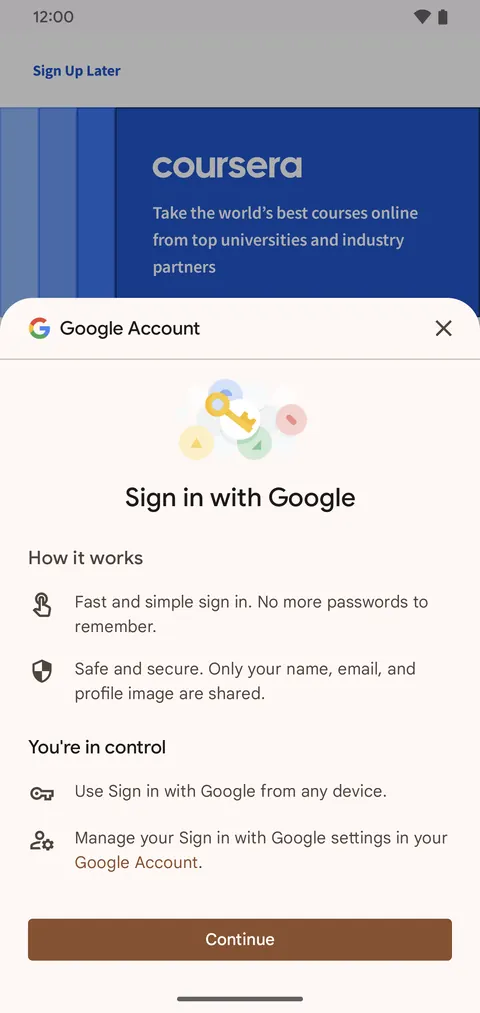
Screenshots: © Coursera, Inc., shown for commentary.
See all 18 screens — create a free accountSee every screen
The full map has all 18 screens, every feature and where each one lives. It is free with an account.
What could be better
Our read of the map, the store listing and recent reviews.
Send a reminder before any trial converts and confirm each chargemedium
Reviews say trial and renewal charges arrived with no warning and refunds were slow, while the paywall is the only billing step seen. Send advance notice before trial end and renewal, show the exact amount and currency, and offer one-tap cancel with refund status.
Show price and paid status on course cards before opening the detail pagesmall fix
The price appears only after tapping See enrollment options, and reviews say courses marketed as free turn out to be paid once opened. Show the price and whether access is free or paid on every course card.
Make sign-in visible on first launch and keep sessions signed insmall fix
Sign-in sits under Settings, and reviews report being logged out and Google login errors. Offer a sign-in prompt on Profile or Learn, keep the session across restarts, and show a clear retry when login fails.
Save course progress per lesson and resume at the exact next itemmedium
Reviews say completed videos reset and the next lesson does not open, so learners repeat content. Store completion per lesson on the server, mark it done on playback, and resume at the next unfinished item.
Add a purchases and certificates page reachable from Learnmedium
Enrolled courses and certificates are not reachable without payment in the mapped flow, and reviews say purchases and certificates go missing. Show a purchases list and certificate page under Learn, linked to the signed-in account.
Offer a human support channel with refund status in Settingsmedium
Reviews report no phone number, no live help, and repeated attempts to reach support about refunds. Add a support path in Settings with a case number, expected refund dates, and a phone or live chat option.
Build a native code editor for exercises that does not reload per keystrokelarge
Coding exercises reload the screen on each character and the cursor drifts on tablets, so learners fall back to desktop. Build a native editor with stable input and a tablet-friendly layout for exercises.
Show assignment status and peer-review deadlines on the course pagemedium
Assignments may not appear and peer reviews can stall for weeks with no visible status. Show each assignment's state, the reviewer queue position, and an expected grading date on the course page.
Want an app like this, but better?
Tell us the idea. We research it, and build it for you.
Submit your idea