How Canva: Design, Photo & Video works
CANVA PTY LTD · Art & Design
Android
What it does
Canva is a drag-and-drop design app for presentations, social posts, documents, video and more, with templates, AI prompt generation and sharing.
Who it is for: A drag-and-drop design app for making presentations, social posts, documents and videos, with templates, AI prompts and sharing.
Key features
Drag-and-drop editor
Text, elements, gallery, brand tools in a mobile editor.
Onboarding
Google sign-in then purpose, notifications and AI consent.
Settings and account
Account, trash, theme, subscription.
Templates and design types
Browse templates and start from a design size.
Canva AI prompt
Describe an idea to generate designs; Magic Write.
Canva Pro upsell
Upgrade banners and claim offer.
The main user flow
- Sign in, pick purpose
- Choose a design type or template
- Edit text and elements in the editor
- Share, present or download the design
- Manage designs in Your Designs
- Navigation
- Bottom nav: Home, Your Designs, Templates, Canva AI, More; editor has its own bottom tool tabs.
- Onboarding
- Google sign-in, purpose choice, notifications and AI consent, skippable.
- How it makes money
- Freemium: Canva Pro/Business upgrade banners, Claim offer, premium templates and assets.
Screenshots
10 of 18 screens, captured on a real phone with sample data.
Home Templates Editor (blank presentation) Settings What will you use Canva for More tab Text panel Share and export Your Designs (empty) Canva AI prompt - +8 more screensFree with an account
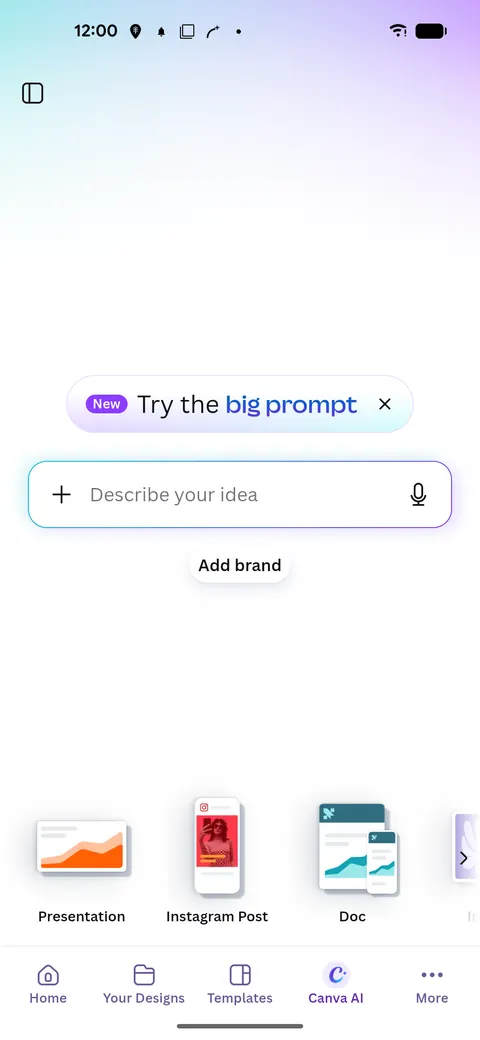
Screenshots: © CANVA PTY LTD, shown for commentary.
See all 18 screens — create a free accountSee every screen
The full map has all 18 screens, every feature and where each one lives. It is free with an account.
What could be better
Our read of the map, the store listing and recent reviews.
Stop pasted or edited text from vanishing or shifting other elementsmedium
Users report pasted text disappearing and text moving other content, so the core text flow breaks. Ship reliable paste and fixed text boxes, and test undo against these cases before release.
Show price and renewal before billing, with in-app cancel and refundmedium
Users report charges without notice, refused cancellations and slow refunds. Show the price and renewal date before the first charge, and let users cancel and request refunds in the app.
Separate undo from home and autosave before leaving the editorsmall fix
Undo sits beside home in the editor toolbar, and users are sent to home mid-edit, losing work. Move undo away from home and autosave before any navigation away from a design.
Cut load and freeze delays on low-end Android deviceslarge
Users report the app not opening, slow loading and reloading during uploads on low-end phones. Use native screens for heavy lists and editor loads, and stage uploads so they do not reload the whole view.
Offer a sign-in fallback and show OTP delivery statusmedium
Users report never receiving the OTP and being unable to log in. Offer a second sign-in route and show which channel the code was sent on, with a retry that switches channel.
Gate only Pro extras and keep download and share freesmall fix
Users say download and share cost money and that basic cropping is locked. Keep export and sharing free, and label any Pro-only feature before the user starts it.
Put the editor format bar off the canvas and simplify the first editmedium
Users say image tools cover half the screen and that the editor is confusing. Use a contextual format bar that stays out of the canvas, with a short first-run guide for the editor.
Make AI-training consent opt-in, off by default, on the first-run screensmall fix
The AI consent toggle is on by default during onboarding. Ship it off by default, with a plain-language choice and a way to change it later in settings.
Want an app like this, but better?
Tell us the idea. We research it, and build it for you.
Submit your idea