
How Notion: Notes, Tasks, AI works
Notion Labs, Inc. · Productivity
Android
What it does
Workspace app for notes, docs, tasks and databases with built-in AI.
Who it is for: A workspace app for people who want to take notes, write docs, manage tasks and databases, with built-in AI.
Key features
Onboarding
Use-case choice and intro slides.
Pages and editor
Pages, blocks, menus, sharing.
Settings
Notifications, preferences, offline.
Search and AI
Search, AI chat, meetings.
The main user flow
- Sign in with Google and pick a use case
- Create a page and add text
- Share a page
- Search and Ask AI
- Manage settings
- Navigation
- Top pill tabs Home, AI chat, Meetings, Inbox plus avatar menu; floating search, Ask AI and compose controls.
- Onboarding
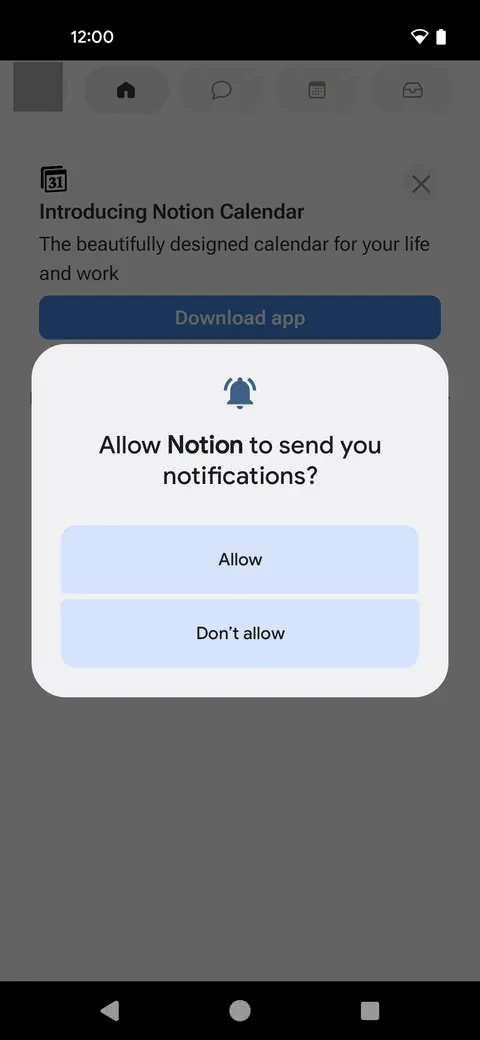
- Web sign-in, use-case question, three intro slides, desktop-link email, notification permission.
- How it makes money
- Free plan with upgrade prompts for offline downloads and plans; in-app purchases $11.99-$239.99.
Screenshots
10 of 22 screens, captured on a real phone with sample data.
Home Page: Welcome to Notion New page Search Settings: notifications How do you want to use Notion Page actions Share settings AI chat tab Notifications permission - +12 more screensFree with an account
Screenshots: © Notion Labs, Inc., shown for commentary.
See all 22 screens — create a free accountSee every screen
The full map has all 22 screens, every feature and where each one lives. It is free with an account.
What could be better
Our read of the map, the store listing and recent reviews.
Ship a crash-free launch path and gate each update on a cold-start testmedium
Many 1-2 star reviews say the app crashes on open or after an update, leaving users unable to reach their pages. Run a cold-start and update smoke test on each release before rollout.
Make sign-in finish in the app with a clear fallback when email verification loopsmedium
Users report being sent back to the start screen after entering credentials, and verification emails that loop. Complete the session in-app and show a clear next step when the link cannot be used.
Show a data-recovery and support path for deleted or missing pagesmedium
A reviewer reports a year of course notes deleted with no recovery option after a long support exchange. Offer an in-app restore from trash or version history and a clear status for support cases.
Add text-size and display scaling controls that work across all screenslarge
Users say text size cannot be changed. Many screens expose no accessibility tree, so assistive tools cannot read them. Use native views for key screens and add a font-scale setting in preferences.
Fix cursor placement and selection in the block editormedium
Autocorrect moves the cursor back into the word, tapping between characters selects the whole word, and copy selection expands beyond what the user chose. Make taps place the caret precisely and keep selection bounded.
Price the plan and make the free-tier limit explicit before any lockoutsmall fix
Users say they were locked out after the free period ended and complained about frequent price and terms changes. Show the limit and the cost before it applies, and keep existing content readable.
Stop auto-inserting line spacing and make line breaks behave as typedsmall fix
Users say the editor inserts double spacing between lines by default and that line break stopped working. Keep line spacing as the user typed it and offer a single-spacing toggle on mobile.
Want an app like this, but better?
Tell us the idea. We research it, and build it for you.
Submit your idea