
How Google Drive works
Google LLC · Productivity
Android
What it does
Google Drive stores, shares and syncs files in the cloud, with Docs/Sheets/Slides creation, scanning, offline access and search.
Who it is for: People who want to store, share and sync files in the cloud, create Docs, Sheets and Slides, scan documents and access files offline.
Key features
Files and folders
Create folders, change colour, trash.
Settings and storage
Theme, cache, storage, smart features.
Search with filters
Type, people, modified filters.
Starred, Shared, Computers
Bottom tabs and Computers backup.
Create new
Docs, Sheets, Slides, Scan, Upload, Folder.
The main user flow
- Create a folder and organise files
- Create Docs/Sheets/Slides, scan or upload
- Search with type, people and date filters
- Manage storage, theme and cache
- Navigation
- Four bottom tabs (Home, Starred, Shared, Files) with My Drive / Computers sub-tabs, a navigation drawer and a Create FAB with a Scan shortcut.
- Onboarding
- None; the app opens straight into the signed-in account on this phone.
- How it makes money
- 15 GB free, paid Google One storage plans (Get more storage), Gemini upsell.
Screenshots
10 of 12 screens, captured on a real phone with sample data.
Search Settings Create new menu Navigation drawer Folder actions Empty folder Select colour Search type filter Bin (empty) Starred (empty) - +2 more screensFree with an account
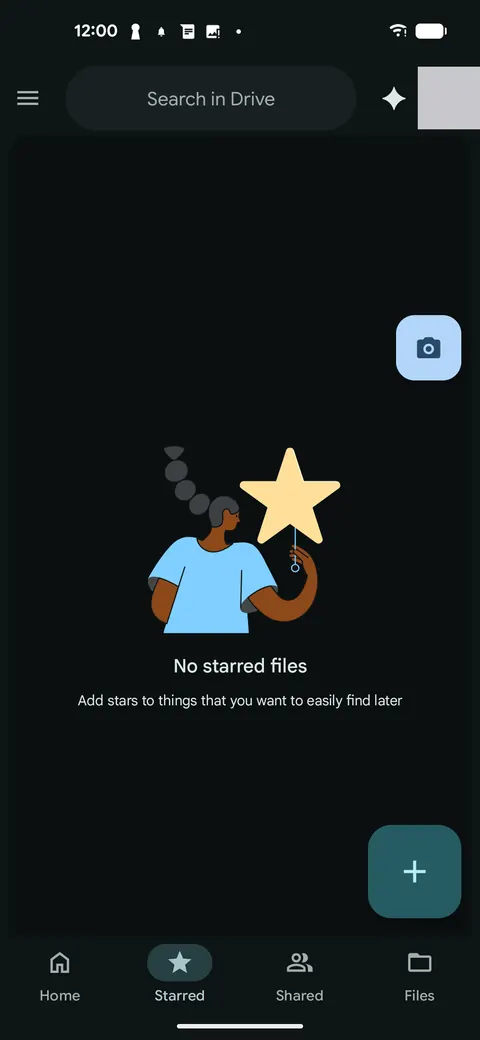
Screenshots: © Google LLC, shown for commentary.
See all 12 screens — create a free accountSee every screen
The full map has all 12 screens, every feature and where each one lives. It is free with an account.
What could be better
Our read of the map, the store listing and recent reviews.
Remove Gemini prompts and upgrade popups from file screenssmall fix
Gemini and upgrade prompts repeat on file actions and persist after dismissal. Show one storage notice only when quota is near full, and let users turn off AI suggestions entirely.
Show folder sizes and choose device-only or cloud-only deletionmedium
Users cannot see a folder's total size when freeing space, and cannot tell whether a delete removes local or cloud copies. Show folder size totals and offer separate delete scopes per file.
Add a download queue with pause, cancel and recursive offline foldersmedium
Downloads cannot be paused or cancelled, progress is unclear, and 'make available offline' does not apply to subfolders. Show a per-file queue with pause and cancel, and apply offline marking recursively.
Make uploads reliable with per-file status and retrylarge
Uploads fail silently, crash, or take hours even on good connections. Add per-file upload status, automatic resume after failure, and clear error messages with retry.
Add search that matches text inside files and noteslarge
Search misses stored files and cannot answer questions from notes. Index document text and return matches with filters, so users can find content without re-adding files.
Add batch scan with apply-to-all and duplicate checksmedium
Scan flags pages as already scanned and skips some, and combining pages needs manual work. Add batch capture with apply-to-all crop and clear duplicate warnings instead of silent skips.
Offer an original-quality backup option alongside compressionsmall fix
Backups are compressed without a visible choice, so restored files differ from originals. Add a setting for original-quality backup with a clear size estimate before upload.
Want an app like this, but better?
Tell us the idea. We research it, and build it for you.
Submit your idea