
How Google Keep: Notes and Lists works
Google LLC · Productivity
Android
What it does
Google Keep is a lightweight notes and checklist app synced to the Google account, with reminders, labels, colours and an archive/bin.
Who it is for: A lightweight notes and checklist app for people who want to keep notes, lists and reminders synced to their Google account.
Key features
Labels, archive, trash, search, sort
Organise and find notes
Reminders
Time-based reminders stored in Google Tasks
Text and list notes
Create text notes and checklists with pin, colour, labels
The main user flow
- Create a text note or list from the FAB
- Add reminder or label from the editor
- Organise via drawer: reminders, labels, archive, bin
- Search by type, label, thing or colour
- Navigation
- Hamburger drawer plus a speed-dial FAB; single home grid.
- Onboarding
- None beyond a one-time AI list dialog; signs in with the phone Google account.
- How it makes money
- Free, no ads, no purchases.
Screenshots
10 of 26 screens, captured on a real phone with sample data.
Home with notes Reminders view Text note editor Label picker / create label Settings Sort notes Navigation drawer Reminder sheet Archive (empty) Delete with undo snackbar - +16 more screensFree with an account
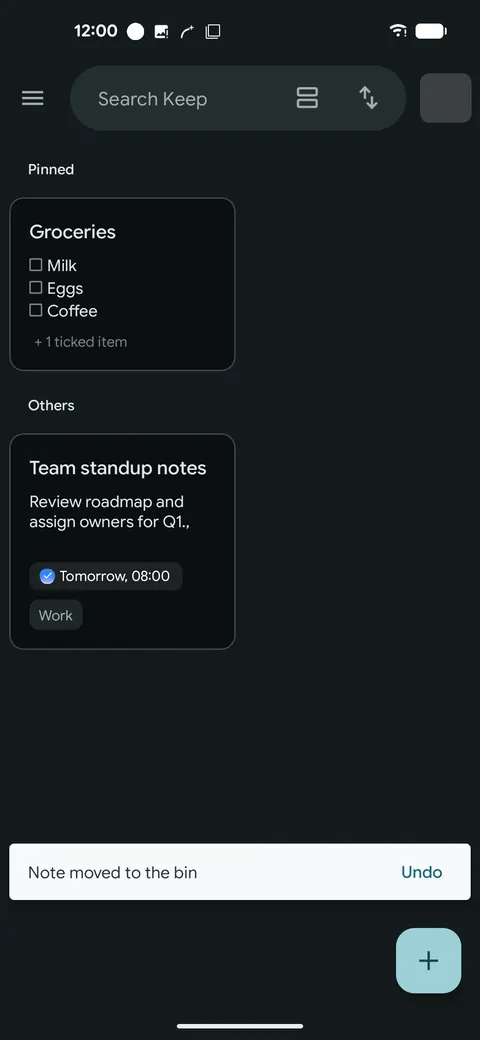
Screenshots: © Google LLC, shown for commentary.
See all 26 screens — create a free accountSee every screen
The full map has all 26 screens, every feature and where each one lives. It is free with an account.
What could be better
Our read of the map, the store listing and recent reviews.
Refresh home-screen widgets within seconds of every note editmedium
Widgets often keep showing old note content after edits, and reviewers say reinstalling does not help. Ship a widget that reads note changes live and test it against each Android release.
Let users turn off automatic phone-number link formattingsmall fix
Any digit grouping becomes a tappable phone link with no setting to disable it. Add a toggle in Settings that keeps numbers as plain text by default for users who want it.
Offer a note lock that keeps notes read-only until unlockedlarge
Reviewers store account and billing details in the app and ask for a built-in lock. Add a per-note or app-wide lock that requires device authentication before viewing or editing.
Let users pick the sort order and label order themselvessmall fix
Sorting is fixed to Custom by default, and changing label order is hard to find. Keep the Custom, Date created and Date modified options and add a user-set manual order for labels in the drawer.
Keep reminders in the app without a separate Tasks or calendar syncmedium
Reminders are stored in Google Tasks, so edits and deletions must be made in two places and reminder behaviour broke after updates. Store reminders with the note and let users clear them in one step.
Add a recovery path for notes that vanish outside the binmedium
Reviewers report notes disappearing and not appearing in the bin. Keep a versioned history of edits and a restore list so users can recover content that is not in the trash.
Add line-spacing control for checklists and notessmall fix
Reviewers say gaps between list lines are almost as tall as the text and waste space. Add a density setting for line spacing that applies to editor and widget lists.
Add in-note text search that highlights matchessmall fix
Search only finds which notes contain a word, not where it appears in a note. Add a find bar inside the editor that highlights and steps through matches.
Want an app like this, but better?
Tell us the idea. We research it, and build it for you.
Submit your idea