
How Productive - Habit tracker works
MOSAIC SRL · Productivity
Android iOS
What it does
Habit and task tracker with daily/weekly/monthly schedules, time-of-day slots, reminders, streak statistics and 7-day challenges.
Who it is for: People who want to build daily habits and manage tasks using schedules, reminders, streak statistics and 7-day challenges.
Key features
Today view
Create habit
Challenges
Settings
Onboarding quiz
Statistics
The main user flow
- Onboarding quiz then first habit
- Create habit (template or blank) with schedule, goal, reminder
- Swipe to complete, skip or quick-add on Today
- Habit detail with streaks
- Join a 7-day challenge with signed promise
- Navigation
- Hamburger drawer: Today, Your stats, Challenges, All habits, Notifications, Settings; FAB creates habits.
- Onboarding
- Consent, wake and reflect times, 3-question quiz, choose first habit and goal, notification permission, paywall.
- How it makes money
- Freemium: paywall right after onboarding and when saving beyond about 2-3 habits; yearly $35.99 or weekly $4.79 with optional free trial. Never purchased.
Screenshots
10 of 77 screens, captured on a real phone with sample data.
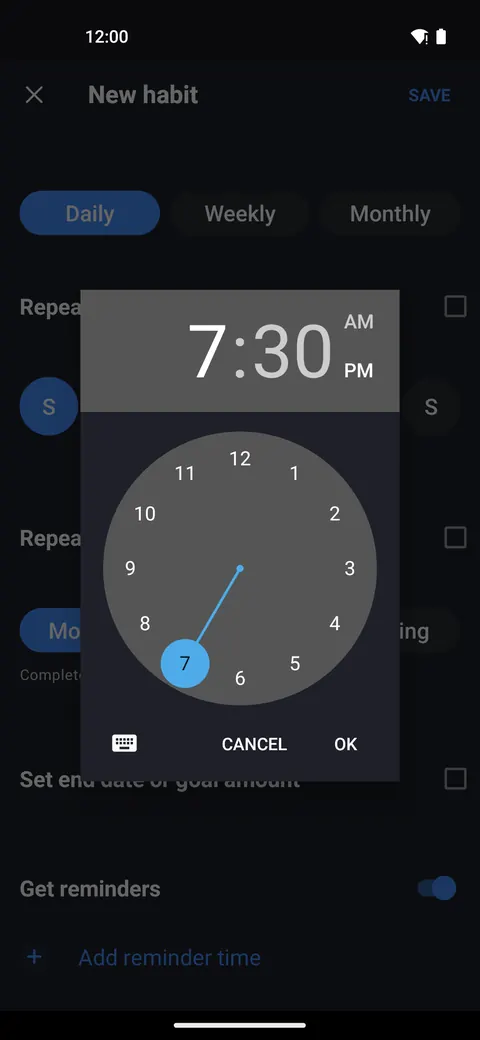
Swipe right actions Trending habits category Habit streaks First habit goal Intro paywall Notifications: Challenges Wake-up time Create new habit Navigation drawer Reminder time picker - +67 more screensFree with an account
Screenshots: © MOSAIC SRL, shown for commentary.
See all 77 screens — create a free accountSee every screen
The full map has all 77 screens, every feature and where each one lives. It is free with an account.
What could be better
Our read of the map, the store listing and recent reviews.
Verify reminder delivery and show each habit's alert statusmedium
Many low reviews say reminders never arrive even after permission is granted, and the app shows no delivery status. Send a test reminder during setup and show whether the OS blocks alerts, with a fix link.
Show the paywall once per session, not on every app opensmall fix
Users report the subscription panel appears every time they open the app and after each limit hit, which makes the app feel unusable. Cap paywall prompts to one per day and never show them on open for active users.
Offer a larger free habit allowance with a clear choice at the capmedium
Free users are stopped at about 4 habits and sent to a subscription page with no other option. Raise the free allowance and at the cap offer options: archive a habit, or upgrade, with the trade-off shown.
Let users finish setup and log one habit before any trial or payment promptsmall fix
Users are asked to start a free trial or enter payment details before they can try the app, and some uninstall at that point. Let people log a habit first and ask for a plan only when they reach a limit.
Back up habit data to the account and restore it on sign-inlarge
Users say data disappears after login or reinstall and cannot be transferred. Store habits and history in the account, restore them on sign-in, and show a last-synced time so users can tell when data is saved.
Add a visible complete and undo button on each habit rowsmall fix
Completing a habit depends on a sideways swipe that users miss, and the tutorial is easy to skip. Add a tap target for complete and undo beside each habit on Today, and keep swipe as a shortcut.
Show renewal date, trial end and refund path before any chargesmall fix
Users report being charged after cancelling and not getting refunds. Show the plan price, trial end date and cancel steps before the trial starts, and send a confirmation email when a plan is cancelled.
Want an app like this, but better?
Tell us the idea. We research it, and build it for you.
Submit your idea