
How TickTick:To Do List & Calendar works
TickTick Limited · Productivity
Android
What it does
TickTick is a freemium all-in-one productivity app that combines a to-do list, a calendar, an Eisenhower priority matrix, a Pomodoro focus timer and a habit tracker. Tasks are captured with natural-language parsing, organised into custom lists, scheduled on a calendar and worked through with focus sessions, while habits and a level/badge system drive engagement.
Who it is for: People who want one productivity app to manage to-do lists, calendars, focus sessions and habits.
Key features
Habit tracker
Create habits from templates with frequency, goals and reminders; track daily progress.
Guided setup
A 6-slide feature tour then a 3-step setup: choose features, lists and theme.
Calendar
Day/Week/Month calendar views of scheduled tasks and habits.
Inbox
Default capture list for new tasks.
Navigation
Five-tab bottom bar (Tasks/Calendar/Matrix/Pomo/More), a lists drawer and an overflow tools sheet.
Tasks
Create, schedule, prioritise, sub-task and complete tasks.
The main user flow
- Sign in (Google/email), choose features + lists + theme in a 3-step setup
- Quick-add a task with natural-language date/priority
- Open a task to add priority, sub-tasks, reminders
- Plan on the Calendar; prioritise in the Eisenhower Matrix
- Run a Pomodoro focus session
- Build a habit from a template and track it daily
- Navigation
- A five-tab bottom bar (Tasks, Calendar, Matrix, Pomo, More) whose tabs are chosen during setup; a left drawer holds lists (Today, Inbox, custom), and a 'More' sheet holds overflow tools (Habit, Countdown). A central add FAB is on every tool.
- Onboarding
- A 6-slide feature carousel, then account sign-in, then a 3-step personalisation (choose features, choose starter lists, choose a theme), ending on a full-screen Premium trial offer before the home list of seed tasks.
- How it makes money
- Freemium. Premium (US$27.65/year, 7-day free trial) is pushed on a full-screen sheet right after setup and via inline PRO/crown badges (calendar views, constant reminders, some themes, AI). In-app purchases $1.99–$49.99.
Screenshots
10 of 29 screens, captured on a real phone with sample data.
Home / Welcome list Task detail New habit - frequency Appearance / Theme Intro 2 - Calendar Priority menu Lists drawer More tools Inbox (empty) Pomodoro timer - +19 more screensFree with an account
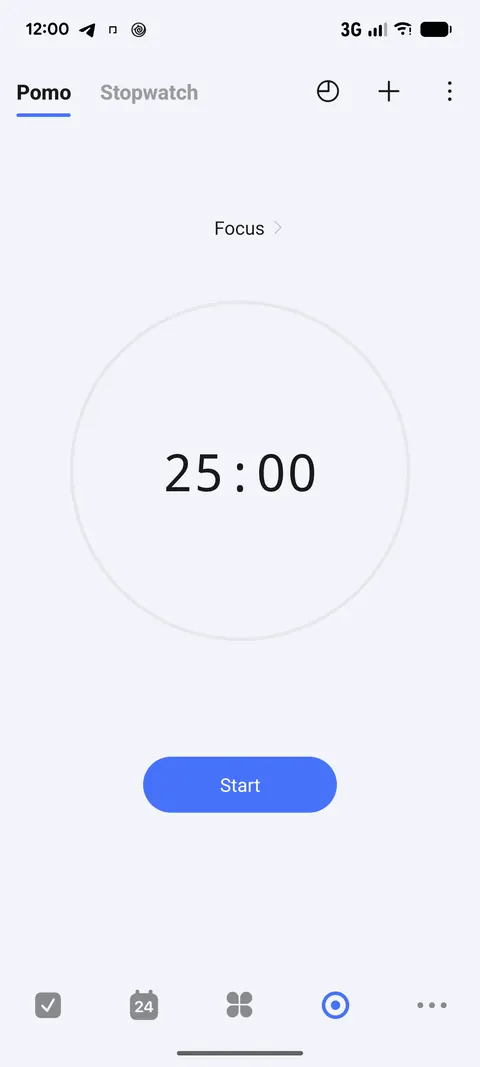
Screenshots: © TickTick Limited, shown for commentary.
See all 29 screens — create a free accountSee every screen
The full map has all 29 screens, every feature and where each one lives. It is free with an account.
What could be better
Our read of the map, the store listing and recent reviews.
Ask before enabling notifications and never take over system alarm controlssmall fix
Reviewers say reminders were on by default and the app opened when they tapped the system alarm. Ship notifications off until the user opts in, and keep the app out of alarm and clock actions.
Show the Premium offer after a first completed task, not right after setupsmall fix
A full-screen trial sheet appears straight after setup, before any use. Let users finish one task or list first, then offer Premium once with a clear list of what it adds.
Keep checklist size and calendar basics on the free tier, gating only extrassmall fix
Users report that a checklist is capped near 15 items and that the calendar is paywalled. Keep core list and calendar use free and reserve Premium for clearly separate extras.
Make home-screen widgets reliable and offer a 2x2 size for task listsmedium
Widgets lose tick-off and compact layouts after updates, and a standard widget needs two taps to edit a task. Ship a 2x2 task widget and keep one-tap ticking and editing across updates.
Dry-run sync changes with undo and give account lockouts a fast human support pathlarge
A two-way calendar sync shifted and duplicated saved events, one account lockout went unanswered for weeks, and sync is delayed. Preview sync changes, keep recoverable backups, and offer a support path for locked accounts.
Let quick-add keep accepting tasks in a loop without reopening the FABsmall fix
Each task needs the add button re-opened, which is slower than rivals' continuous add. Keep the quick-add input open after send so users can enter a series of tasks with natural-language dates.
Add a first-run guide that shows the five tabs and hides unused toolsmedium
Five tabs, a drawer, a More sheet and many settings make the first run busy, and one reviewer found no guidance. Start with a few chosen tabs and a short guided tour of the rest.
Want an app like this, but better?
Tell us the idea. We research it, and build it for you.
Submit your idea