
How Google Photos works
Google LLC · Photography
Android
What it does
Google Photos stores, organises and edits photos and videos with cloud backup, memories, search and sharing.
Who it is for: People who want to store, organise, edit and share their photos and videos with cloud backup.
Key features
Settings
Backup, notifications, preferences, sharing, privacy.
Permission flow
Media access, notification access, backup onboarding.
Account hub
Storage, backup status and shortcuts.
The main user flow
- Grant media access
- Choose backup on/off
- Browse settings
- Manage account storage
- Navigation
- Bottom nav Photos / Collections / Create / Search, avatar menu for the account hub and settings; only the avatar hub and settings were captured.
- Onboarding
- Media permission, backup opt-in screen with default-on toggle, notification permission, then a 'wrap up your setup' banner.
- How it makes money
- 15 GB shared storage free; Google One plans and Clean up space prompts.
Screenshots
10 of 13 screens, captured on a real phone with sample data.
Settings Backup onboarding Account menu Notifications settings Photos and videos permission Permission required Backup settings Preferences Sharing Apps and devices - +3 more screensFree with an account
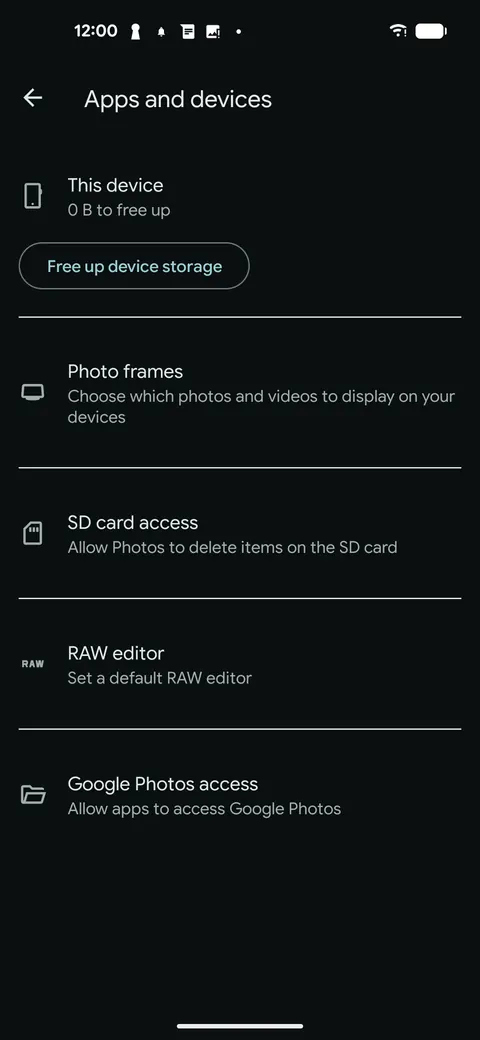
Screenshots: © Google LLC, shown for commentary.
See all 13 screens — create a free accountSee every screen
The full map has all 13 screens, every feature and where each one lives. It is free with an account.
What could be better
Our read of the map, the store listing and recent reviews.
Ship backup off by default and ask per folder before uploadingsmall fix
Backup starts on by default and reviewers say it keeps prompting and uploads albums after they turned it off. Start with backup off, explain what uploads, and ask once per folder.
Keep user albums and view order intact across app updatesmedium
Reviewers say albums vanished or merged after updates and that sort order and layouts reset. Preserve album membership and view settings through updates and offer a plain folder view.
Offer a local-only browse path when media access is deniedsmall fix
Denying media access leads to a Permission required screen with only ALLOW ACCESS. Offer a read-only local view, or a clear reason and a settings link, instead of a dead end.
Separate storage billing from settings and show usage before any upsellmedium
The account hub mixes promos with settings, and reviewers feel pushed to pay or clean up. Show usage and a single billing page, and keep settings in their own section.
Let users defer app updates and show update size before downloadsmall fix
Reviewers report updates installed without warning and a nag that cannot be turned off. Add a deferral option and show the download size and changes first.
Share with original metadata intact and a per-share location togglemedium
Shared copies lose EXIF data and location, and location can be added to old backed-up photos. Keep metadata by default and ask before adding or stripping location.
Add in-place rotate and resize that overwrites or saves a labelled copymedium
Rotating forces a long wait and a saved copy to delete, and resize is missing. Make rotate instant and offer resize with a clear overwrite-or-copy choice.
Make saved media appear and play without long waitslarge
Downloaded items take a long time to show up, and some videos stall during playback. Prioritise local indexing and playback buffering before background cloud work.
Want an app like this, but better?
Tell us the idea. We research it, and build it for you.
Submit your idea