
How Photoroom: AI Photo & Video works
PHOTOROOM · Photography
Android
What it does
Photoroom is a photo and video editor aimed at e-commerce sellers and marketers. It removes and replaces backgrounds, retouches and adjusts images, builds collages and listing visuals, batch-edits large sets of photos, and generates video ads from product images.
Who it is for: Photo and video editing app for e-commerce sellers and marketers who make product images, listings, and video ads.
Key features
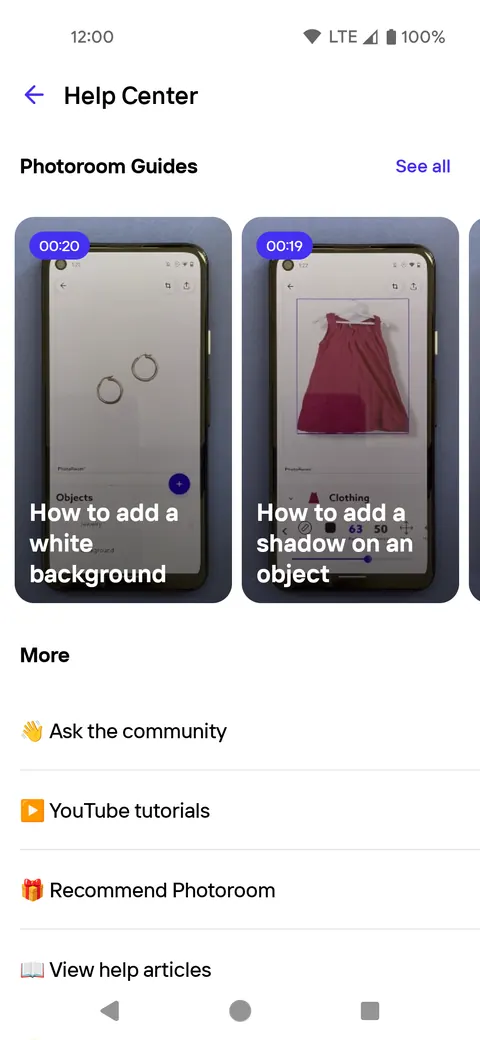
Video help guides
Short video tutorials on editing tasks such as backgrounds, shadows and exports.
Bottom navigation
Tabs for Home, AI Tools, Batch and Content.
Image editor
Layer-based editor with adjustments, blur filters, backgrounds, shadows and resize.
Collage maker
Create collages from templates such as Grid and Simple Fashion.
AI tools
List of AI image creation and editing tools.
App status debug screen
Shows version, user ID, ML config and remote feature flags.
The main user flow
- Pick a template or photo from Home, then edit it in the image editor
- Create a video ad by adding product photos and describing the video
- Batch-edit up to 250 images via the Batch tab
- Build a collage from a template and export or share it
- Sign in on the Content tab to save designs to an account
- Navigation
- Four bottom tabs (Home, AI Tools, Batch, Content) plus a Get Pro button on most screens. Editors use a bottom toolbar of tools and a Done button.
- Onboarding
- Light onboarding: a sign-in prompt on the Content tab, a Spaces introduction, and a photo-access permission request before editing. Help guides are available as short videos.
- How it makes money
- A Get Pro button is visible on main screens, and the status debug screen shows a Free plan with remote flags for an in-app paywall and a weekly subscription. Prices are not visible in the captured text; AI usage limits are indicated by a gauge flag.
Screenshots
10 of 30 screens, captured on a real phone with sample data.
Home - templates and tools AI Tools list Batch editing Collage editor toolbar Create Space form Ready to share - export options Video Ad Maker - empty state Content tab - sign in prompt Choose images - photo access prompt Help Center - +20 more screensFree with an account
Screenshots: © PHOTOROOM, shown for commentary.
See all 30 screens — create a free accountSee every screen
The full map has all 30 screens, every feature and where each one lives. It is free with an account.
What could be better
Our read of the map, the store listing and recent reviews.
Make cancellation one tap and stop charges after cancelmedium
Reviews say cancelling was hard and charges continued after cancelling. Offer in-app cancel with a confirmation, send a receipt on cancel, and block renewal charges once cancelled.
Ship editor crash fixes and a crash-free check before each releaselarge
Reviews report crashes and images turning gray after updates, and frequent fix releases. Gate each release on crash and load tests of the editor and export paths before shipping.
Keep batch editing working for background removal and mid-run statemedium
Batch is a headline feature, yet reviews say batch removal only works on single photos and batch editing disappears mid-edit. Test batch removal on the full 250-image limit and keep the queue state saved.
Show one paywall after the first finished edit, with clear free limitsmedium
Reviews say the app has no usable free features and key tools need an upgrade. Show one paywall after a first completed export, state the free limits, and show the exact credit or plan needed for each tool.
Preview exports on the chosen background before saving the filemedium
Reviews say transparent or black backgrounds fail to export and PNG output comes out black. Show a preview of the final export on the chosen background and offer a retry path that does not hang the export.
Simplify the layout so tools and templates are easier to findmedium
Reviews say the layout is confusing and controls are hard to use. Use distinct labels and icons for similar screens and reduce the number of taps to reach a tool.
Explain photo access scope before the system permission promptsmall fix
Reviews worry the app reads the whole gallery. Show a short screen before the permission prompt that says which photos are read and when, and let users pick photos without granting full access.
Remove the App Status debug screen from Home for release buildssmall fix
The debug screen is reachable from a long press on Home and shows internal flags, plan and user ID. Remove the long-press entry in release builds and keep flags out of the user-facing app.
Want an app like this, but better?
Tell us the idea. We research it, and build it for you.
Submit your idea