
How Google Sheets works
Google LLC · Productivity
Android
What it does
Google Sheets creates and edits spreadsheets on the phone, with templates, formulas, collaboration and offline use.
Who it is for: People who want to create and edit spreadsheets on their phone, with templates, formulas, shared collaboration and offline use.
Key features
Cell editing and formatting
Formula bar, text colour, bold/italic toolbar.
Create from templates
New spreadsheet or template gallery.
File list and actions
Recent files, sort, file actions menu.
Settings and drawer
Theme, offline, cache.
Data tools
Data validation, find and replace.
The main user flow
- Create from a template
- Edit a cell and format it
- Add data validation or find and replace
- Manage recent files
- Navigation
- Home with recent files and a New FAB; the editor has a top action bar, a formula bar and a bottom sheet-tab bar; a navigation drawer holds Recent/Shared/Starred/Offline/Bin/Settings.
- Onboarding
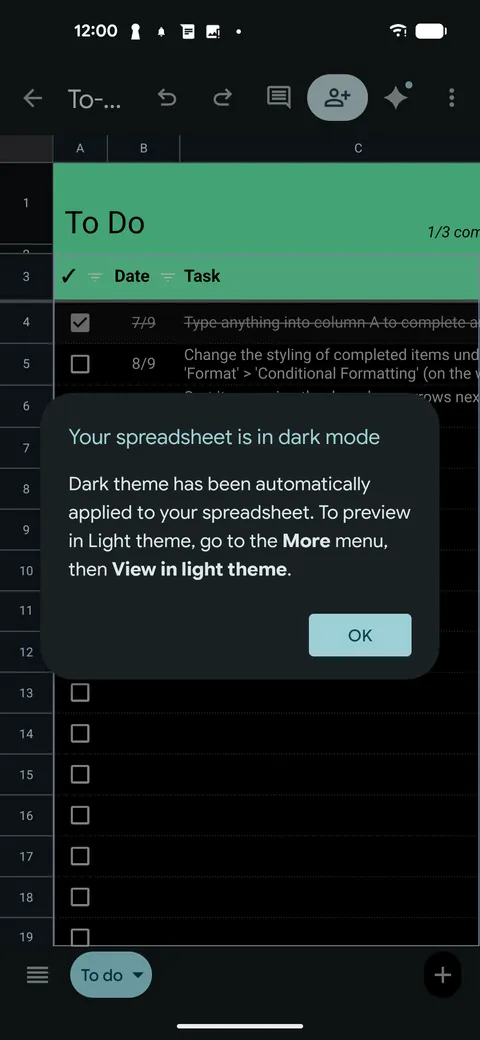
- Only a dark-mode promo dialog; no account prompt because the phone's Google account is used.
- How it makes money
- Free; Google One storage and Gemini upsell elsewhere.
Screenshots
10 of 17 screens, captured on a real phone with sample data.
Template gallery Spreadsheet editor Data validation Find and replace Settings New spreadsheet menu Navigation drawer Text colour Home (empty) Spreadsheet in dark mode - +7 more screensFree with an account
Screenshots: © Google LLC, shown for commentary.
See all 17 screens — create a free accountSee every screen
The full map has all 17 screens, every feature and where each one lives. It is free with an account.
What could be better
Our read of the map, the store listing and recent reviews.
Open every file type and show a clear message when a file cannot openmedium
Reviews say files stay loading or demand an app update that cannot be installed. Show the real cause, offer a retry or a web or export option, and keep offline copies openable.
Add sort and filter on mobile, including filter by value on long columnsmedium
Users report sort and filter are missing or buggy on phones, so they go to the web version. Ship alphabetical sort and a column filter that scrolls reliably with many distinct values.
Let users move between cells with arrow keys and keep the grid visible while typingmedium
Users ask for arrow-key movement, and the keyboard hides half the grid. Add arrow-key navigation and scroll the active cell above the keyboard. Keep the add-cell control visible without swiping.
Cut toolbar clutter and keep one stable layout across updatesmedium
Users find the editor dense and the layout changes confusing. Limit visible icons, keep a fixed toolbar position, and mark layout changes before they ship. Do not drop existing formatting options.
Make print and share work end to end, including landscape print and email sendmedium
Users report print preview not loading, landscape print being hard, forced sign-in to print, and share to email or WhatsApp getting stuck. Make printing and sharing complete without a forced sign-in.
Show in-app purchase prices before any purchase promptsmall fix
A reviewer cannot see what in-app purchases cost. List each purchase, its price and what it unlocks on the listing and in settings before any buy button appears.
Show the dark-mode promo once and skip repeats on first runsmall fix
First-run promo dialogs appear twice, and the editor shows another dark-theme notice. Show one promo on the home screen and never repeat it in the editor.
Want an app like this, but better?
Tell us the idea. We research it, and build it for you.
Submit your idea