
How The Guardian works
GUARDIAN NEWS & MEDIA LIMITED · News & Magazines
Android
What it does
The Guardian news app: editioned front page, article reader with audio, personalised My Guardian topics, podcasts, puzzles/crosswords, live blogs and offline reading, funded by reader support.
Who it is for: Readers of news, opinion, sport and lifestyle journalism who want daily front pages, audio articles, personalised topics, podcasts, puzzles and offline reading.
Key features
Accounts and saving
Passwordless email sign-in, save for later, topics.
Settings and privacy
Notifications, homepage, offline, privacy.
News feed
Editioned front page with section cards.
Article reading
Article page, text size, share, listen.
Puzzles
Crosswords, sudoku and word games.
Search
Articles and subjects search.
The main user flow
- Browse home -> open article -> text size / share / save
- Sign in by emailed code -> follow topics -> My Guardian feed
- Puzzles -> crossword
- Menu -> sections / Live / Discover / Search
- Navigation
- Bottom nav: Home, My Guardian, Podcasts, Puzzles, Menu; settings via Menu gear.
- Onboarding
- Consent screen then 4-point welcome and tooltips on each tab.
- How it makes money
- Free with ads; reader support subscription (monthly/annual) and Premium Tier; in-app purchases $0.99-$144.99.
Screenshots
10 of 41 screens, captured on a real phone with sample data.
Home with new-look tip Home scrolled Article Newsletter offer Search My Guardian Support the Guardian Crossword settings Welcome to the Guardian app Crossword menu - +31 more screensFree with an account
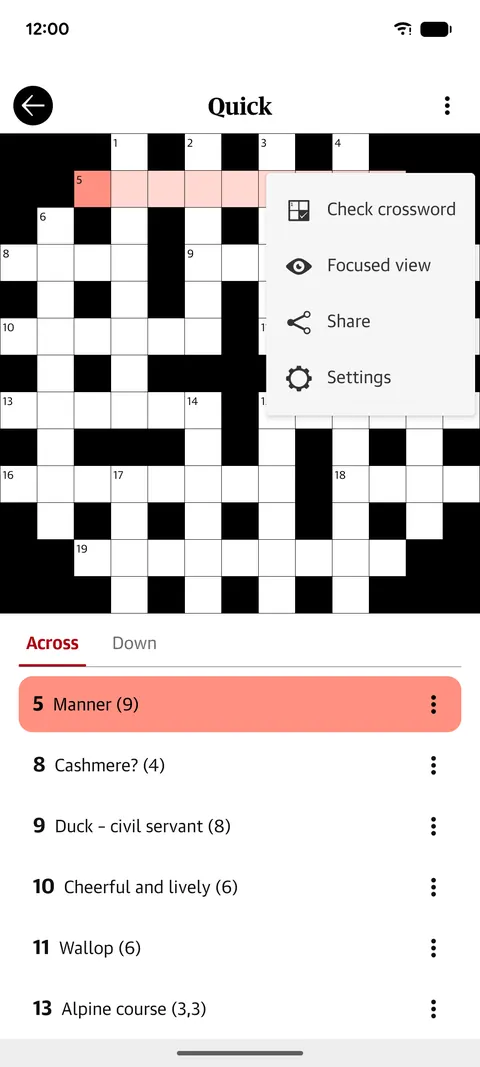
Screenshots: © GUARDIAN NEWS & MEDIA LIMITED, shown for commentary.
See all 41 screens — create a free accountSee every screen
The full map has all 41 screens, every feature and where each one lives. It is free with an account.
What could be better
Our read of the map, the store listing and recent reviews.
Offer a classic crossword layout alongside the new one, with a clear switchmedium
Reviews say the redesigned crossword shrank the grid, dropped check buttons and hid the keyboard, and the old layout was removed. Keep a classic layout option that fills the screen, shows check controls and lets users pick their keyboard.
Fix crashes when scrolling, opening Discover and opening article linksmedium
Several low reviews report the app crashing during normal browsing and after updates. Test scroll, Discover and deep-link article opening on each release before shipping, and fix the crash paths first.
Make the home screen widget load content reliably on current Android devicesmedium
The widget is reported as stuck on loading with no content and not working on newer Android versions. Test the widget on current Android releases and tablets, and show an error state with retry when data fails to load.
Show the free-article limit and the subscription offer before a reader is blockedmedium
Readers hit a metered limit or paywall partway through use and feel forced out, and some say the limit does not appear on the website. Show the remaining free-article count in the app and offer the subscription before the block.
Let readers browse articles without creating an account, asking for sign-in only when neededmedium
Reviews call the account requirement and registration wall a barrier, and the map flags sign-in as a web view detour. Allow reading without an account and use native email-code sign-in only when saving or following topics.
Add reliable offline downloads for saved articlesmedium
A reader wants to download articles to read on a trip but says offline reading keeps breaking. Make manual and scheduled downloads reliable and show which articles are available offline before the user leaves connectivity.
Let readers hide sections and topics from the home and menu feedsmedium
Readers complain there is too much sport and cannot filter out unwanted content. Add per-section hide toggles to the home feed and menu, and let followed topics filter the feed.
Show saved articles immediately after bookmarkingsmall fix
The Saved tab shows an empty state right after saving an article, due to sync lag. Add the saved article to the local list at once and sync in the background.
Want an app like this, but better?
Tell us the idea. We research it, and build it for you.
Submit your idea