
How HP Smart works
HP Inc. · Productivity
Android
What it does
HP printer companion: add and manage HP printers, scan with the camera, send faxes, support and shop.
Who it is for: People who own HP printers and want to add, manage, scan, fax, or get support for them through the HP app.
Key features
Guest mode
Use the app without signing in.
Add and support devices
Add printer, search, support by serial.
Camera scan and Mobile Fax
Document scan and fax tools.
Privacy consent
Granular consent screens.
The main user flow
- Continue as guest
- Add printer
- Search support by serial
- Camera scan
- Navigation
- Top icon bar (add, notifications, profile, sign in) and bottom Devices / Shop tabs; side flyout for support and settings.
- Onboarding
- Notification permission, privacy consent, welcome, optional sign-in, three-page what's new tour.
- How it makes money
- Free; HP account upsell, shop, Mobile Fax subscription.
Screenshots
10 of 24 screens, captured on a real phone with sample data.
Home Support Search by serial number Shop Manage privacy settings Your data and privacy Profile and settings Add device Searching for printers HP sign-in (web) - +14 more screensFree with an account
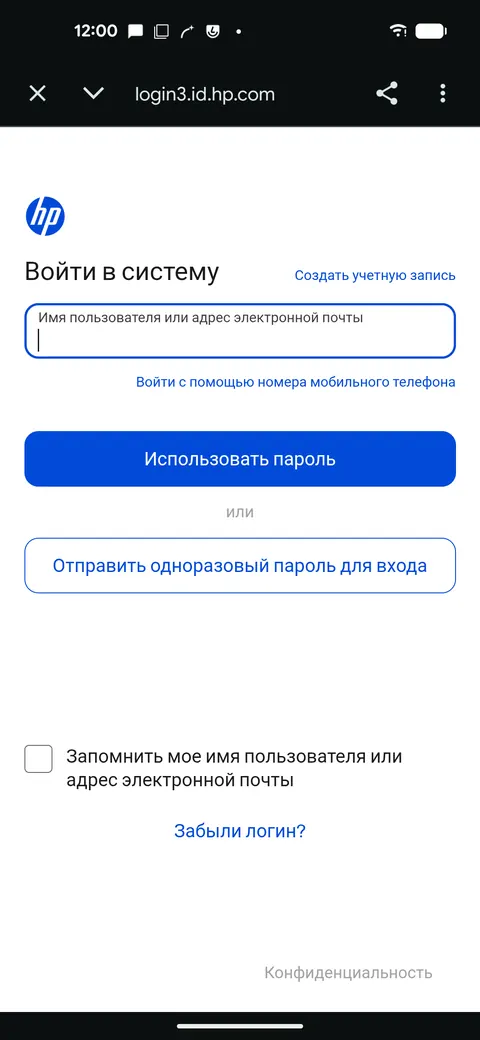
Screenshots: © HP Inc., shown for commentary.
See all 24 screens — create a free accountSee every screen
The full map has all 24 screens, every feature and where each one lives. It is free with an account.
What could be better
Our read of the map, the store listing and recent reviews.
Guide users through printer Wi-Fi setup with a live connection checkmedium
Users cannot get value without a printer: Home is empty and Add device leads to a network search. Show step-by-step Wi-Fi setup with live connection status and a clear retry path.
Keep the account session and show a clear in-app sign-in retrymedium
Sign-in is a browser hop that shows an error dialog after the browser closes. Users are kicked out of their accounts. Keep sessions alive and offer an in-app retry instead of a dead end.
Show upsells on user request, not as repeated popupssmall fix
Users report repeated prompts to pay and a lock-out after a billing dispute. Offer HP account, shop and Mobile Fax upsells only from the screens where the user opts in, with honest billing terms.
Let users accept or skip privacy and notification prompts without blockingsmall fix
The notification prompt appears before privacy consent, and some users get stuck on the privacy step with no way forward. Order consent first and make every step skippable.
Add gallery import and scanner-status feedback to Camera scanmedium
Camera scan fails to pick up the scanner and produces poor scans. Show scanner status and camera permission states, and offer import from the photo gallery as a fallback.
Keep ink and support-tool tasks inside the app instead of a websitelarge
Ink levels do not sync from the printer, and some cartridge tasks send users to a website. Read ink and printer status from the device and keep those tasks inside the app.
Show a cached home and a loading state that recovers without restartmedium
Screens load slowly and sometimes get stuck, and users have to restart. Cache the last known device list and show a retry control when content fails to load in the web views.
Want an app like this, but better?
Tell us the idea. We research it, and build it for you.
Submit your idea