
How iNaturalist works
iNaturalist · Education
Android
What it does
Citizen-science nature app: record wildlife observations with photos and location, get community identifications, explore global data.
Who it is for: People who want to record wildlife sightings with photos and location, get community identifications, and explore nature data.
Key features
Create an observation
Editor with species search, notes, visibility.
Projects, guides, activity, missions
Community features, mostly behind login.
Tutorial
Five-slide intro then start options.
Explore global observations
Observations, species and counts worldwide.
Settings and about
Sync, species suggestions, language.
The main user flow
- Browse Explore
- Create an observation
- Join projects
- Use guides
- Navigation
- Hamburger drawer with Explore, Projects, Guides, Activity, Messages, Missions, Settings, About, Help.
- Onboarding
- Five illustrated slides, optional login (Google/Email) or skip.
- How it makes money
- Free, donations and an online store; no ads.
Screenshots
10 of 35 screens, captured on a real phone with sample data.
Explore (global) Explore: species Taxon detail Edit observation Explore filters Species search Projects: joined Settings Tutorial: Explore and Connect Editor overflow menu - +25 more screensFree with an account
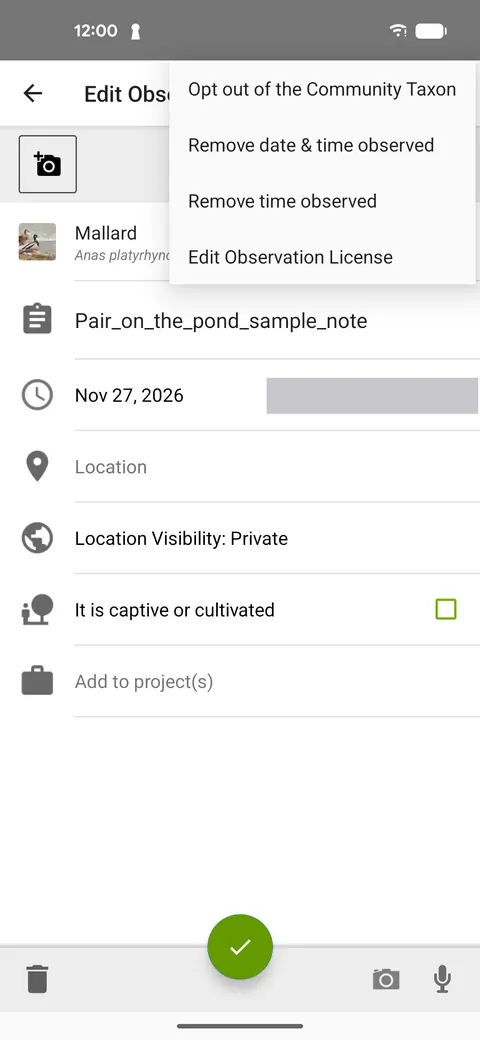
Screenshots: © iNaturalist, shown for commentary.
See all 35 screens — create a free accountSee every screen
The full map has all 35 screens, every feature and where each one lives. It is free with an account.
What could be better
Our read of the map, the store listing and recent reviews.
Fix crashes and slow loading before adding new featureslarge
Many 1-2 star reviews report crashes, freezes or growing memory use that make the app hard to use. Ship stability and load-time work first, then measure crash-free sessions.
Show per-item upload status, error reason and a manual retrymedium
Photos sit in 'waiting to upload' for days and some users uninstall. Show each item's state and error, and offer retry instead of an open-ended wait.
Make donation prompts opt-in and keep them out of notificationssmall fix
Donation notifications are cited as a reason to uninstall. Keep donation asks in About, let users turn off all donation prompts, and do not push them as notifications.
Make sign-in and account deletion complete and predictablemedium
Google sign-in did not complete in testing and back from login lands in odd places. Account deletion took many steps. Add a clear email path, return users to where they started, and a short in-app deletion flow.
Ask for location once and show which location is used for resultsmedium
Users get repeated location prompts and results revert to global or a different place. Show the active location, let users set it explicitly, and give a clear fallback when permission is denied.
Let observers delete their own IDs and filter weak community suggestionsmedium
Users cannot delete misclick IDs or remove unreliable suggestions, and repeated automatic comments annoy them. Add delete for own IDs and per-taxon controls for suggestions.
Add saved searches and an own-observations filter in Exploremedium
Each search restarts from a global map and loads slowly, and users cannot filter to their own posts. Keep search state and add a filter for own observations.
Add a photo-first identify flow for non-experts with plain next stepslarge
Casual users expected a photo to be named and left when results were unknown or required expertise. Offer a photo-first path that explains what to try next when no match is found.
Want an app like this, but better?
Tell us the idea. We research it, and build it for you.
Submit your idea