
How Microsoft OneDrive works
Microsoft Corporation · Productivity
Android
What it does
OneDrive stores files and phone photos in Microsoft's cloud with backup, sharing and offline access.
Who it is for: People who want to store, back up, share and access their files and phone photos in Microsoft's cloud storage.
Key features
Photos gallery tabs
Gallery, Albums, Maps, Favourites.
Microsoft account sign-in
Email or phone, create-account flow.
Account drawer
Add account, help, privacy.
Sign-in upsell
Value props sheet.
The main user flow
- Sign in or create a Microsoft account
- Skip to the local Photos gallery
- Allow photo access to back up
- Navigation
- Top tab selector Photos / Files, Photos sub-tabs Gallery / Albums / Maps / Favourites, account drawer at the top left, search bar and add FAB.
- Onboarding
- Welcome with sign-in, create account, or Skip to my photos.
- How it makes money
- 5 GB free; Microsoft 365 plans (store lists IAP).
Screenshots
8 of 9 screens, captured on a real phone with sample data.
Account drawer Get more with OneDrive Photos (no access) Sign in Welcome Albums Maps Favourites - +1 more screenFree with an account
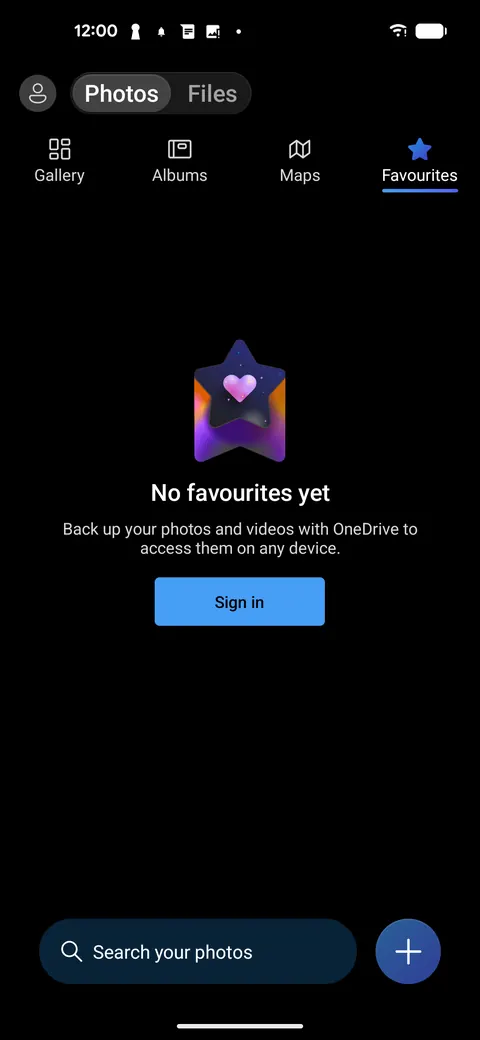
Screenshots: © Microsoft Corporation, shown for commentary.
See all 9 screens — create a free accountSee every screen
The full map has all 9 screens, every feature and where each one lives. It is free with an account.
What could be better
Our read of the map, the store listing and recent reviews.
Let users open local files without a forced Microsoft sign-inmedium
Files tab is fully gated behind sign-in, and sign-in repeats or loops for many users. Offer a local-only path to open files and show the sign-in prompt only when cloud access is needed.
Make file search match filenames the user can see in the listmedium
Searching a filename returns no results even when the file is visible. Index the names shown in the list and test search against them before release.
Fix share-sheet and file-picker uploads that end on a blank screenmedium
Sharing into the app ends on a white blank screen, and the file picker is not detected. Make share-in and picker uploads reliable and show a clear error with a retry when they fail.
Show sync progress and limit background work to protect batterymedium
Sync is reported as very slow and drains the battery even when set to sync only while charging. Show per-item progress and an estimate, and limit background work when the device is on battery.
Show true storage status and a one-tap subscription cancel pathmedium
Users report storage-full warnings that do not match their plan and cannot find where to cancel. Show the real quota and plan state, and link cancellation from the account screen.
Ask once for photo backup and honour a no without re-promptingsmall fix
Users report being asked to enable camera backup every time the app opens and still seeing file changes after turning backup off. Ask once, store the choice, and make it visible in settings.
Let signed-out users favourite and album photos on-devicemedium
Albums and Favourites show sign-in prompts before any use, and users cannot save a favourite from Albums. Allow local albums and favourites without sign-in, then sync them later.
Want an app like this, but better?
Tell us the idea. We research it, and build it for you.
Submit your idea