
How Microsoft Outlook works
Microsoft Corporation · Productivity
Android
What it does
Outlook is Microsoft's mail and calendar client supporting Microsoft 365, Outlook.com, Gmail, Yahoo, iCloud, IMAP and POP3 accounts.
Who it is for: People who want to manage email and calendars from Microsoft 365, Outlook.com, Gmail, Yahoo, iCloud, IMAP, or POP3 accounts in one app.
Key features
Microsoft account creation
Email, password, details, name, human check
Intro stories
Four-page intro with add/create account
Add email account
Add by email, Google or provider picker
The main user flow
- Add an account by email or provider
- Create a new Outlook.com address through a Microsoft web flow
- Navigation
- Stories then add account; inbox only after account.
- Onboarding
- Four auto-advancing story pages then Add account or Create new account.
- How it makes money
- Free with Microsoft 365 subscription upsell and ads for free accounts (not reached).
Screenshots
6 of 9 screens, captured on a real phone with sample data.
Choose account type Story: Welcome to Outlook Create your Microsoft account Add account Story: one calendar for everything Story: add your email accounts - +3 more screensFree with an account
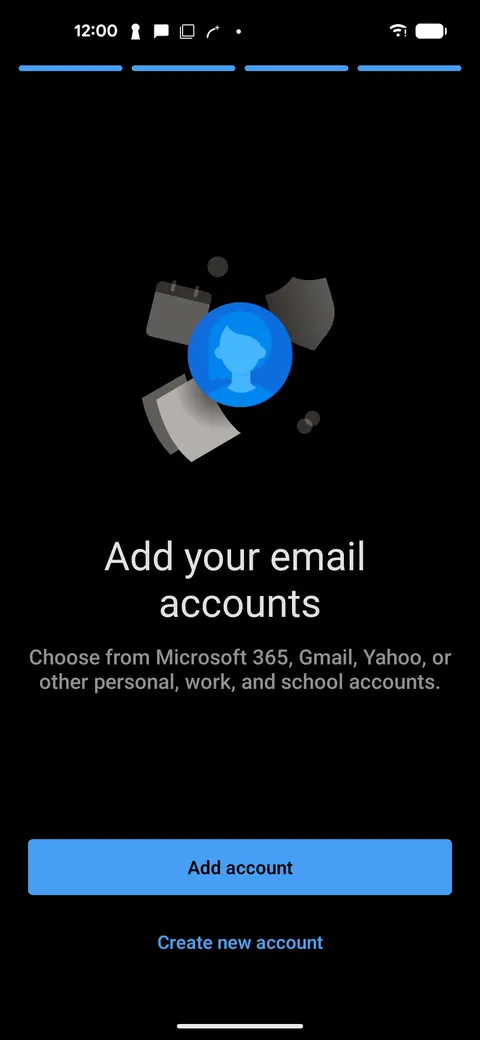
Screenshots: © Microsoft Corporation, shown for commentary.
See all 9 screens — create a free accountSee every screen
The full map has all 9 screens, every feature and where each one lives. It is free with an account.
What could be better
Our read of the map, the store listing and recent reviews.
Make mail sync reliable and show a visible refresh statelarge
Reviews report mail arriving hours late, inboxes not loading, and no pull-to-refresh. Build sync that pushes new mail reliably, shows when the last sync happened, and lets users force a refresh that always works, including from the widget.
Give a clear recovery path when sign-in verification failsmedium
Users get stuck in repeated sign-in prompts and number-matching checks, and some are locked out of accounts. Offer a clear next step when a verification step fails, and avoid looping users back into the same prompt.
Show subscription and storage status before blocking sendingmedium
Users who paid report being blocked from sending, or told to renew while on auto-pay, with unhelpful error text. Show plan and storage status before any send is blocked, and explain exactly what to do.
Offer an ad-free free tier or clearly separate ads from paid accountsmedium
Reviews say ads appear even for paying users and in places users did not expect, including signatures and folders. Ads are a free-account feature per the map, so keep ads out of paid accounts and out of user-authored content like signatures.
Make search find all folders and let users open a chosen folderlarge
Users say search misses emails they know exist and that unread mail in non-inbox folders does not load. Index all folders, search by sender and subject reliably, and let users set a saved folder as their start view.
Make the report-as-junk action work and confirm itmedium
Users report that reporting scam mail does nothing and the junk filter misses scams. Make the report action complete with visible confirmation, and let users choose the swipe direction for junk.
Add undo when composing and let users pick spell-check languagemedium
Reviews name missing undo while composing, and automatic text changes that users must proofread. Add undo and a visible spell-check language choice, and let users turn off automatic word changes.
Let users place action buttons at the top or bottom of the screensmall fix
Users with large hands say actions moved to the bottom with no way back, and a floating bar was added without asking. Add a setting for action bar position and keep the default layout stable across updates.
Want an app like this, but better?
Tell us the idea. We research it, and build it for you.
Submit your idea