
How Microsoft Translator works
Microsoft Corporation · Productivity
Android iOS
What it does
Microsoft Translator translates text, spoken speech and text in images across many languages. It also offers a phrasebook of common phrases for travel and emergencies, plus translation history and favorites.
Who it is for: People who need to translate text, spoken speech, or images across many languages, including travelers.
Key features
Language selection
Pick source and target languages from a searchable list with recent languages.
Speech translation
Real-time spoken translation using the microphone, with auto mode and auto-scroll options.
Phrasebook
Pre-made phrases grouped by category such as emergency, travel and health, with translations.
Text to speech
Plays translated text aloud with selectable voices.
Language search
Search the list of supported languages by name.
Image translation
Translate text captured through the camera, requires camera permission.
The main user flow
- Type text and choose source and target languages to translate
- Use speech translation with the microphone for live conversation
- Translate text captured through the camera
- Browse the phrasebook by category and share or play phrases
- Navigation
- A single home translate screen with a settings entry and a mode menu; the phrasebook, favorites and history are reached from settings and the menu, with language selection through a searchable picker.
- Onboarding
- Permission prompts appear on demand (microphone, camera) rather than a guided onboarding flow.
- How it makes money
- none seen
Screenshots
10 of 29 screens, captured on a real phone with sample data.
Home - translate Phrasebook - emergency phrases Language details - Afrikaans Language picker - search results Settings Share translation sheet Favorites - empty Microphone permission dialog Delete all translations dialog Home - translate (mode menu) - +19 more screensFree with an account
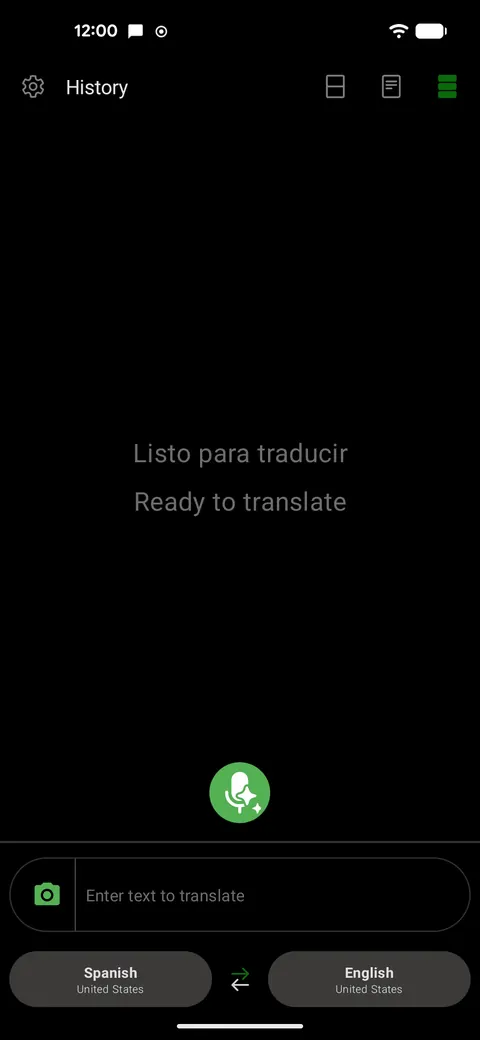
Screenshots: © Microsoft Corporation, shown for commentary.
See all 29 screens — create a free accountSee every screen
The full map has all 29 screens, every feature and where each one lives. It is free with an account.
What could be better
Our read of the map, the store listing and recent reviews.
Ship offline language packs that work without a network connectionlarge
Reviews say offline translation was removed, so travellers without good data lose the app. Let users download language packs and translate text and speech offline, with a clear list of what works offline.
Copy and share any translation from the main translate screensmall fix
Users cannot select or copy typed input or results on the home screen and must go through history. Add select-to-copy on input and output, plus a copy and share action on every result.
Make the typed-text input stay open and show errors without dismissingsmall fix
The keyboard flashes and closes when users try to type, and some users see an error they cannot read. Keep the input focused and show errors as a readable inline message the user can dismiss.
Show clear network status and retry speech translation when the connection failsmedium
Speech translation reports a network error even when the connection is fine, and only works when the mic is always on. Detect the real state, show a plain status, and let the user retry without restarting.
Keep camera translation working and let users pick a photo without camera accessmedium
Image translation now demands camera access and cuts off text. Let users open a saved photo or screenshot without camera permission and show the full detected text with a crop tool.
Let users edit the source text and keep it when they change languagemedium
Users must retype whole phrases after a typo or language change, and cannot fix a wrong word in the output. Add an editable source field that persists across language changes and a way to rate a bad translation.
Add a text size control for translated outputsmall fix
Users say the output text is too small and that a larger display helped their relatives read. Add a font size setting for input and output so the text can be read at a glance.
Add a setting to turn off the camera shutter soundsmall fix
Users say the artificial shutter sound is loud and cannot be disabled. Add a toggle in settings to silence the capture sound for image translation.
Want an app like this, but better?
Tell us the idea. We research it, and build it for you.
Submit your idea