How Proton Mail works
Proton AG · Communication
Android
What it does
Proton Mail is an end-to-end encrypted email client with folders, labels, filters, contacts and a paid Unlimited bundle.
Who it is for: People who want private, end-to-end encrypted email with folders, labels, filters, and contacts, including paid plan options.
Key features
Mailbox
Inbox, message, compose, folders
Settings
Account, mailbox, privacy and filters
Onboarding
Three intro slides and notification pre-prompt
Sign-up with human verification
Username, password, optional recovery, captcha or email verification
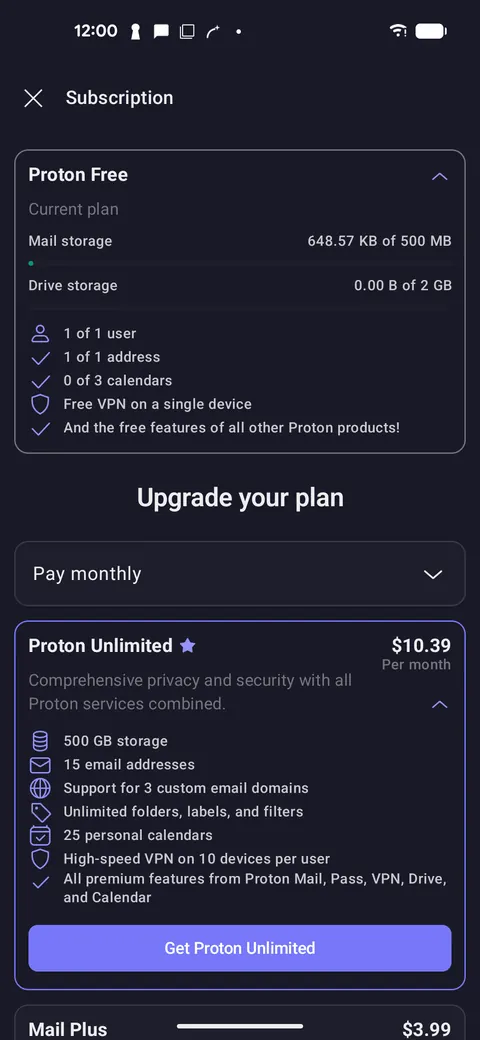
Subscription upsell
Black Friday upsell and plan selector
The main user flow
- Create account, human verification by email code, onboarding
- Read, compose and send mail; browse folders
- Tune privacy and notification settings
- Navigation
- Hamburger drawer with folders; compose FAB; search.
- Onboarding
- Sign-up, optional recovery method (skippable), three intro slides, notification pre-prompt, then an upsell.
- How it makes money
- Proton Unlimited 12 months USD 62.28 upsell shown right after onboarding, Mail Plus and monthly options in Subscription.
Screenshots
10 of 22 screens, captured on a real phone with sample data.
Inbox (new account) Inbox after sending to self Human verification by email Black Friday upsell Onboarding: privacy by default Navigation drawer Human verification: captcha puzzle Don't miss an email Enter verification code Subscription - +12 more screensFree with an account
Screenshots: © Proton AG, shown for commentary.
See all 22 screens — create a free accountSee every screen
The full map has all 22 screens, every feature and where each one lives. It is free with an account.
What could be better
Our read of the map, the store listing and recent reviews.
Add a Gmail import step to onboarding that can be resumedmedium
Users switching from Gmail reach a blank page after connecting Google and cannot move family accounts. Onboarding has no import step. Add a resumable Gmail import with clear progress and error text.
Move the upsell out of onboarding and make promo opt-outs sticksmall fix
The plan upsell appears right after onboarding, and promo pop-ups return after users toggle them off. Show one plan offer after the first successful read or send and save promo opt-outs.
Add multi-select and delete-all for the Sent and Inbox foldersmedium
Freeing space means deleting messages one at a time, and sent mail cannot be removed. Add multi-select, a "delete all" action in any folder, and a storage view showing what is taking space.
Let filter rules route senders into chosen foldersmedium
Users cannot block a sender or send a domain straight to a subfolder, and suspect-spam filtering is described as too complicated. Add one-tap block plus rule-based folder routing.
Fix launch crashes and blank screens before shipping updatesmedium
Users report forced closes, blank screens on open, and crashes while checking mail, including after updates. Test on a device matrix before release and add a safe start mode after a crash.
Apply dark theme to the message reader and HTML mailsmall fix
Dark mode covers the lists, but email bodies stay bright or hard to read. Extend the theme to the reading pane and HTML mail, and keep it consistent across all screens.
Allow more than one mailbox on the free tiermedium
Free users must pay to add a second mailbox, and migrating an alias to a main address is also charged. Offer at least two free mailboxes and keep address migration free.
Want an app like this, but better?
Tell us the idea. We research it, and build it for you.
Submit your idea