
How Quora works
Quora, Inc. · News & Magazines
Android
What it does
Question-and-answer network: ask questions, read and write answers, follow topics and Spaces.
Who it is for: People who want to ask questions, read and write answers, and follow topics and Spaces on the Quora Q&A network.
Key features
Settings, privacy and themes
Account, privacy, languages, theme, billing.
Email sign-in with device verification
Email/password login plus Google and Facebook; emailed code on a new device.
Home feed and tabs
Feed, Following, Answer, Spaces and Notifications tabs.
Notification controls
Filter and per-channel push and email settings.
Questions and answers
Search, question page, expanded answers, answer editor.
Ask question and create post
Ask with similar-question suggestions; create posts; audience choice.
The main user flow
- Sign in with email and verify the code
- Browse the feed or search
- Open a question and read answers
- Ask a question or write an answer
- Manage notifications and privacy
- Navigation
- Five bottom tabs (Home, Following, Answer, Spaces, Notifications); top search and plus; avatar opens a side drawer with Messages, Bookmarks, Drafts, stats, Monetization and Settings.
- Onboarding
- Web sign-up picks topics; the app itself shows a welcome wall with Google, Facebook, Login and Sign up with email, then a notification prompt.
- How it makes money
- Free with ads; Quora+ subscription and Spaces subscriptions; creator monetization program.
Screenshots
10 of 42 screens, captured on a real phone with sample data.
Question page Verify new sign-in Search Following tab Subscriptions and Billing Notification settings Notification filter About Messages Your content and stats - +32 more screensFree with an account
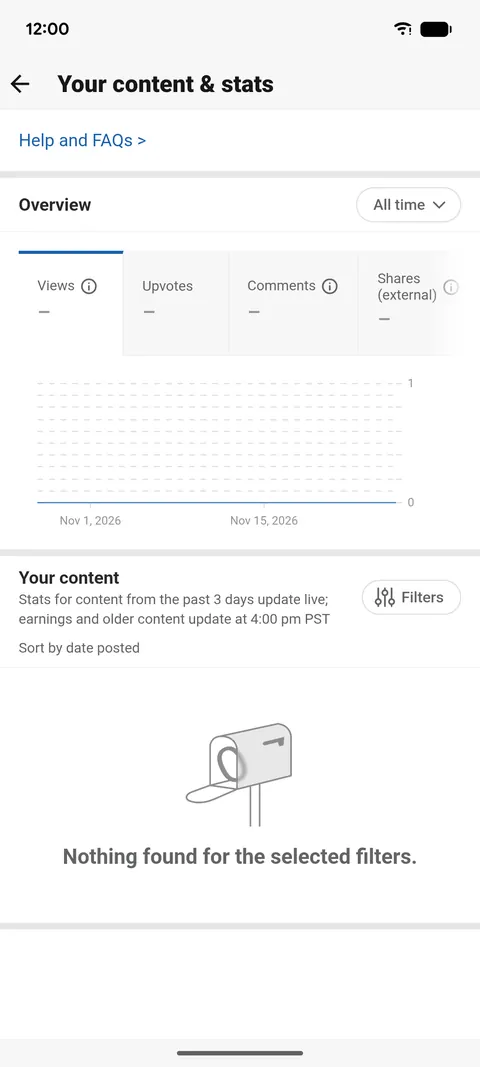
Screenshots: © Quora, Inc., shown for commentary.
See all 42 screens — create a free accountSee every screen
The full map has all 42 screens, every feature and where each one lives. It is free with an account.
What could be better
Our read of the map, the store listing and recent reviews.
Show a clear age-check result and an appeal path when access is blockedmedium
Many users are locked out with an age-requirement message even after verifying. Show which check failed, what to do next, and offer an in-app appeal instead of a loop with no exit.
Render answers natively so Read more does not stall or reload the web viewlarge
Answers open in web-rendered screens, and Read more often fails or lags. Load full answer text natively with a visible loading state and a retry button.
Add a launch recovery path that replaces the generic error screenmedium
Users report the app will not open and shows a generic error with only Try again. Detect failed startup, show the cause, and offer a recovery action such as clearing cached data or reporting from the error screen.
Filter the feed for explicit content and unmoderated Spaces before rankinglarge
Users see explicit posts and scam-style ads on first open, and the feed includes unmoderated Spaces. Apply a safe-content gate to feed items before ranking and let users hide topics or Spaces.
Label AI-generated answers and profiles and let users filter themmedium
Users say AI-written answers and profiles dilute human answers. Mark AI-generated content on every answer and profile, and add a feed filter to hide it.
Make email unsubscribe settings save across all future sendssmall fix
Users unsubscribe from emails but preferences are not saved and the same mail keeps arriving. Save each email channel choice on the server and apply it to all later sends, with a confirmation message.
Cap ad density in the feed and answers and offer a paid ad-free optionmedium
Users say ads and sponsored posts are heavy and distracting. Set a per-screen ad limit and offer a paid ad-free tier with clear pricing shown before purchase.
Show a working subscription purchase flow with price and cancel stepsmedium
The free-trial button on the subscription screen did not respond and no purchase flow appeared. Make trial and purchase buttons work, show the full price and renewal date, and link to cancellation.
Want an app like this, but better?
Tell us the idea. We research it, and build it for you.
Submit your idea