How Shazam: Find Music & Concerts works
Apple Inc. · Music
iOS
What it does
Apple-owned music recognition app: tap once to identify a song playing around you, keep a library of everything you have Shazamed, browse global and per-country charts, read lyrics and find nearby concerts.
Who it is for: People who want to identify songs playing around them, keep a library of those songs, and browse charts and concerts.
Key features
Settings
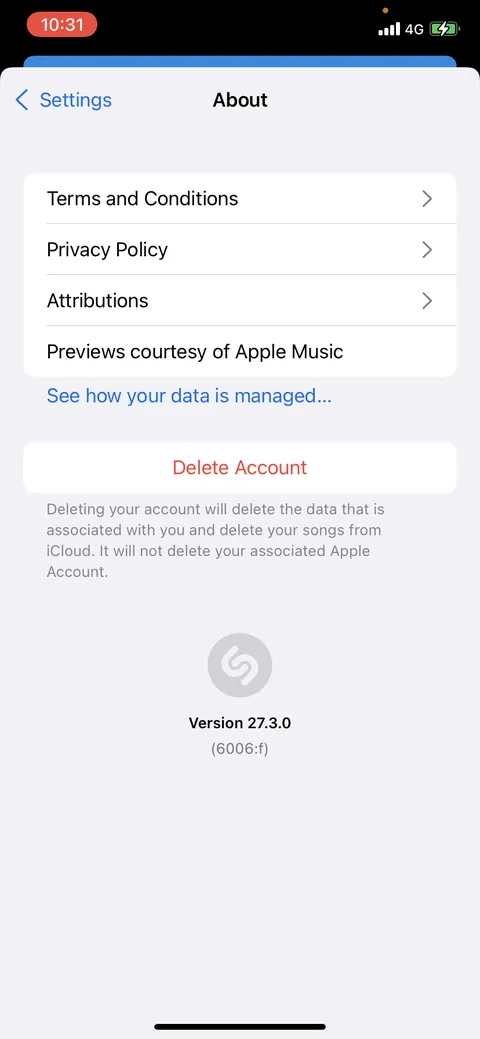
iCloud sync, notifications, location, microphone, haptics, autoplay, support, about, delete account.
Charts
Top 200 and Viral charts per country and genre.
Library
Saved Shazams by month, sort, select, search and Explore by artist/genre/city/mood/decade.
Concerts
Find and save concerts near you or by artist, with tickets links.
Identify a song
Tap the big button, grant microphone access, Shazam listens and identifies.
Song page
Video, lyrics, albums, related video.
The main user flow
- Tap Shazam, allow microphone, song identified and saved to Library
- Search lyrics/songs/artists, open song page, lyrics, artist
- Browse Charts (Top 200, Viral, by country and genre)
- Find and save concerts, open event with Tickets
- Navigation
- Bottom tab bar: Home, Library, Concerts, Search; Settings behind a gear on Home; full-screen song, artist and concert pages with a close button.
- Onboarding
- One welcome screen with a privacy note and Continue; permissions (microphone, location, notifications) asked in context.
- How it makes money
- Free app. Apple Music upsell sheet ('free for up to 1 month') and banners on song pages, charts and Settings; no in-app purchase seen.
Screenshots
10 of 30 screens, captured on a real phone with sample data.
Home: Tap to Shazam Library Search Concerts tab Apple Music promo sheet Settings Welcome Library sort menu Library Explore sheet About - +20 more screensFree with an account
Screenshots: © Apple Inc., shown for commentary.
See all 30 screens — create a free accountSee every screen
The full map has all 30 screens, every feature and where each one lives. It is free with an account.
What could be better
Our read of the map, the store listing and recent reviews.
Delay the Apple Music upsell until after the first song resultsmall fix
The Apple Music promo sheet interrupts the first song open. Show the identified song first and offer any upsell later, as a dismissible banner rather than a blocking sheet.
Render charts and concert lists natively instead of as web viewslarge
Chart and concert pages are web views that load slowly. Build native list screens fed by a cached data endpoint, keeping the loading skeletons the current app already uses.
Replace the country and genre dropdowns with searchable pickerssmall fix
Country and genre pickers are plain dropdowns, which is hard to scan with many options. Add a search field, recent picks and grouped lists so users reach a chart in one or two taps.
Show Library sort, filter and Explore controls on the main screenmedium
Sort and search sit in an overflow menu, and selection mode is a separate state. Put sort and Artists/Genres/Cities chips on the Library list itself, with selection reachable from the same bar.
Add a plain-language data note at sync and history pointssmall fix
Onboarding says history is saved to recommend music, and iCloud Sync is managed in iOS Settings. Show what is stored, where, and how to pause history or sync at the moment the user turns those features on.
Offer concert search by artist without requiring locationmedium
Concerts rely on location permission and Near Me chips, and the Find screen defaults to a location chip. Let users search artists first and ask for location only when they tap Near Me.
Limit upsell banners to a single, clearly labelled placementsmall fix
The app is free, but Apple Music banners appear on song pages, charts and Settings. Keep one labelled placement per screen type so the free app stays usable and the upsell is easy to recognise.
Want an app like this, but better?
Tell us the idea. We research it, and build it for you.
Submit your idea