
How Splitwise works
SPLITWISE INC. · Finance
Android
What it does
Splitwise tracks shared expenses between friends, roommates, couples and travel groups and shows who owes whom. You create groups, log expenses, split them (equally or custom), see running balances and settle up with payments.
Who it is for: People who split shared expenses with friends, roommates, couples and travel groups, and track who owes whom.
Key features
Groups
Create and view groups (trips, households, couples) and their balances.
Add expense
Record an expense with amount, payer, split and category, and view its detail.
Onboarding
A three-page intro carousel and a first-task setup prompt.
Account & settings
Profile, email notification settings, appearance, security, help and about.
Email sign up
Create an account with name, email, password, phone and currency.
Friends
Add and view friends and group mates.
The main user flow
- Sign in (Google or email), onboard, and pick a first task (trip, household, or skip)
- Create a group, add expenses, and see balances update
- Open an expense for its detail, trends and comments
- Settle up by recording a payment between members
- Manage account, email notifications and upgrade to Splitwise Pro
- Navigation
- A hard sign-in wall gates everything. Once in, a four-tab bottom nav (Groups, Friends, Activity, Account) with a persistent Add expense FAB; groups and expenses open as detail pages; settings live under Account.
- Onboarding
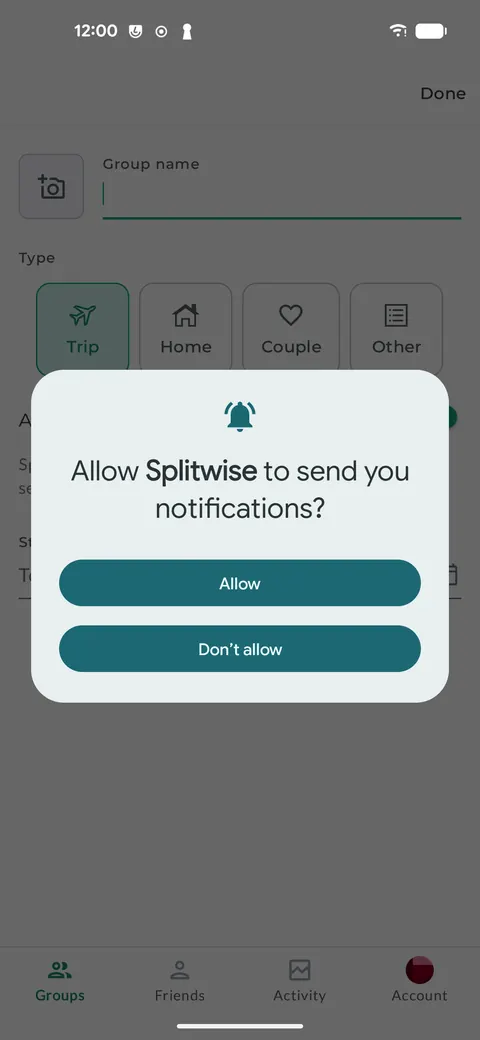
- After sign-in, a three-page carousel (balances, add expenses, settle up) then a Let's get started prompt offering Add a group trip, Add your household, or Skip setup. A notification permission is requested on the first group action.
- How it makes money
- Freemium. A Splitwise Pro subscription (Start your free trial) unlocks unlimited expenses, currency conversion, receipt scanning, itemization, charts, search and default splits; the free tier shows a Pro upsell card on the Account tab. Play lists it as containing in-app purchases ($0.99-$89.99); no ads seen.
Screenshots
10 of 29 screens, captured on a real phone with sample data.
Groups dashboard (home) Activity feed Group detail (with expense) Sign up: full name Splitwise Pro paywall Let's get started Friends tab (empty) Logged-out home (sign-in wall) Add members before expenses? Notifications permission - +19 more screensFree with an account
Screenshots: © SPLITWISE INC., shown for commentary.
See all 29 screens — create a free accountSee every screen
The full map has all 29 screens, every feature and where each one lives. It is free with an account.
What could be better
Our read of the map, the store listing and recent reviews.
Remove the daily expense cap from the free tiermedium
Free users are capped at a few expenses per day, which breaks the core job of logging a trip's costs. Let free users log expenses without a daily limit and keep Pro for extras like receipt scanning and charts.
Drop the forced ad or timed wait before adding an expensesmall fix
Users must watch an ad or sit through a 10-second wait before adding an expense. Ship with no ads in the add-expense flow, and offer any upsell only on the Account tab.
Show one Pro offer after the first win, not on every screensmall fix
Users report repeated upgrade prompts on every tap. Show a single Pro offer after the user has completed a group and a settle-up, and keep the Account tab card as the only persistent entry point.
Keep add, split and balance features free and paywall only extrasmedium
Reviewers say basic tasks like adding expenses and seeing balances are paywalled. Keep those free and limit Pro to currency conversion, receipt scanning, charts and search.
Fix split totals so each member's owed amount matches the expensemedium
Users report that group splits show the wrong amount owed. Show per-member totals on the expense detail that add up to the expense amount, and test split math against equal and custom splits.
Add a forgive-debt option alongside recording a paymentmedium
Settle-up only records a payment, so balances that will never be paid stay open. Add a write-off action on a balance that marks it closed with a note, separate from a real payment.
Show renewal dates and refund terms before chargingsmall fix
Users say subscriptions kept charging after cancellation and refunds were refused without an expiry reminder. Before purchase, show the renewal date and refund policy, send a reminder before renewal, and stop charges on cancel.
Replace the web-view settings pages with native screensmedium
Email settings and the Pro paywall open as web views, which feel out of place. Build these as native screens that load the same options in-app, with consistent styling and back navigation.
Want an app like this, but better?
Tell us the idea. We research it, and build it for you.
Submit your idea