How Microsoft SwiftKey AI Keyboard works
Microsoft Corporation · Personalization
Android
What it does
SwiftKey is a predictive keyboard with themes, emoji, clipboard, voice typing and Copilot search, with optional Microsoft sign-in sync.
Who it is for: People who want a predictive keyboard with themes, emoji, clipboard, voice typing, and optional Microsoft sign-in sync.
Key features
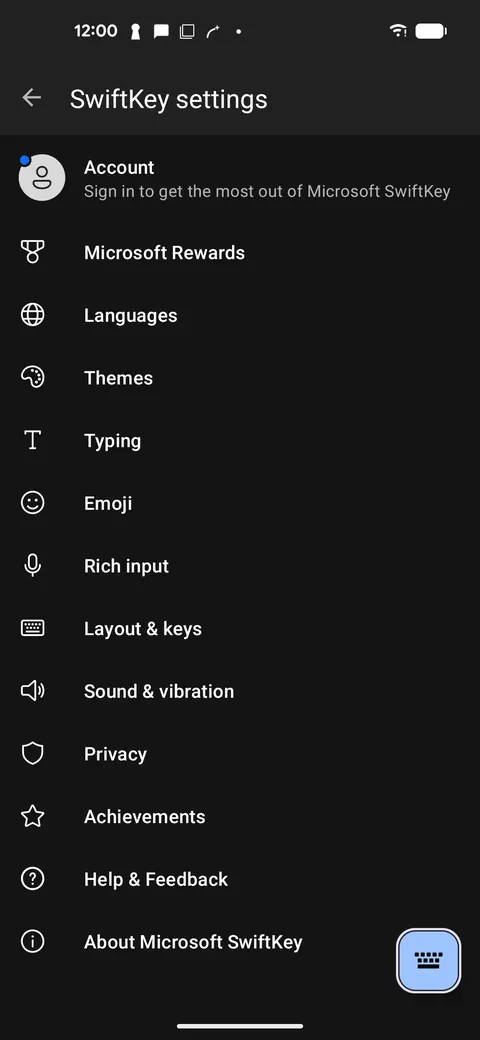
Settings
Typing, emoji, layout, sound, privacy
Keyboard setup wizard
Enable and select the keyboard
Account and achievements
Microsoft sign-in prompt and achievements
Themes
Theme gallery
The main user flow
- Two-step setup: enable then select as default keyboard
- Tune typing, layout, emoji, sound
- Browse and download themes
- Navigation
- Settings list with sub-pages; floating try-it button.
- Onboarding
- Intro stats then a two-step system setup.
- How it makes money
- Free with ads.
Screenshots
10 of 21 screens, captured on a real phone with sample data.
Themes System on-screen keyboard list Setup step 1: enable SwiftKey System keyboard picker About Microsoft SwiftKey Input method warning Notification permission Welcome / intro stats Achievements SwiftKey settings - +11 more screensFree with an account
Screenshots: © Microsoft Corporation, shown for commentary.
See all 21 screens — create a free accountSee every screen
The full map has all 21 screens, every feature and where each one lives. It is free with an account.
What could be better
Our read of the map, the store listing and recent reviews.
Make the keyboard reliably reappear and recover from freezes without a manual force stoplarge
Reviews repeatedly report the keyboard disappearing, freezing or failing to open, fixed only by clearing cache or force-stopping. Ship a watchdog that auto-restarts the input service, logs crashes, and shows a visible recovery path in the app.
Make AI features opt-in with a plain disclosure of what text is used for trainingsmall fix
Users say AI was added without notice and that typed text is used for training, and they switched off Copilot. Ship AI features off by default, with a settings page stating exactly what data leaves the device and a one-tap opt-out.
Prioritise prediction accuracy and autocorrect quality over new AI featureslarge
Users report illogical next-word suggestions, autocorrect misfiring and offensive suggestions. Ship a regression test set of common sentences, a blocklist for suggestions, and a visible way to reject a learned word.
Keep clipboard pins and settings intact across reinstall and account restoremedium
Users lose pinned clipboard items and find reinstall or backup does not restore settings. Ship clipboard pins in the cloud backup, verify restore on reinstall, and warn before any clear action.
Cut setup to one system trip with a single confirmation stepsmall fix
Setup needs two trips to system settings and the settings page auto-opens the keyboard. Ship a flow that enables and selects the keyboard in one guided pass, with a clear return to the app after each system screen.
Add a battery budget and show keyboard battery use in settingsmedium
Some users report the keyboard drains a large share of battery for no clear reason. Ship a battery usage readout per feature and reduce background work such as preloading when the keyboard is idle.
Want an app like this, but better?
Tell us the idea. We research it, and build it for you.
Submit your idea