
How Udemy - Online Courses works
Udemy, Inc. · Education
Android
What it does
Marketplace for video courses with a subscription plan.
Who it is for: People who want to learn skills through online video courses, with an optional subscription plan.
Key features
Browse courses
Featured, categories, search.
Cart and purchase gating
Sign in required; no purchase made.
My learning and wishlist
Empty until signed in.
Personal Plan subscription
Upsell cards; not started.
The main user flow
- Browse and search courses
- View course page
- Sign in to buy
- Navigation
- Bottom tabs Featured, Search, My learning, Wishlist, Account.
- Onboarding
- Splash with Browse or Sign In; browsing needs no account.
- How it makes money
- Per-course purchase with constant discounts, Personal Plan subscription from $10/month.
Screenshots
10 of 13 screens, captured on a real phone with sample data.
Featured (home) Development category Course detail scrolled Search tab Take Video Courses My learning (empty) Sign in to add to cart Featured scrolled Search results Course detail top - +3 more screensFree with an account
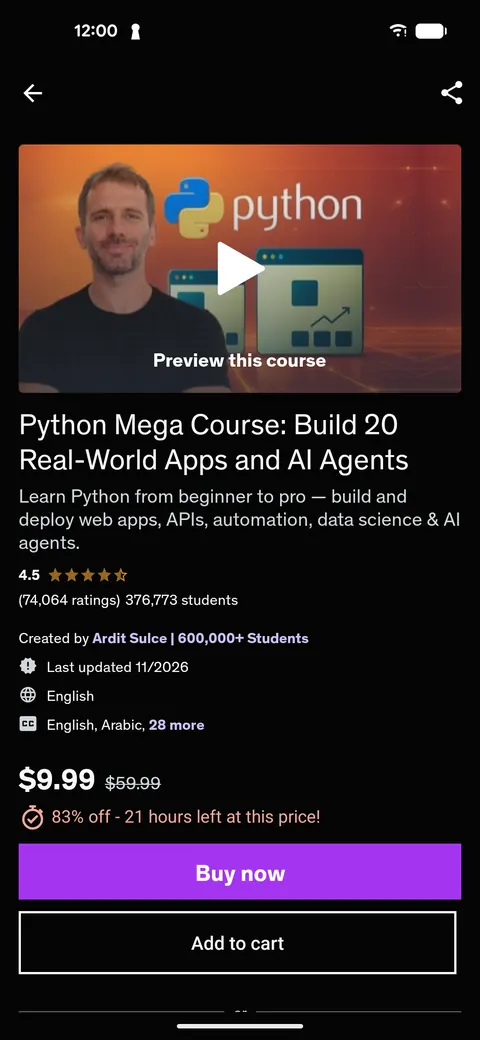
Screenshots: © Udemy, Inc., shown for commentary.
See all 13 screens — create a free accountSee every screen
The full map has all 13 screens, every feature and where each one lives. It is free with an account.
What could be better
Our read of the map, the store listing and recent reviews.
Make lesson playback and streaming reliable before adding featureslarge
Many 1-2 star reviews say purchased lessons will not play or show errors such as CDN failure, and users are told to use a browser or computer instead. Ship a playback fallback path and show a clear, retryable error state rather than a dead end.
Fix offline download expiry so purchased lessons can be replayed offlinemedium
Users who downloaded lessons get a 'Download expired' message or cannot play downloads even while online. Renew licences silently when connected and keep downloaded lessons playable after a deleted or re-downloaded copy.
Add in-app support with human escalation and a visible contact routemedium
Reviewers say support is a virtual assistant with no way to reach a person, and some cannot find a support button after paying. Offer an in-app contact form that shows ticket status and escalates to a person after a set number of automated replies.
Sync purchases, wishlist and course lists between web and app accountsmedium
Users report website lists missing in the app, wishlists vanishing after purchase, and enrolled courses not appearing. Keep one account state across platforms and show purchased courses in My learning right after payment.
Show payment status and confirm subscription cancellation by emailmedium
Reviewers report paid courses still showing Add to cart, payments without unlocking, and subscriptions that show as cancelled but still charge. Show the purchase state on the course page and send an email confirmation for every cancellation.
Remove ads and rating prompts from paid lesson playbacksmall fix
Reviewers say they get ads before each lesson and are asked to rate the instructor every two videos, even early in a lesson. Keep ads off paid lessons and let users defer ratings until the course ends.
Drop countdown discount timers from the course pagesmall fix
The course page shows a discount countdown next to Buy now, which the map flags as fake urgency. Show a static price and the real discount end date instead, and do not reset timers on reload.
Want an app like this, but better?
Tell us the idea. We research it, and build it for you.
Submit your idea