
How Yahoo Mail works
Yahoo Inc. · Communication
Android
What it does
Yahoo Mail is a free email client with ads and a paid ad-free plan.
Who it is for: Yahoo Mail is for people who want a free email app on their phone, with an optional paid plan that removes ads.
Key features
Yahoo account sign-up
Web sign-up form with validation and phone verification
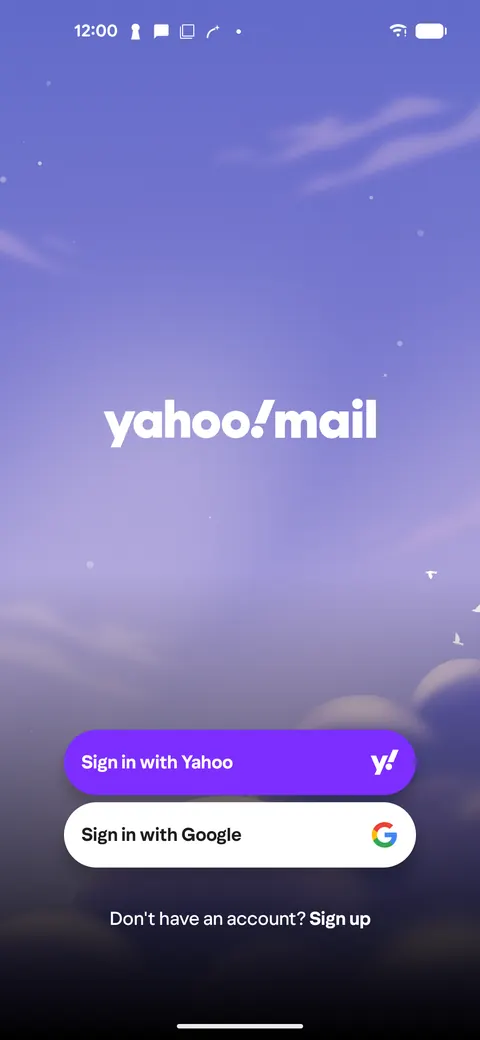
Sign-in options
Yahoo or Google sign-in
The main user flow
- Sign in with Yahoo or Google
- Sign up on login.yahoo.com
- Navigation
- Not reached (sign-in required).
- Onboarding
- Notification permission, then sign-in landing.
- How it makes money
- Free with ads; in-app ad-free plans (not reached).
Screenshots
4 of 5 screens, captured on a real phone with sample data.
Create a Yahoo account Add your phone number Notification permission Sign in landing - +1 more screenFree with an account
Screenshots: © Yahoo Inc., shown for commentary.
See all 5 screens — create a free accountSee every screen
The full map has all 5 screens, every feature and where each one lives. It is free with an account.
What could be better
Our read of the map, the store listing and recent reviews.
Keep ads out of the inbox list and message view by defaultmedium
Reviews say ads sit across the top of emails and stack on each other, blocking reading and deleting. Keep the inbox list and reading view ad-free and place ads in a separate tab.
Make every prompt dismissable once, with a permanent off switchsmall fix
Users see the same tutorial or full-screen prompt on each launch and cannot skip it. Show each prompt once, honor Maybe Later, and remember a No across app updates.
Let users sort mail into folders by hand, with no forced groupingmedium
Users say categories hide mail, spaces return after Maybe Later, and folders they make cannot be found again. Offer manual folders and a plain list view, asking before any grouping is created.
Queue sent messages in an outbox that survives closing the appmedium
Messages stay on sending, vanish when the app closes, and the sent list can omit the latest one. Queue sends locally, retry on reconnect, and show each message's status until delivery is confirmed.
Load the inbox and open messages without multi-second waitslarge
Reviews describe slow loading, messages taking 5 to 10 seconds to open, and new mail missing until restart. Cache the inbox locally, fetch new mail in the background, and show cached messages first.
Make AI summaries opt-in with one setting that stays offsmall fix
Users are asked to enable AI summaries on every open and report inaccurate output and undo prompts while typing. Keep summaries off by default and never prompt again after a No.
Show storage limits honestly and offer one upgrade prompt at a timesmall fix
Users report storage reduced from 1TB to 20GB and repeated prompts to buy more. Show the real limit in settings, state what changed, and display one upgrade offer at a time.
Allow email-only sign-up with an optional phone numbermedium
New accounts are blocked by a phone number step, and some users hit device-verification loops with no support path. Allow sign-up without a phone, verify by email, and show a clear fallback when a code cannot be sent.
Want an app like this, but better?
Tell us the idea. We research it, and build it for you.
Submit your idea