
How YouTube Music works
Google LLC · Music & Audio
Android
What it does
Music streaming app from YouTube: songs, official videos, podcasts and a personal library.
Who it is for: People who want to stream songs, official music videos and podcasts and keep a personal music library.
Key features
Settings
Playback, data, downloads, notifications, privacy.
Discovery
Home moods, search, charts, moods and genres, new releases.
Library and playlists
Library tabs, new playlist forms, history.
Player and queue
Full player with menu and queue.
The main user flow
- Pick a mood and play
- Search and play a song
- Build a library and playlists
- Navigation
- Three bottom tabs (Home, Search, Library) with a persistent mini player; account sheet from the avatar.
- Onboarding
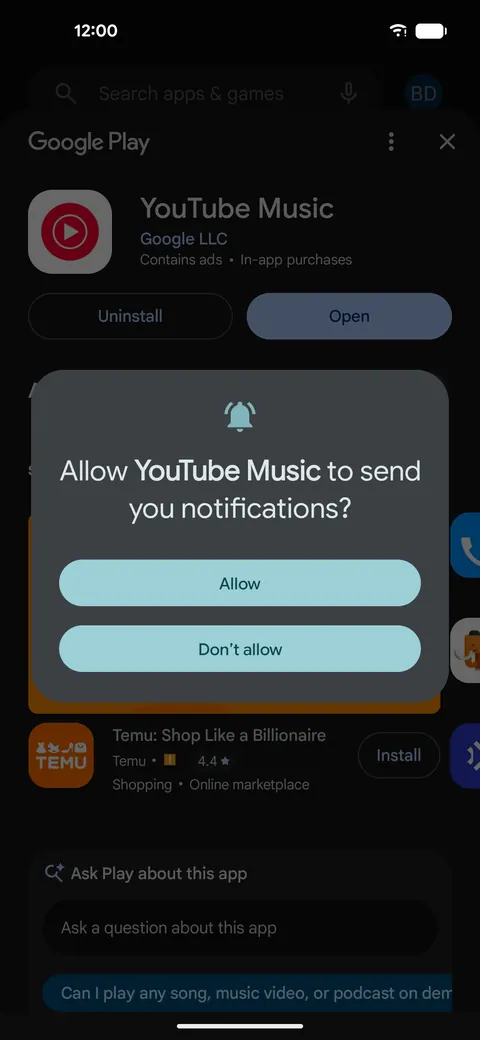
- Opens straight into the signed-in device account after one notification prompt.
- How it makes money
- Free with ads; YouTube Music Premium upsell for background play and downloads.
Screenshots
10 of 25 screens, captured on a real phone with sample data.
Home filtered by Relax Now playing New playlist Search Library Settings Player menu Queue About Notification permission - +15 more screensFree with an account
Screenshots: © Google LLC, shown for commentary.
See all 25 screens — create a free accountSee every screen
The full map has all 25 screens, every feature and where each one lives. It is free with an account.
What could be better
Our read of the map, the store listing and recent reviews.
Let the user turn off automatic mixes and keep a plain queuemedium
Playing one song or adding to an empty queue fills it with endless auto-mix tracks, and users say they cannot opt out. Keep the queue to what the user added, and make auto-mix an explicit, easy-to-disable setting.
Fix playback stalls and slow start on Bluetooth and bufferingmedium
Users report music stopping every few minutes over Bluetooth, long delays before audio plays, and restarts mid-song. Make audio resume reliably after route changes and show a clear buffering state instead of stalling.
Make playlists open and create reliably, with an error that can be retriedmedium
Users cannot open playlists, get server errors on playlists they created, and report that creating a playlist fails. Keep local copies usable offline, and show a retry action with the cause instead of a dead screen.
Keep downloaded songs stored and playable with a visible statusmedium
Users say downloads vanished, downloaded songs became unavailable, and offline playback stopped after device limits. Show each item's download state and the device slots used, and never swap a track for a video silently.
Add bulk select and delete for tracks in a playlistsmall fix
Removing songs one by one is slow, and users report playlists multiplying their songs. Add multi-select with a confirm step, plus an undo for bulk edits, so users can clean up a playlist in one action.
Add a repeat mode that stays on across song changessmall fix
Repeat turns off when the user changes songs, and users cannot loop several songs without making a playlist. Persist the repeat setting per session and allow looping an ad-hoc queue.
Offer a report and hide option on sensitive or AI-generated resultsmedium
Users say explicit thumbnails and AI content get through filters and cannot be reported. Add a report action on each result and a hide-this-track control that the recommendations respect.
Want an app like this, but better?
Tell us the idea. We research it, and build it for you.
Submit your idea