How SoundCloud: Play Music & Songs works
SoundCloud Global Limited & Co. KG · Music & Audio
Android
What it does
Streaming and creator platform for music and audio, with independent artists, social comments and uploads.
Who it is for: For people who make music and audio, including independent artists, and listeners who stream, share and comment on tracks.
Key features
Music discovery
Home recommendations, genre chips, Vibes tiles and search with filters.
Player with timed comments
Waveform player with comments, reactions, queue and sharing.
Library and playlists
Likes, playlists, albums, stations, uploads and insights.
The main user flow
- Sign in with Google via web
- Search and play a track
- Add to a private playlist
- Browse library
- Adjust settings
- Navigation
- Bottom tabs: Home, Feed, Search, Library, Upgrade; top bar with profile, Get Pro, cast, upload, activity, inbox.
- Onboarding
- Account creation happens in a web view (Facebook/Google/Apple/email), then display name, birth date, gender; ends with an Artist Pro upsell.
- How it makes money
- Free with ads; Artist Pro for creators ($19/mo shown); Go+ listener tiers via Get Pro.
Screenshots
10 of 49 screens, captured on a real phone with sample data.
Home Search results - All Full-screen player Create playlist Search landing Library Artist Pro upsell after sign-up Settings Track more sheet Share track - +39 more screensFree with an account
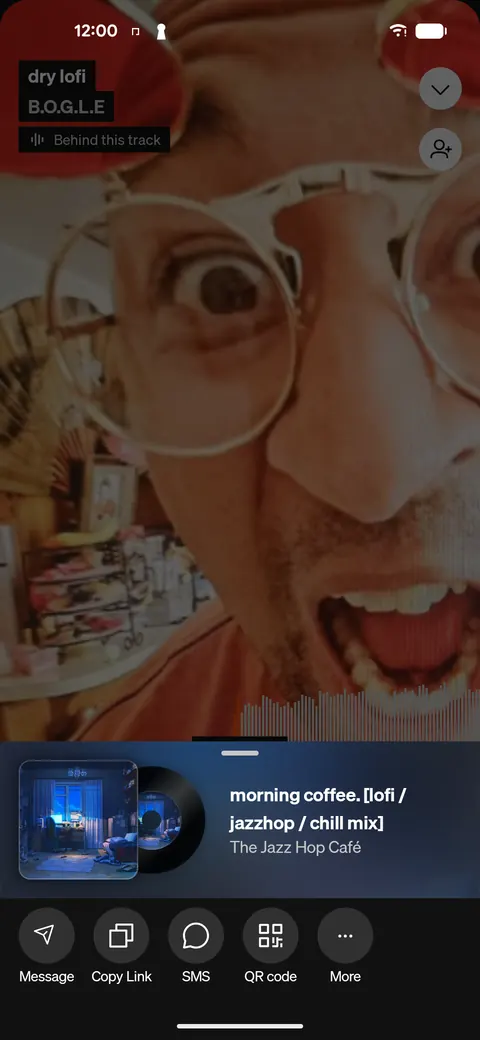
Screenshots: © SoundCloud Global Limited & Co. KG, shown for commentary.
See all 49 screens — create a free accountSee every screen
The full map has all 49 screens, every feature and where each one lives. It is free with an account.
What could be better
Our read of the map, the store listing and recent reviews.
Cap ad frequency and keep full-screen ads out of playbackmedium
Reviews say ads now run after nearly every song and cut into listening. Map shows a free ad tier. Set a per-hour ad frequency cap, never interrupt a track with full-screen ads, and show a clear ad-free price after ad breaks.
Play downloaded tracks fully offline with a clear offline statelarge
Reviews report playback failing without signal and tracks not playing outside the app. Mark each track as offline-ready, store it in full before going offline, and show which queued tracks cannot play with no connection.
Keep playback continuous and recover stalls without a restartlarge
Reviews describe tracks pausing, restarting, skipping or cutting out mid-play. Buffer ahead, resume from the last position after a stall, and show a retry control instead of making users close and reopen the app.
Make playlist saves durable and recoverable from deletionmedium
Reviews say playlists vanish or cannot be found after a stray tap, and new playlists fail to save. Use an undo window for deletes, a trash list for recovery, and a visible save confirmation after creation.
Keep sign-up inside the app and show a clear account-recovery pathmedium
Sign-up hands off to a web view, and reviews report login loops and lockouts. Keep account creation native, verify email and session state, and offer a visible recovery path when the email is lost.
Delay the paid upsell until after the first listening sessionsmall fix
The Artist Pro upsell is full-screen right after sign-up, before the user has played anything. Show it only after a first completed listen, and keep it a closable offer with the price stated plainly.
Show subscription status and keep library access when a plan lapsesmedium
Reviews say tracks disappear or the app reboots when a subscription ends. Show the plan state before it changes, keep the user's library and playlists visible after a lapse, and offer a dated grace period.
Want an app like this, but better?
Tell us the idea. We research it, and build it for you.
Submit your idea