
How Solid Explorer File Manager works
NEATBYTES STUDIO KRZYSZTOF GŁODOWSKI · Productivity
Android
What it does
Solid Explorer is a dual-pane Android file manager for browsing and managing files on internal storage, cloud drives and network shares, with options to create folders and files, encrypt data and share files over a browser. The visible screens cover browsing, creating items, connection setup, settings, licensing and help content.
Who it is for: Android users who want to browse and manage files on their phone, cloud drives and network shares.
Key features
Help and beginner guide
In-app web guides and tips articles on using the app.
About and licensing info
Shows version, build, IDs, license status and open source licenses.
Pro upgrade
Upgrade screens offering ad removal and unlocking Pro features.
Blog search
Search the help blog for articles.
Promo code redemption
Redeem a promotion code for a bonus item tied to the device.
Folder browser
Browse internal storage folders with item counts and modified dates.
The main user flow
- Browse internal storage folders and create new folders or files
- Set up a cloud or network connection through the connection wizard
- Customise appearance and file list layout in settings
- Back up and restore app settings, and clear the cache
- Read the guide and search the help blog
- Navigation
- A home folder list with a floating action menu; settings reached from the top-bar action; secondary screens (About, licenses, legal and blog) opened as full screens or web views with a Navigate up back button.
- Onboarding
- No dedicated onboarding screens were captured; the app opens directly to the internal storage file list.
- How it makes money
- Visible free-plan status with a 'Go Pro' prompt, a Pro feature list (ad-free, encryption, WebFS sharing, cloud analysis, secure FTP, secure backup), a Proceed button, restore purchases, manage subscription, and a promo code redemption. No prices were visible in the captured text. Ads are mentioned as removable with Pro.
Screenshots
10 of 35 screens, captured on a real phone with sample data.
My Files - internal memory root My Files - create menu open Usage basics guide article Usage basics guide - search filled Blog search results Pro upsell - ad-free and encryption features Settings - profile and license status Settings overflow menu Official Solid Explorer website Create a directory dialog - +25 more screensFree with an account
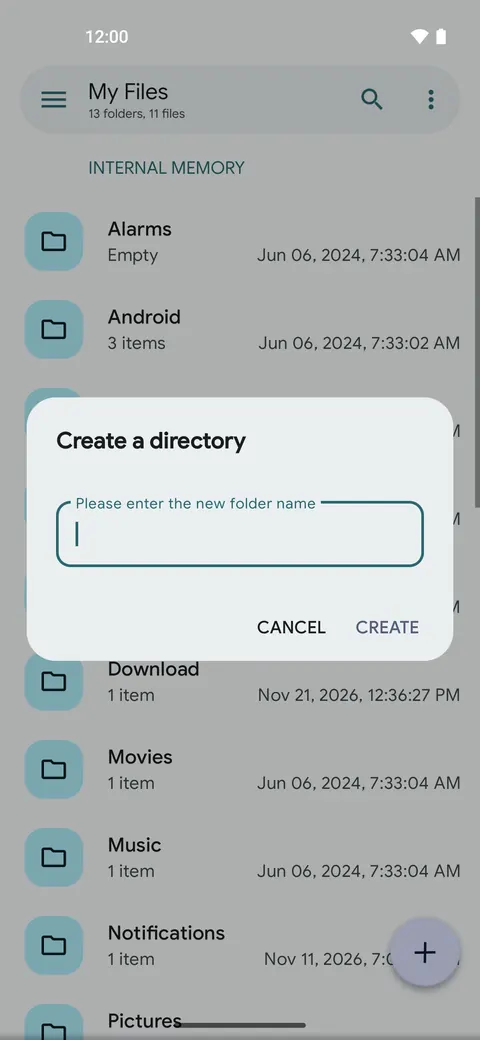
Screenshots: © NEATBYTES STUDIO KRZYSZTOF GŁODOWSKI, shown for commentary.
See all 35 screens — create a free accountSee every screen
The full map has all 35 screens, every feature and where each one lives. It is free with an account.
What could be better
Our read of the map, the store listing and recent reviews.
Add a transfer queue with conflict choices for USB and network targetslarge
Copy and move to USB, SD or network targets fails or loops, and the destination picker can hide the menu. Show a visible transfer queue, a per-file conflict choice (keep, replace, skip), and destination checks before starting.
Never show full-screen ads during file operations or on app returnsmall fix
Users report ads before opening files, during unzip and edit, and on returning from recents. Keep ads to idle screens only and never during copy, move, extract or edit, and never full-screen on resume.
Keep purchased licences working and basic moves free, with plain termsmedium
Users say lifetime licences were moved to subscriptions, basic moves now need Pro, and licences are not honoured on reinstall. Keep core file operations free, honour existing licences, and state the plan terms before purchase.
Add specific error messages and retry steps to cloud and network loginmedium
Connection failures give no reason, such as 2FA, account linking or FTP not working. Show the exact cause per provider (2FA, account permissions, server status) and a retry action in the connection wizard.
Restore purchases automatically and show a clear error on failed upgrademedium
Purchases disappear or do not appear after buying, and upgrade errors are vague. Restore entitlements on sign-in, and show the failing step and a support contact when an upgrade or restore fails.
Cut cold-start time and recover cleanly from crashes on launchmedium
The app opens slowly and some users report it closing on startup or overheating during video playback. Show the file list from cached state, defer non-essential work, and add a safe-mode launch after a crash.
Disable background network calls when statistics are offsmall fix
Users see frequent background contact with Google and distrust data handling. Make the statistics toggle stop all analytics and ad-network calls, and list the calls made in the privacy screen.
Want an app like this, but better?
Tell us the idea. We research it, and build it for you.
Submit your idea