
How Asana: Work in one place works
Asana, Inc. · Business
Android
What it does
Asana is a work management app for tasks, projects and teams, with list, board and calendar views and an AI assistant (Dash).
Who it is for: Asana is a work management app for people who organize tasks, projects and teams in one place.
Key features
Tasks
Create, schedule, complete and inspect tasks with subtasks, attachments and comments.
Sign-up and personalisation
Web sign-up with email verification, then role, function and use-case questions.
Account and settings
Profile, push, theme, language, support.
List, Board, Calendar views
Switch how work is shown.
Dash AI assistant
In-app AI assistant intro and Ask Dash.
Home and Inbox
Attention widget, recents, inbox of updates.
The main user flow
- Sign up by email, answer 3 personalisation questions
- Create tasks with a due date from My tasks
- Switch between List/Board/Calendar
- Triage Inbox and Home
- Navigation
- Bottom tabs Home, My tasks, Inbox, Search, Account; a view-switcher sheet and a New task button at the bottom of lists.
- Onboarding
- Web sign-up with email verification, then role, function and use-case pickers, a desktop upsell and a Dash intro.
- How it makes money
- Free for individuals; paid team plans, desktop upsell, premium features gated.
Screenshots
10 of 28 screens, captured on a real phone with sample data.
Home My tasks (filled) Search Settings Welcome Meet Dash My tasks (empty) Verify your email Notification permission Board view - +18 more screensFree with an account
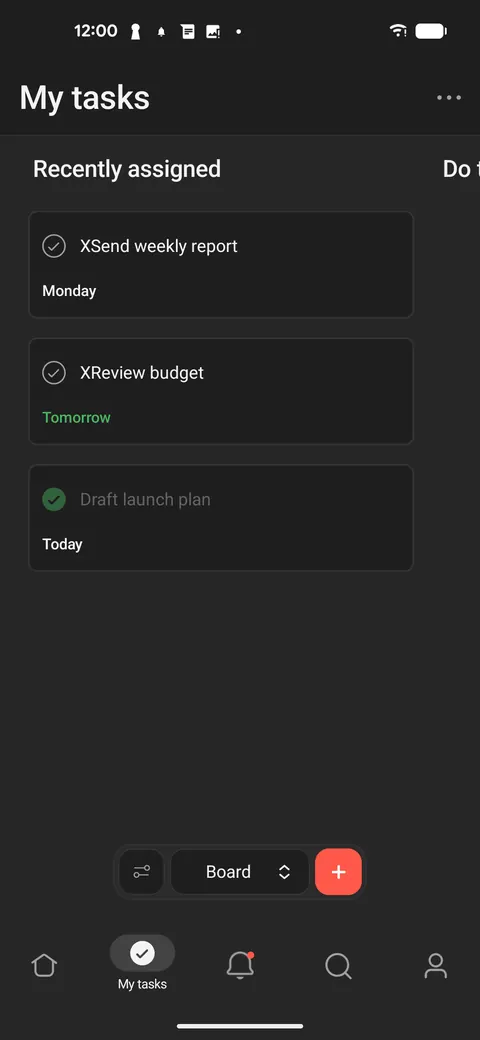
Screenshots: © Asana, Inc., shown for commentary.
See all 28 screens — create a free accountSee every screen
The full map has all 28 screens, every feature and where each one lives. It is free with an account.
What could be better
Our read of the map, the store listing and recent reviews.
Add in-app account deletion that works during a trialmedium
Users report deletion is blocked during a trial and sent to a web page or the store. Show a Delete account action in Account settings that cancels any trial and erases data in the app.
Disclose trial enrolment and cancel path before any chargesmall fix
Reviewers say they were placed on a trial or charged without consent and could not cancel. Ask for explicit trial opt-in on the plan step and show the end date and a one-tap cancel in Account.
Fix cold-start failures on login and launch before new featuresmedium
Several reviewers say the app will not open or closes at login after an update. Make launch and login a tested release gate, with crash reporting per device model, before adding features.
Cut task check-off and task-detail load timemedium
Reviewers report long delays when completing a task or opening notes, which breaks quick check-off in long lists. Profile the list and detail screens and load task bodies lazily so checking off is immediate.
Show subtasks and keep manual task order in My tasksmedium
Subtasks are hidden in long lists and new items sink below their order, and completed tasks are not filtered out. Show subtasks inline with their parent and keep manual order and a default hide-completed filter.
Offer a solo plan without a two-user minimummedium
Reviewers say the team minimum makes paid plans unusable for one person. Add a single-user paid tier shown on the pricing page with no collaborator requirement.
Keep sign-up inside the app with fewer setup questionsmedium
Sign-up opens a web page and three personalisation screens come before any task. Use native sign-up with an optional role step after the first task is created.
Delay the notification prompt until a task existssmall fix
The system notification dialog appears on first launch before the user has seen any content. Show the prompt after the user creates a task or sets a reminder, with a short reason.
Want an app like this, but better?
Tell us the idea. We research it, and build it for you.
Submit your idea