
How Microsoft Teams works
Microsoft Corporation · Business
Android
What it does
Microsoft Teams is chat, video meetings, calling and file collaboration for work, school and personal use.
Who it is for: People who need chat, video meetings, calling and file collaboration for work, school or personal use.
Key features
Microsoft account sign-in
Work, school or personal Microsoft account.
Join meeting without account
Join by meeting ID and passcode.
Notifications opt-in
System permission prompt on first run.
The main user flow
- Sign in with a Microsoft account
- Join a meeting by ID and passcode without signing in
- Create a free personal Microsoft account
- Navigation
- Linear first-run flow; the signed-in app (tabs for Activity, Chat, Teams, Calendar) was not reachable.
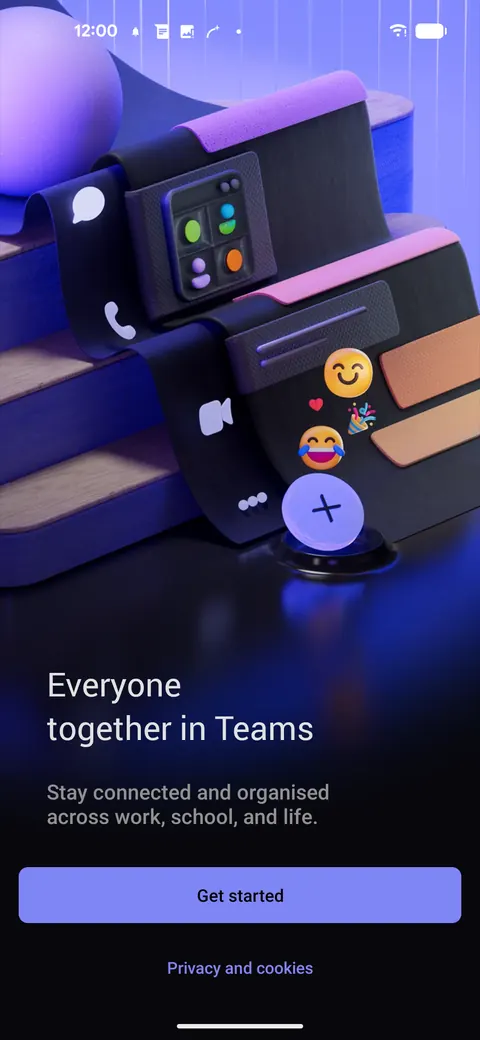
- Onboarding
- One welcome screen, then the notification permission, then the account gate.
- How it makes money
- Free app; paid Microsoft 365 and Teams plans (store lists in-app purchases).
Screenshots
5 of 6 screens, captured on a real phone with sample data.
Join a meeting Sign in Notification permission Sign-in validation error Welcome - +1 more screenFree with an account
Screenshots: © Microsoft Corporation, shown for commentary.
See all 6 screens — create a free accountSee every screen
The full map has all 6 screens, every feature and where each one lives. It is free with an account.
What could be better
Our read of the map, the store listing and recent reviews.
Let users reach a read-only or meeting-join view before the account gatemedium
Nothing is usable until a Microsoft account is signed in, and sign-in failures lock people out entirely. Offer a guest or preview path and defer the account prompt until the user chooses a feature that needs it.
Fix one-time code delivery and add a clear fallback when codes do not arrivemedium
Verification codes often never arrive by SMS or email, and the app gives no fallback. Show which channel was used, add a resend option with a timer, and offer an alternative sign-in method when a code fails.
Offer mention-only and per-channel notification levels, not one shared feedmedium
Since a recent change, all messages and mentions share one notification category, so users get a buzz for every team post. Add separate levels for mentions, direct messages and channel posts, and let each be set in the app.
Ask for notification permission after the first useful action, not on first runsmall fix
The Android notification dialog appears right after Get started, before any content is shown. Move the prompt to after a user joins a meeting or sends a message, and explain what will be sent.
Make the meeting join path reliable with a visible connection progress statelarge
Joining by ID and passcode is the escape hatch, but users report endless loading and disconnects. Show each join step with a real timeout and retry, instead of cycling generic status messages.
Cut crashes and battery drain in the mobile client with a performance budgetlarge
Users report crashes, not-responding popups, and heavy battery use on mid-range phones. Set a per-release budget for memory, battery and cold-start time, and block releases that exceed it.
Sync message history so the phone matches what is visible on desktopmedium
The phone app sometimes shows fewer messages than the desktop app, and messages arrive after a reply. Make sync show the same thread state on every device, and show a clear sync status when it lags.
Want an app like this, but better?
Tell us the idea. We research it, and build it for you.
Submit your idea