
How Wire - Secure Messenger works
Wire Swiss GmbH · Business
Android
What it does
End-to-end encrypted messenger and collaboration app (Proteus / MLS) for private users and teams with calls, files and groups.
Who it is for: People and teams who want end-to-end encrypted messaging, calls, file sharing and group collaboration in one app.
Key features
Conversations and groups
Conversation list, filters, groups, 1:1.
Sign-up with email verification
Email, name, password, code, username.
Light/dark theme
Customization theme choice.
Device management and backup
Devices list, encrypted backup.
Profile and account
Name, username, domain, team upsell.
Privacy settings
Read receipts, link previews, typing indicator, censor screenshots, app lock.
The main user flow
- Create account and verify email
- Start a group or 1:1
- Adjust privacy settings
- Manage devices and backup
- Navigation
- Single conversations list with a left drawer (Conversations, Archive, What's new, Settings, Support) and avatar for profile; New button for conversations.
- Onboarding
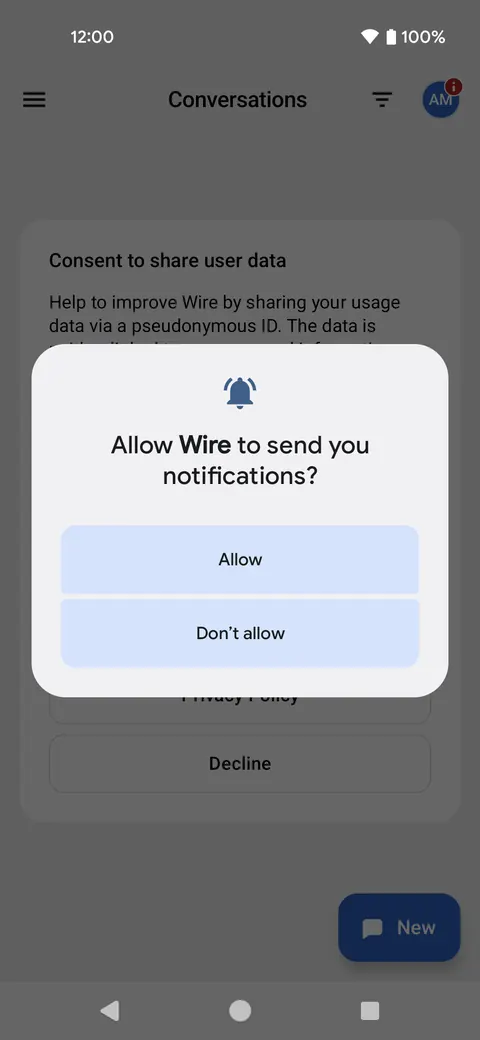
- Email-first login, account type choice, email code, username, notification and data-consent prompts.
- How it makes money
- Free for personal use; paid teams (Create Team upsell shown in profile).
Screenshots
10 of 33 screens, captured on a real phone with sample data.
Conversations (empty) Conversations (with a group) New Conversation Privacy Settings How will you use Wire? Filter conversations Drawer (dark) Login: email or SSO code Terms of Use Notification permission - +23 more screensFree with an account
Screenshots: © Wire Swiss GmbH, shown for commentary.
See all 33 screens — create a free accountSee every screen
The full map has all 33 screens, every feature and where each one lives. It is free with an account.
What could be better
Our read of the map, the store listing and recent reviews.
Show connection state and retry instead of an open-ended waiting screenmedium
Many users are stuck on a 'waiting for network' screen, even with working internet. Show which step is blocked (server, key sync, device), offer a retry, and time out with a clear message.
Deliver push notifications reliably while the app is closedlarge
Users report no notification for new messages until the app is opened manually. Build a background push path, test it on common Android OEMs, and show a visible warning when push is disabled.
Show decryption progress and cap long decrypt waitsmedium
Users see 'decrypting messages' for hours or days after updates. Show per-chat progress, process recent messages first, and let users open the chat while older history decrypts.
Stop launch and in-use crashes on Android updates and new devicesmedium
Several users report the app crashing at launch or closing during use, especially after OS or app updates. Ship crash reporting, a safe-mode start, and a staged rollout for updates.
Keep message history and sync reliable through backup and restoremedium
Users report old messages appearing in new chats, very slow backups, and lost conversations after a beta switch. Show backup progress, verify restores, and keep history consistent across devices.
Recover an account on a new device without a reinstall looplarge
Users who reinstall or move phones are stuck on setup screens and cannot reach their account. Offer a guided device-linking flow with a clear status and a support path that replies.
Combine permission and consent prompts into one onboarding stepsmall fix
After first login, users face several consecutive permission and consent dialogs. Merge notification, app permissions and data-sharing choices into one screen with per-item toggles and a single Continue.
Add contact import and invite to the empty conversations statemedium
The empty conversations screen only shows an arrow to New, with no way to find contacts already using the app. Offer opt-in contact matching and a search-by-username prompt on that screen.
Want an app like this, but better?
Tell us the idea. We research it, and build it for you.
Submit your idea