
How Slack works
Slack Technologies L.L.C · Business
Android
What it does
Slack is a team messaging app with channels, DMs, huddles, to-dos and search for workplaces.
Who it is for: Slack is a team messaging app for workplaces, with channels, direct messages, huddles, to-dos and search.
Key features
Account and workspace creation
Email magic link or Google, then name, workspace, invites, first project.
To-dos and reminders
Save to-dos with due time, filter and complete.
Channels
Create public or private channels and add people.
Notification controls
Granular push and activity settings, pause notifications.
Activity and DMs
Triage mentions, threads and DMs.
Colour modes
System, light, dark, true dark.
The main user flow
- Create a workspace with email or Google
- Create a channel and add people
- Save a to-do with a reminder
- Tune notification preferences
- Navigation
- Four bottom tabs (Home, DMs, Activity, Search), a workspace drawer from the top-left icon, an avatar menu top right and a Create-new FAB.
- Onboarding
- Email magic link (or Google), name, workspace name, optional invites, first project, notification permission.
- How it makes money
- Free tier with paid plans; Pro features such as group huddles surface a free-trial link.
Screenshots
10 of 33 screens, captured on a real phone with sample data.
Direct messages Your name Search Preferences Get started Create new menu Workspaces drawer To-do text editor To-dos (empty) Notification permission - +23 more screensFree with an account
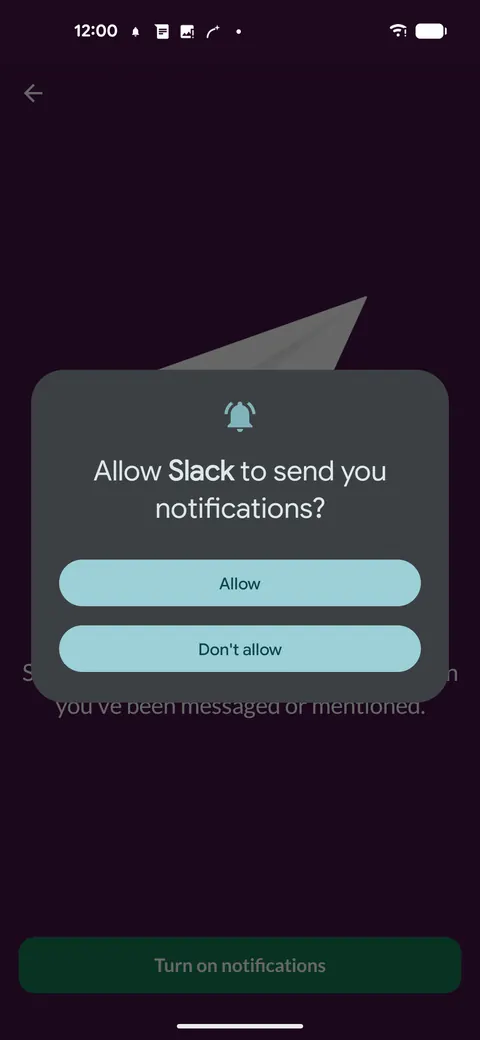
Screenshots: © Slack Technologies L.L.C, shown for commentary.
See all 33 screens — create a free accountSee every screen
The full map has all 33 screens, every feature and where each one lives. It is free with an account.
What could be better
Our read of the map, the store listing and recent reviews.
Give a sign-in path that exits the loop and shows a clear errormedium
Users report repeated 'already signed in' screens, loops after Google or email login and repeating biometric prompts. Offer a clear retry or fallback sign-in with an in-app error instead of returning to splash.
Deliver push alerts reliably and open the message they refer tomedium
Users miss messages because alerts do not arrive or do not open the reply. Route each push to its channel, thread or DM and make notification delivery easy to check in settings.
Make search the main way to find channels, DMs and messagesmedium
Users say search is poor and they cannot find things without it. Rank recent channels, DMs and messages first and show why each result matched.
Let users reach a first channel before optional invites and profile stepsmedium
Onboarding asks for name, workspace, invites, project and notification prompts before any content. Make invites and project optional and open the first channel sooner.
Show channels and threads from one list so they are easy to findmedium
Users say channels and threads are hard to discover and the app is hard to navigate. Put channels, threads and DMs in one browsable list reachable from Home.
Give empty tabs a next action tied to the user's own worksmall fix
Empty DMs, Activity, Saved and Drafts only offer 'Add teammates' or a bare message. Show one concrete next step per tab, such as starting a DM or saving a first to-do.
Keep group huddles usable on the free tier or show the paywall latersmall fix
The Huddles page flags group huddles as a Pro feature with a free-trial link. Let free users join group huddles and show upgrade prompts after a completed call instead.
Want an app like this, but better?
Tell us the idea. We research it, and build it for you.
Submit your idea