How Pydroid 3 - IDE for Python 3 works
Лидия Жмайлова Петровна · Education
Android
What it does
Pydroid 3 is an offline Python 3 IDE and interpreter for Android, aimed at learners. It bundles an editor, terminal, pip package manager and a library of sample programs.
Who it is for: Learners who want to write and run Python 3 programs offline on an Android phone.
Key features
Sample programs
Built-in example projects by topic that can be extracted or opened.
File tools
New, open, save, save as, close and recent files.
Editor tools
Undo, redo, search and replace, and go to line.
Pip package manager
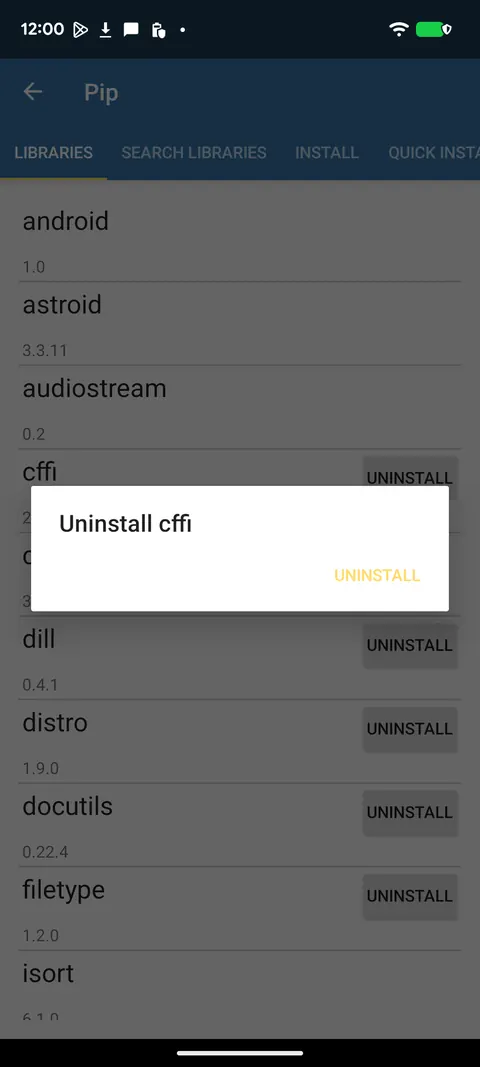
Install, search and uninstall Python libraries with a prebuilt repository option.
Code editor
Edit Python source files with a symbol toolbar for common characters.
Library search
Search the package index by name or partial name.
The main user flow
- Open or create a Python file, edit it and run it
- Browse samples, extract one and open it in the editor
- Search, install or uninstall pip packages
- Share or publish code via the share sheet or pastebin
- Navigation
- A navigation drawer from the top-left holds the main sections (Run, Interpreter, Terminal, Pip, Samples, Settings). Tools menus for files, code intelligence and editing open as popup menus from the drawer.
- Onboarding
- None seen in the captured screens; the app opens straight into the editor.
- How it makes money
- Ad banner in the navigation drawer, a Premium 'Get premium' entry, premium-only libraries and samples (TensorFlow, OpenCV, PyTorch), and an upsell for an AI-powered IDE.
Screenshots
10 of 32 screens, captured on a real phone with sample data.
Home - code editor Pip - installed libraries list Editor - helloworld.py opened Editor - file selected Pip - search and install form Pip - library search File tools menu Navigation drawer Share sheet Uninstall confirmation dialog - +22 more screensFree with an account
Screenshots: © Лидия Жмайлова Петровна, shown for commentary.
See all 32 screens — create a free accountSee every screen
The full map has all 32 screens, every feature and where each one lives. It is free with an account.
What could be better
Our read of the map, the store listing and recent reviews.
Cap interstitial ads to natural break points and never during a script runsmall fix
Ads appear every time a script is run and in the drawer, which reviewers call too frequent. Show ads only at fixed breaks like app open or after a session, never between Run and output.
Make ad close and back controls respond within a secondmedium
Reviewers report ads freezing with a close button that does not respond, forcing an app restart. Give the close control a guaranteed working path and a timeout that always returns to the editor.
Restore ad-free status after purchase and show the active plan in settingsmedium
Buyers of a lifetime license still see ads and cannot find subscription status after an update. Verify purchases on launch and show the current plan and restore option in Settings.
Ask for device tracking only with a clear opt-in before ads loadmedium
The free version requires creating a device ID even when users decline relevant ads, which users call intrusive. Ship the default free tier without device ID creation and ask for consent first.
Show plain-language pip install status and fix prebuilt wheel errorsmedium
Installs fail with messages like wheel not found, and pip output is raw and technical for learners. Show a short status line with a retry action and a collapsible raw log.
Add a working graphical output window for matplotlib and GUI programslarge
Plot and GUI output closes instantly or never appears, blocking the most visual learning samples. Build a reliable output pane that shows charts and errors in-app.
Make Save as and file-name changes atomic so saves never overwrite other filesmedium
Users report Save as closing the app and saves replacing other files' names. Write to a temporary file, confirm the target path, and keep a recoverable copy before overwriting.
Add unindent and keyboard selection controls to the symbol toolbarsmall fix
Users cannot unindent or select with the keyboard, and report poor keyboard coding. Add unindent, tab-to-space conversion and shift-arrow selection to the toolbar above the keyboard.
Want an app like this, but better?
Tell us the idea. We research it, and build it for you.
Submit your idea