
How Medisafe Pill & Med Reminder works
MediSafe Inc.
Android
What it does
Medisafe is a medication reminder and tracker that schedules dose alarms, logs when pills are taken, and generates adherence reports. It can also manage medications for family members and share access with caregivers called Medfriends.
Who it is for: People who want reminders to take their medications and track doses, including those managing meds for family members with caregivers.
Key features
Profiles and dependents
Create a personal profile and add family members to manage their meds.
Medication list and add med
Search and add medications with a chosen form such as pill or injection.
Medication status report
Monthly or periodic report of medication status, filterable by med and period.
Account sign up and login
Create an account or log in to back up data.
In-app updates and tips
Feed of announcements, feature walkthroughs and suggestions.
Medfriends caregiver sharing
Invite Medfriends to share and support medication management via verification code.
The main user flow
- Grant notification permission, then add a medication by name and form
- View today's schedule on Home and mark doses taken
- Create a profile, add dependents, or invite Medfriends via verification code
- Review monthly medication reports with filters
- Track health measurements and manage doctor appointments from Manage
- Navigation
- Bottom navigation bar with Home, Updates, Medications and Manage tabs; Manage holds account, profile, Medfriend, report, tracker and appointment entries.
- Onboarding
- Short walkthrough screens introduce reminders and new features, then the user is placed in a guest session; account sign-up is optional for backup.
- How it makes money
- A Medisafe Subscription entry appears in the Manage menu, and the store listing says full functionality requires Medisafe Premium; no prices or paywall screen were captured.
Screenshots
10 of 29 screens, captured on a real phone with sample data.
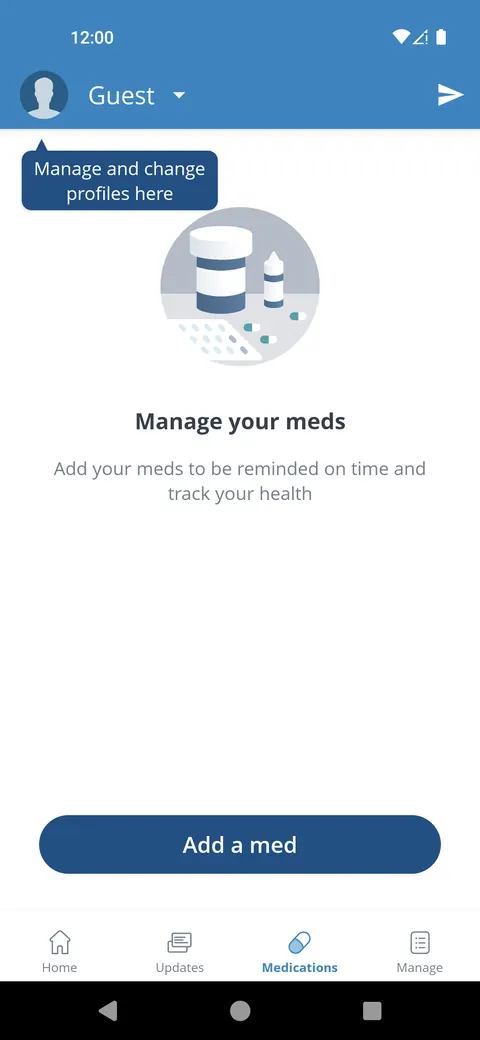
Home - today's schedule Updates - suggestions Report - monthly status Verification code entry Add a med - search Theme selection Onboarding - reminder intro Manage menu Edit profile image sheet Medications - empty state - +19 more screensFree with an account
Screenshots: © MediSafe Inc., shown for commentary.
See all 29 screens — create a free accountSee every screen
The full map has all 29 screens, every feature and where each one lives. It is free with an account.
What could be better
Our read of the map, the store listing and recent reviews.
Announce any paid limit in advance and keep a free tier that worksmedium
Users report the app became paid overnight with no advance notice, and the free use they relied on was removed. Show the paid limit ahead of time, keep a free core, and show prices before any lock.
Keep saved meds and history readable and exportable after a lapsemedium
Lapsed users are blocked from their own medication list, schedules and history, and some ask how to export their data. Keep read-only access to existing data and offer a self-serve export.
Make reminders fire on time and survive app updatesmedium
Reminders go missing, schedules are deleted after updates, and notifications do not open the app. Test alarm delivery after each update and keep schedules intact through upgrades.
Offer a name-and-time reminder mode with snooze as the defaultmedium
Some users want only a medication name, a time and snooze, but the add flow asks for form and extra detail. Offer a minimal add path with optional detail for those who want it.
Track pill counts and refills for each prescriptionmedium
Users with several prescriptions cannot see how many doses remain or track one medicine across multiple supplies. Add a per-prescription count with a low-stock warning.
Let caregivers see shared medications with a reliable invite code flowmedium
Family members lost view of shared medications, and some users cannot log in during verification. Show caregiver access status and a clear way to re-send the code.
Group Manage entries into labelled sections with searchsmall fix
Many entries sit in one Manage list, so features are hard to find, and users say the interface looks dated. Group entries by task and add a search field.
Show a sample report and a first step on the empty Report screensmall fix
New users see an empty report with only a prompt and no guidance. Show a sample report and a clear first action, such as adding a med, so the screen explains what it will show.
Want an app like this, but better?
Tell us the idea. We research it, and build it for you.
Submit your idea