
How Mirror Plus - HD Mirror app works
Digitalchemy, LLC
Android
What it does
Mirror Plus turns the phone camera into a magnifying, illuminated makeup or shaving mirror with zoom, focus, light and capture controls. It also bundles quick links to other utility apps.
Who it is for: People who want to use their phone camera as a magnifying, illuminated mirror for makeup or shaving.
Key features
Third-party ad banners
Many sponsored app install and third-party service advertisements shown throughout the app.
Side menu
Hamburger menu with navigation items and a list of utility apps.
Mirror mode
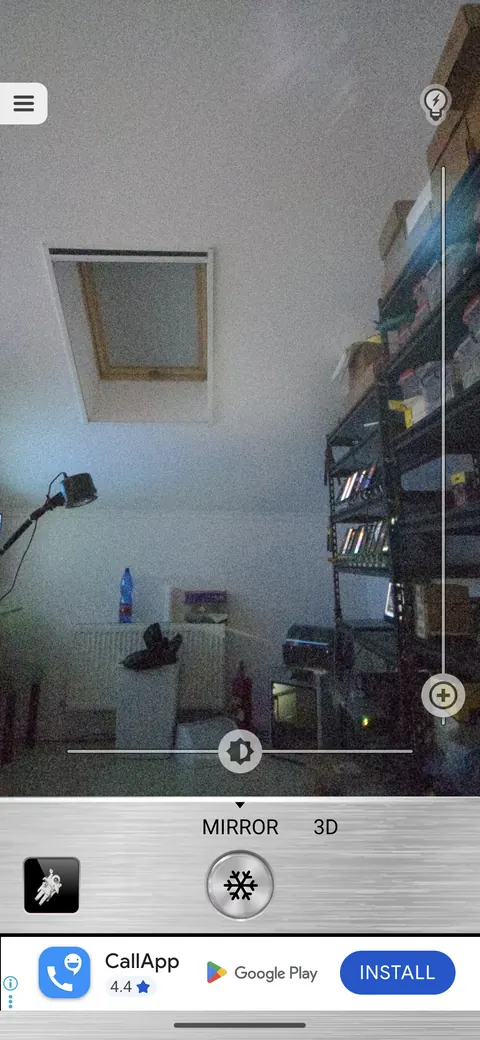
Main tabs for MIRROR and 3D modes that turn the phone into a magnifying makeup or shaving mirror.
About screen
Shows gesture instructions and app version 4.4.16.
Gesture controls
Tap to focus, double tap to toggle light, long press to capture, vertical drag for zoom, horizontal drag for exposure.
Remove ads purchase
Paywall offering an ad-free upgrade.
The main user flow
- Open the MIRROR or 3D tab to use the magnifying mirror
- Use gestures to zoom, focus, toggle light and capture
- Open the side menu to reach gallery, about, sharing, feedback or quick-launch tools
- Purchase the remove-ads upgrade
- Navigation
- A single main screen with MIRROR and 3D tabs and a hamburger side menu that opens over the content.
- Onboarding
- None seen; the app opens directly to the mirror home screen.
- How it makes money
- Heavy advertising: many sponsored app install cards and third-party service ads inside the main and side menu screens, plus a Remove ads paywall dialog.
Screenshots
10 of 23 screens, captured on a real phone with sample data.
Home - MIRROR / 3D tabs Home - LearnUp app ad card Remove ads paywall dialog Side menu - gallery, upgrade, quick launch tools About - gesture shortcuts and version 4.4.16 Home - APK Extractor app ad card Home - CountAI app ad card Home - Temu shopping ad Home - product ad with MDL prices Home - CallApp ad card - +13 more screensFree with an account
Screenshots: © Digitalchemy, LLC, shown for commentary.
See all 23 screens — create a free accountSee every screen
The full map has all 23 screens, every feature and where each one lives. It is free with an account.
What could be better
Our read of the map, the store listing and recent reviews.
Keep ads out of the mirror view and limit them to the side menumedium
Ads fill the mirror tabs and interrupt button presses, so users say ads ruin makeup sessions. Show no ads on the mirror screen, never block a control with an ad, and keep ad slots to the menu.
Ask for data consent once, with a clear decline that does not require paymentmedium
Users report repeated cookie-vendor screens and being charged to refuse data use. Ask for consent once, make decline a single visible button, and never tie declining to a purchase.
Make the light brighter and report its state on the mirror screenmedium
Users say the light is too dark and does not help. Raise light output, and show a visible on/off and brightness indicator so the user knows the light is working before they rely on it.
Improve magnified image sharpness and add a higher zoom steplarge
Users report pixelated or grainy magnified images and want more magnification. Use a sharper zoom path and allow higher magnification steps with a clear zoom level readout.
Show visible zoom, light and capture buttons beside the gesture controlssmall fix
The mirror controls are hidden behind gestures and not visible on screen. Add on-screen buttons for zoom, light and capture, and keep the gestures as shortcuts for users who want them.
Add a restore-purchase option that works after reinstallsmall fix
Users who paid for the upgrade lost access after reinstalling and could not restore it. Add a restore-purchase action in the menu and tie it to the store account.
Show one ad-free upgrade offer with its price before any ads appearsmall fix
The remove-ads dialog pushes users to pay after heavy ads, which users see as forced payment. Show the upgrade once, with the price, on first launch before ads load.
Cut app cache growth and background battery usemedium
Users report large cache size after short sessions and fast battery drain. Limit cached ad content, clear it on exit, and avoid background work when the mirror is closed.
Want an app like this, but better?
Tell us the idea. We research it, and build it for you.
Submit your idea