How nRF Connect for Mobile works
Nordic Semiconductor ASA
Android
What it does
nRF Connect for Mobile is a generic Bluetooth Low Energy tool for scanning nearby BLE devices, viewing their advertisement data, and building GATT server configurations to emulate a BLE peripheral. It also supports device definitions and bonded/favorite device management.
Who it is for: For people who want to scan, inspect, and configure nearby Bluetooth Low Energy devices.
Key features
GATT server
Create, select and manage GATT server configurations to emulate a BLE peripheral.
GATT services
Add, edit and view predefined or custom BLE services in a GATT configuration.
Definitions
Manage user services, characteristics and descriptors definitions.
BLE scanner
Scans for nearby Bluetooth Low Energy devices, with a SCAN button and filters.
Configuration management
Rename, duplicate, undo and delete server configurations.
Export and import
Export configurations or definitions to XML or share them, and import definitions.
The main user flow
- Scan for BLE devices from the Devices screen
- Create a GATT server configuration, add predefined or custom services, and edit characteristics
- Manage definitions and export or import configurations via XML or share
- Mark devices as favorites from the scanner
- Check phone BLE capabilities in Device information
- Navigation
- Main screen with Devices tabs (Scanner, Bonded, Advertiser) and a navigation drawer with GATT server, favorites, definitions, nRF Logger, device info, tips, settings and feedback.
- Onboarding
- A short welcome tutorial with pages for the Scanner, followed by a notification permission prompt.
- How it makes money
- none seen
Screenshots
10 of 32 screens, captured on a real phone with sample data.
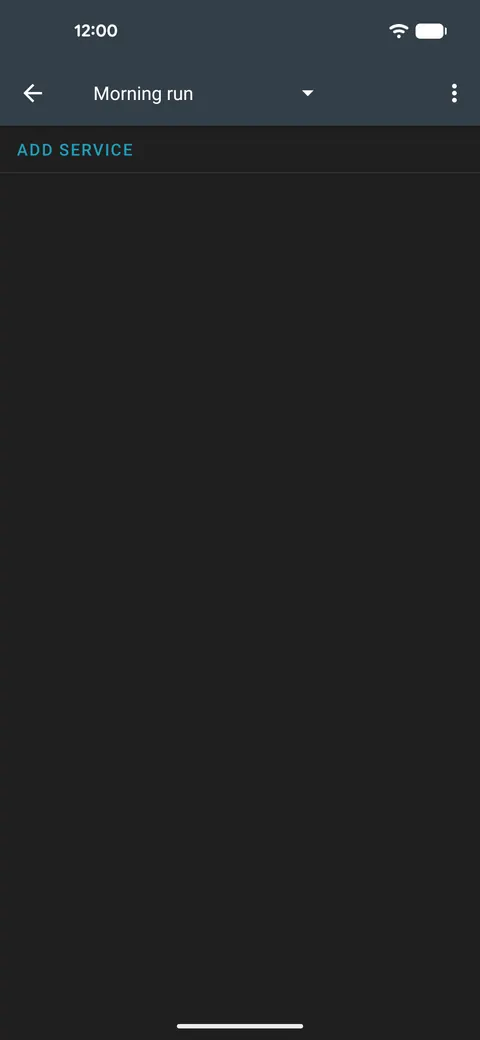
Definitions Tutorial - Scanner Home - navigation drawer Device information Devices - scanner empty state Notification permission dialog New GATT configuration dialog GATT - Link Loss characteristics GATT server - disabled GATT configuration - Morning run - +22 more screensFree with an account
Screenshots: © Nordic Semiconductor ASA, shown for commentary.
See all 32 screens — create a free accountSee every screen
The full map has all 32 screens, every feature and where each one lives. It is free with an account.
What could be better
Our read of the map, the store listing and recent reviews.
Make the scanner show only live devices with current signal strengthlarge
Reviews say the scanner finds nothing or lists offline devices from cache. Build scanning around live advertisements, drop devices not seen recently, and show when results were last refreshed.
Explain the app's purpose on first launch before asking for permissionssmall fix
Several low reviews say users did not know what the app does. Replace the welcome tutorial with a short purpose statement and a skip option, and show a plain example of what the scanner is for.
Add a firmware update (DFU/OTA) flow for BLE moduleslarge
Users look for OTA/DFU firmware updates and report the option is missing or fails. Offer a clear firmware update flow with file selection, progress, and error messages that say what went wrong.
Keep the app responsive during service discovery and connectionmedium
Reviews report hangs and crashes while discovering services or after reconnecting. Run discovery in the background with a cancel button and a timeout message, so the screen never stays stuck loading.
Let users export logged notifications and values to CSVmedium
Users logging data overnight can only export a text log. Add CSV export of characteristic values and notification history, and move export out of the overflow menu into a visible action.
Add an in-app editor for macrosmedium
Users can record macros but cannot edit them afterward. Add a screen to add, edit, reorder and delete macro actions and their data.
Offer a simpler view that hides UUIDs and jargon by defaultmedium
The UI is dense with UUIDs and technical terms, which reviews call over-engineered. Show plain device names and service names first, with UUIDs and raw values behind a details toggle.
Rename the Devices, Scanner and Advertiser tabs with clearer labelssmall fix
The tab names for scanning, bonded devices and advertising are easy to confuse. Use labels that name the action, such as Nearby, Paired and Broadcast, and add a one-line description under each.
Want an app like this, but better?
Tell us the idea. We research it, and build it for you.
Submit your idea