How TED works
Ted Conferences LLC · Education
Android
What it does
Watch and listen to TED talks and podcasts with topic personalisation, transcripts, saving and downloads.
Who it is for: People who want to watch and listen to TED talks and podcasts on topics they choose, with transcripts and downloads.
Key features
Onboarding
Sign-in and interests.
Talks and transcripts
Watch, like, save, transcript.
Settings and theme
Light mode, autoplay, resolution.
Browse and filters
Filter videos by topic, language, duration.
Library
History, saved, downloads.
The main user flow
- Pick interests, browse talks
- Watch, like, save, read transcript
- Library of saved and downloaded talks
- Navigation
- Bottom bar: Home, Browse, Surprise Me, Podcasts, Library; settings gear top right.
- Onboarding
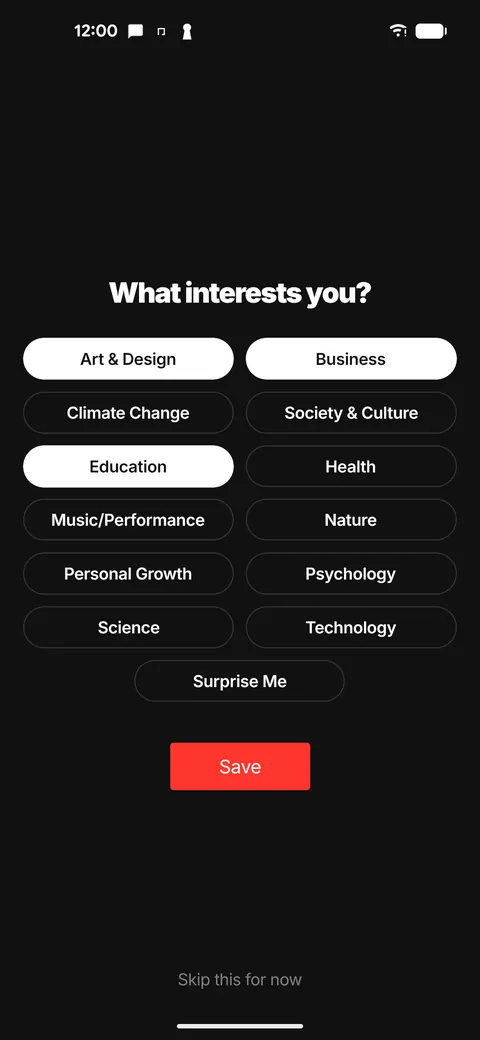
- Welcome, sign-in with skip option, topic interests, in-app notification banner.
- How it makes money
- Free, ad-free app with donation/membership elsewhere; store lists ads.
Screenshots
8 of 18 screens, captured on a real phone with sample data.
Podcasts Topics filter Settings What interests you? Transcript Welcome to TED Stay up-to-date Topics selected - +10 more screensFree with an account
Screenshots: © Ted Conferences LLC, shown for commentary.
See all 18 screens — create a free accountSee every screen
The full map has all 18 screens, every feature and where each one lives. It is free with an account.
What could be better
Our read of the map, the store listing and recent reviews.
Keep video playback smooth on fast connections, with buffering checks before playbacklarge
Reviewers say talks lag, pause and buffer even on fast connections. Test playback on common Android devices, start with a lower bitrate, and show a clear retry state instead of stalling.
Stop the app freezing or closing after a few videos or downloadslarge
Users report crashes after two videos, freezes after each download, and unresponsive touch controls. Add crash reporting, release a fix for playback and download paths, and test long sessions before release.
Make offline downloads reliable and offer per-talk audio downloadsmedium
Downloads fail, freeze the app, and tie content to the app. Ship a download queue that survives restarts, and let users save each talk as a standalone audio file.
Persist liked, saved and watch history in the library and resume where playback stoppedmedium
Users lose liked and saved lists and cannot resume after a restart. Sync the library to local and account storage and store playback position per talk.
Keep audio playing when the screen is locked or the app is in the backgroundmedium
Listeners lose playback when the screen locks or the app leaves the foreground. Add a media session with lock-screen controls and resume position after an interruption.
Offer Cast to TV in the first release, with a working TV applarge
Users say the app cannot stream to a TV or Chromecast. Add casting from the talk page and the player, and make the TV app match the phone's library.
Turn off notifications by default and make every notification dismissiblesmall fix
Users say recommendation notifications cannot be swiped away or disabled. Ask for permission once in context, default recommendations off, and add a single toggle in settings.
Show ads only between talks and never block playback while an ad loadsmedium
Users say videos do not load while waiting for an ad, and the store lists ads. Load ads asynchronously, skip ad waits for playback, and state ad use clearly in the store listing.
Want an app like this, but better?
Tell us the idea. We research it, and build it for you.
Submit your idea